 Sign in
n8n Best VPS: Requirements and How to Choose a Plan in 2026
The best VPS for n8n keeps your workflows running around the clock, has enough memory for your workload, and sits near the services your workflows call. This guide covers what to size, when to move to queue mode, how to choose a location and what to check before you buy.
Why n8n belongs on a VPS and not on a laptop
n8n is a workflow automation tool. Most of its value comes from things happening when you are not looking: a webhook arrives at night, a schedule fires on Sunday, an AI step waits on an API response. If n8n lives on a laptop, every sleep, reboot, Wi-Fi drop or closed lid is a missed run.
A VPS fixes this. It is a server that stays on 24/7, has a dedicated IPv4 address that does not change when you move between networks, and gives you full control over what is installed. That stable address matters for webhooks, for allowlisting your server in the APIs you call, and for pointing a domain name at your instance.
If you want the short version of how this looks on rdp-buy.com, see VPS for n8n. The rest of this guide explains how to decide what you actually need.
What n8n needs from a server
n8n is a Node.js application. On its own it is not a heavy program, but the workload you put on it decides how much server you need. Before comparing plans, understand which resource is likely to limit you first.
The official documentation at docs.n8n.io is the right place to confirm current requirements and supported setups. Treat any single number quoted in a blog post or forum thread as a starting point and check it against the docs and against your own monitoring.
- Memory (RAM): usually the first limit you will hit. Each running execution holds its data in memory, so large JSON payloads, big spreadsheets, file handling and many parallel runs all push memory up. When a server runs out of memory, the process is killed and executions fail.
- CPU: matters most for Code nodes, heavy data transformation and many executions running at the same time. Workflows that mostly wait on HTTP responses use little CPU.
- Disk: n8n stores workflows, credentials and execution history. Execution history is what grows. Fast local storage helps the database, and pruning old executions keeps disk use under control.
- Network: your workflows are mostly API calls, so latency to those APIs matters more than anything else on this list. More on that in the location section.
- Database: n8n uses SQLite by default, which is fine for trying it out. For a production instance that must survive restarts and grow, PostgreSQL is the usual choice.
Sizing by workload, not by guesswork
Instead of searching for one magic plan, describe your workload and size from there. Here are three common profiles, described in plain terms rather than fixed specs.
- Light: a handful of scheduled workflows, simple webhooks, small payloads, notifications and syncs between SaaS tools. A small plan is usually enough. Leave some headroom so the operating system, Docker and a reverse proxy are not competing with n8n.
- Medium: many webhooks, AI and LLM calls, data cleanup, several workflows running at the same time, some file handling. Choose a mid range plan, run PostgreSQL, and watch memory during busy hours.
- Heavy: long running workflows, large datasets, bursts of simultaneous webhooks, or several teams sharing one instance. This is where you plan for queue mode and possibly more than one server.
A practical way to pick your first plan
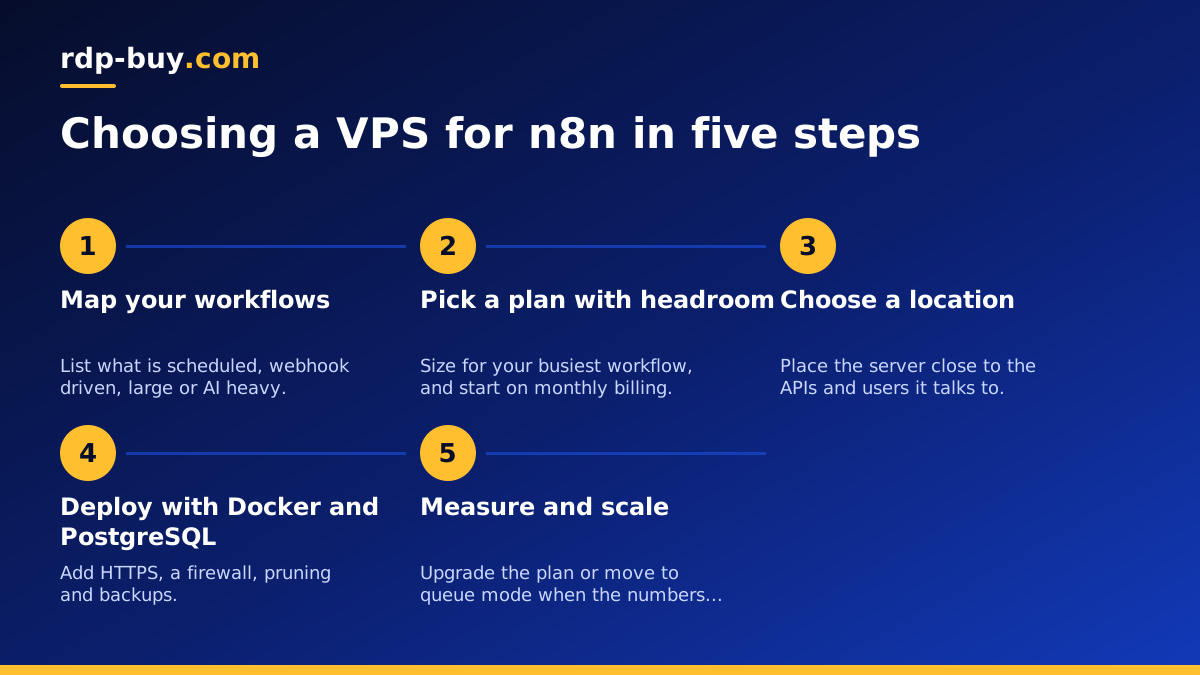
Start by listing your workflows and marking each one as scheduled, webhook triggered or manual. Note which ones handle large payloads or call AI models. That list tells you more than any generic recommendation.
Then pick a plan with some room above your estimate, deploy, and measure. Look at memory use while your busiest workflow runs, not while the server is idle. If memory sits close to the limit, move up a plan before failures start. Because rdp-buy.com servers are ready in minutes and billing is monthly, half-yearly or yearly, starting on monthly billing while you learn your real usage is a sensible way to avoid overbuying.
If you plan to run other tools beside n8n, such as a database, a reverse proxy or other agents, add their needs on top. The hub page AI agent hosting covers running several automation and agent tools on the same server.
When to use queue mode
By default n8n runs in regular mode: one process receives triggers and also executes the workflows. That is simple and works well for many teams. The weakness is that a few heavy executions can slow down everything else, including incoming webhooks.
Queue mode splits the work. A main instance handles triggers, the UI and the API, and puts executions in a queue stored in Redis. One or more worker processes pick jobs from the queue and run them. State and history live in PostgreSQL. You can add workers as load grows, and a worker crash does not take down the main instance.
Consider queue mode when:
- Executions regularly overlap and slow each other down.
- Webhooks must respond quickly even while heavy jobs are running.
- You want to scale by adding workers instead of buying a larger single server.
- You need a clearer separation between the editor and the execution workload.
What queue mode changes on your VPS
Queue mode needs Redis and PostgreSQL in addition to n8n, so you run more containers and need more memory overall. A common starting point is the main instance, one worker, Redis and PostgreSQL on a single VPS, which already gives you the separation. Later you can move workers to additional servers.
Two details trip people up. First, the main instance and every worker must share the same encryption key, otherwise workers cannot decrypt your stored credentials. Second, the execution mode must be set to queue on every instance. The exact variables and commands are in the queue mode section of the n8n hosting documentation, and the Docker side is explained in our Docker VPS page.
Choosing a server location
Location is the most overlooked part of choosing a VPS for n8n hosting. Your workflows spend most of their time waiting for remote APIs, so the distance between your server and those APIs shows up directly in execution time. The same applies to your users if they call your webhooks or open the editor often.
Use this simple process:
- List the main services your workflows call: CRM, database, AI provider, payment platform, messaging tools.
- Find out roughly where those services run. Many providers document their regions.
- Pick a server location close to the majority of them, or close to the people who trigger your webhooks if those matter more.
- Test with a real workflow, and move if the results are poor.
Location options at rdp-buy.com
rdp-buy.com offers 33 server locations, so you can usually place n8n near the services it depends on. You can browse them on the server locations page. Data residency can also drive the decision: if your workflows handle personal data from a particular region, keeping the server in that region makes compliance conversations simpler. Check your own legal requirements, since location alone does not make a setup compliant.
Pricing expectations for n8n VPS hosting
People searching for n8n VPS pricing often want a single figure. There is no honest universal one, because price follows resources, location and billing period. What you can rely on is how the pieces fit together.
Self-hosted n8n itself is a separate question from server cost, so check the current licence terms on the n8n GitHub repository and on n8n.io before you plan a commercial setup. The server is the part you rent from a provider.
- More memory and CPU cost more. Size to your measured workload, not to the largest plan.
- Longer billing periods are usually the cheaper route per month, while monthly billing gives you flexibility. rdp-buy.com offers monthly, half-yearly and yearly billing.
- Location can influence price. Compare the same plan across the locations that suit you.
- Linux usually costs less than Windows. On rdp-buy.com the Windows licence is included in Windows prices, so you do not buy it separately, but a Linux VPS is the more economical base for n8n alone.
- Plan for extras. Backups, a domain name and monitoring are small costs that save you from large problems.
What to look for in a provider
When you read forum threads and search for a VPS for n8n reddit users recommend, the advice tends to circle around the same practical concerns. Opinions about specific providers change, so use the underlying questions as a checklist instead of copying a name.
- Root access. You need to install Docker, edit configuration and control updates. rdp-buy.com Linux servers come with full root access.
- A dedicated IPv4 address. Needed for stable webhook URLs, DNS and allowlisting.
- Locations that fit you. A provider with many regions gives you freedom to sit near your APIs.
- Fast provisioning. Being able to start, test and replace a server quickly makes experiments cheap. Servers at rdp-buy.com are ready in minutes.
- Support that answers at any hour. Automations do not fail on office hours. rdp-buy.com has 24/7 support.
- Flexible billing. Start short, commit longer once the setup is proven.
- Room to upgrade. Your first workflow is rarely your last.
Set up n8n on a VPS: the steps
Here is a straightforward path on a Linux server. Plans are listed on the Linux VPS page.
- 1. Order and log in. Choose a plan and location, then connect over SSH as root or with a sudo user.
- 2. Update the system. Apply operating system updates and create a non-root user for daily work.
- 3. Install Docker and Docker Compose. Follow the official instructions at docker.com for your distribution.
- 4. Write a Compose file. Define n8n and PostgreSQL, with persistent volumes so data survives container recreation. Set your timezone and a strong encryption key, and store that key somewhere safe.
- 5. Add a reverse proxy with HTTPS. Use Caddy or Nginx on ports 80 and 443 so your domain points to n8n. Set the webhook URL in n8n to your public address so triggers display correctly.
- 6. Restrict access. Enable the firewall, allow only the ports you need, and use strong credentials on the editor.
- 7. Turn on execution pruning. Remove old execution data on a schedule so the disk does not fill.
- 8. Back up. Save the database, the Compose file and the encryption key regularly, and test a restore once.
- 9. Monitor. Watch memory, disk and container restarts for the first weeks, then adjust the plan.
Linux or Windows for n8n
For n8n alone, Linux is the usual choice: lighter on resources, simple with Docker, and easy to automate. A Windows server makes sense if your workflows must drive Windows desktop software or you simply prefer a graphical remote desktop. The guide Windows or Linux server: which to rent walks through that decision, and RDP vs VPS explains the terms.
One more note: n8n is a product of its own company, and rdp-buy.com is not affiliated with or endorsed by n8n or the other tools mentioned here. We provide the servers you run them on.
