 Sign in
Best Claude Code VPS: What to Look For and Which to Pick
Claude Code (by Anthropic) is a terminal-based coding agent, and a VPS lets it keep working when your laptop is closed. This guide covers the specs, location, network and operating system to look for, and which kind of plan suits a solo developer or a team.
Why run Claude Code on a VPS instead of a laptop
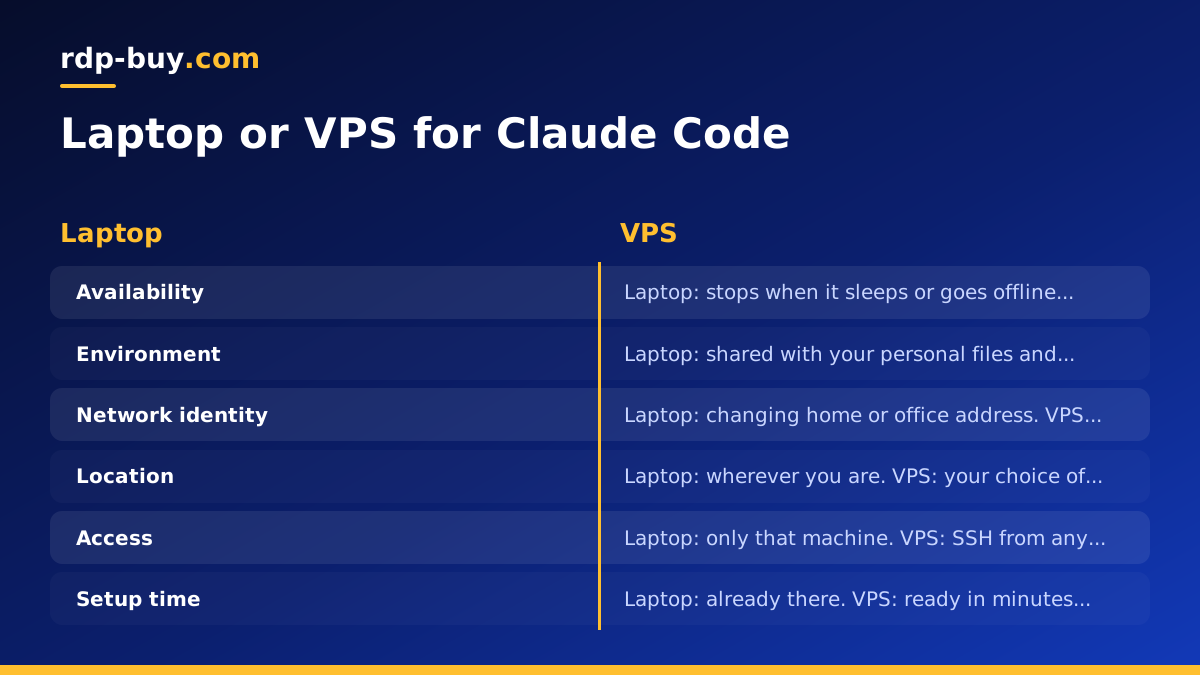
Claude Code works inside a terminal session. It reads your repository, edits files, runs commands and tests, and loops until the task is done. Long tasks can take a while, and that is where a laptop becomes a poor host. It sleeps, loses Wi-Fi, gets closed at the end of the day, and shares its CPU with everything else you are doing.
A VPS is a server that stays on. You connect over SSH, start a session, give the agent a task and disconnect. The work carries on. When you reconnect from another machine, the session and the repository are exactly as you left them. For people searching for a claude code vps, this is the main reason: the agent gets a stable home that does not depend on your own hardware.
A server also gives you a clean, separate environment. You can install the toolchain your project needs without cluttering your personal machine, and you can reset the whole thing if something goes wrong. If you want the wider picture of running agents this way, the AI agent hosting hub explains how the different agent tools fit on a server.
- Uptime: the session keeps running while you are offline.
- Separation: the agent works in its own environment, away from your personal files and browser sessions.
- Dedicated IP: the server has its own IPv4 address, which you can allowlist on the services the agent touches.
- Access from anywhere: connect from a laptop, a desktop or a phone SSH client.
What Claude Code actually needs from a server
The model itself does not run on your server. Claude Code sends requests to Anthropic's API, so you do not need a machine built for model inference. What the server needs to handle is everything around the agent: your language runtime, package installs, builds, test suites, linters, databases and any containers the project uses.
That changes how you should read a plan. Size the server for your project's tooling, not for the agent. If your tests are light, a modest plan is enough. If you compile large projects or run a full stack in containers, you want more headroom. I am deliberately not giving a single magic number here, because it depends on the project, and a guess would only mislead you. A better method is to note how much CPU and memory your project uses on your laptop when you run its full test suite, then pick a plan comfortably above that.
Look at these areas in order:
- CPU: more cores help when the agent runs builds and tests in parallel. A single weak core makes every loop slower.
- Memory: this is where small servers usually fail. Node-based tooling, test runners and Docker all consume memory at the same moment. Running out leads to killed processes and confusing errors.
- Disk space: repositories, dependency folders and container images add up. Leave room for several projects and for caches.
- Root access: you need to install packages and configure a firewall. rdp-buy.com Linux servers come with full root access, and Windows servers with full admin access.
- Ready quickly: servers at rdp-buy.com are ready in minutes, so testing a plan does not mean a long wait.
Linux or Windows for Claude Code
For most people, Linux is the simpler choice. Claude Code is a command-line tool, and a Linux VPS gives you a shell, a package manager, SSH and tmux out of the box. Scripts, Git workflows and Docker all behave the way the documentation assumes. It also tends to leave more of the server's resources for your actual project, since there is no desktop environment running.
A Windows server makes sense in a few cases: your project depends on Windows-only tools, you build .NET or desktop software, or you want to watch and interact with a full desktop. In that case a Windows RDP plan is the better fit, and the Windows licence is included in the price. Check the current Windows setup notes in the official Claude Code documentation before you decide, since supported platforms and install methods can change.
If you are unsure, the guide on choosing between a Windows and a Linux server walks through the decision. The short version: start with Linux unless something in your stack forces Windows. Browse the Linux VPS plans to see what is available.
Location and network: where to put the server
rdp-buy.com offers 33 server locations, listed on the server locations page. The right one depends on what the agent talks to.
Be realistic about where latency matters. The time Claude Code spends waiting for the model is mostly inference time, and a nearby server will not change that much. What a nearby location does help with is everything else the agent does in a loop: pulling from and pushing to your Git host, calling your own staging APIs, connecting to a database, downloading packages. It also affects how your SSH session feels. Every keystroke travels to the server and back, so a far-away location can make the terminal feel sluggish.
A sensible way to choose:
- If the agent works mainly against a service you host, pick the location nearest to that service.
- If you are a solo developer connecting from one place, pick the location nearest to you, so the terminal feels responsive.
- If your team is spread out, pick a central location, or the one closest to the shared infrastructure the agent uses.
- If you are not sure, test. Connect, run a few commands and see how the session feels before you commit to a longer billing period.
Why the dedicated IP matters
Each server has a dedicated IPv4 address. For a coding agent this is more useful than it sounds. Many databases, staging environments, internal APIs and admin panels restrict access by IP address. With a stable address, you add it to the allowlist once and the agent can reach those services reliably, without opening them to the whole internet.
It also keeps your own home or office address out of the picture. The agent's outgoing traffic comes from the server, not from your connection, which makes it easier to tell in logs what the agent did and what you did.
Which plan to pick: solo developers
A solo developer using Claude Code on one or two projects does not need an oversized server. Choose a Linux VPS with enough memory to run your project's test suite and dev server at the same time, plus a reasonable amount of disk. Pick the location closest to you or to the services your project uses.
Billing is monthly, half-yearly or yearly. If this is your first time running an agent on a server, start with monthly billing. Once the setup proves itself and you know how much headroom you really use, moving to a longer period makes sense. You can read the dedicated page for a VPS for Claude Code to see how this is positioned for the tool.
Which plan to pick: teams
Teams have different needs. Several people may run sessions at once, projects may use containers, and someone usually has to manage access. The key choice is whether to give each person a separate server or share one larger one.
Separate servers are simpler to reason about. Each developer has their own environment, their own session and their own blast radius if something goes wrong. A shared server uses fewer machines but needs more care: separate user accounts, clear rules about who runs what, and enough memory for everyone's work at the same time.
If your projects run in containers, read about the Docker VPS option, because container workloads raise your memory and disk needs. Whichever approach you choose, give each person a non-root account and keep root for administration only. For teams that need a Windows desktop for part of the workflow, the guide on which RDP plan you need helps with sizing.
Setting up Claude Code on a VPS, step by step
These steps assume a Linux server. Exact commands for installing Claude Code change over time, so use the current instructions from the official documentation for that one step.
- 1. Order the server and pick the location closest to your services or to you.
- 2. Connect over SSH using the IP address and root credentials you receive.
- 3. Update the system with your distribution's package manager.
- 4. Create a normal user for the agent and give it SSH access, then stop logging in as root for daily work.
- 5. Turn on a firewall and allow only the ports you need, usually SSH. Consider key-based login and disabling password login.
- 6. Install the basics: Git, tmux (or screen) and the language runtime your project needs.
- 7. Install Claude Code following the official instructions, then sign in or provide your credentials as the documentation describes.
- 8. Clone your repository and add any deploy keys or tokens with the narrowest permissions possible.
- 9. Start a tmux session, launch Claude Code inside it and give it a task. Detach with tmux and close your laptop.
- 10. Reconnect later, reattach to the tmux session and review what the agent did before merging anything.
Security habits that matter more on a server
A coding agent can run commands. On your own laptop that is risky enough. On a server with credentials and a public IP, it deserves a bit more care.
Run the agent as a non-root user so that a mistake cannot rewrite the whole system. Keep secrets out of the repository and give the server only the tokens it needs, with the smallest scope possible. Review the permission prompts instead of approving everything automatically, especially on a machine that holds production credentials. Anything that can reach production should be a separate decision, not a default.
Finally, keep a habit of reviewing diffs. The server makes it easy to let the agent run for hours, and that is exactly when a quick review pays off. Treat its work like a pull request from a new colleague.
Common mistakes to avoid
When people discuss running Claude Code on a VPS on forums such as Reddit, the same practical problems come up again and again. They are worth knowing before you buy.
- Choosing a server for the agent instead of for the project's build and test load, then running out of memory.
- Skipping tmux or screen, so the session dies when the SSH connection drops.
- Working as root all day because it is convenient.
- Picking a location far from you and then finding the terminal laggy.
- Storing broad access tokens on the server instead of limited ones.
- Never reviewing what the agent changed because it ran while you were away.
