 Sign in
Hermes Agent: What It Is and How to Run It on Your Own Server
Hermes Agent is an open source AI agent from Nous Research that is most useful when it stays online all day. This guide explains what it does, what it needs from a server, and how to get from a blank VPS to a first working agent in 2026.
What Hermes Agent is
Hermes Agent is an open source AI agent project published by Nous Research. Instead of being a chat window you open and close, it is built to run as a long-lived process that can take tasks, use tools, keep memory between sessions and reach you through the channels you already use. The source code, install notes and issue tracker live in the official Hermes Agent repository on GitHub, and the company behind it is at nousresearch.com.
The details of the project change quickly, so treat the repository README as the source of truth for supported model providers, messaging platforms and install commands. This guide stays at the level that does not go out of date: what kind of software it is, what it needs from the machine underneath, and how to set that machine up sensibly.
One point of clarity: rdp-buy.com is an independent hosting provider. We are not affiliated with, sponsored by or endorsed by Nous Research. We sell servers, and Hermes Agent is one of many things people run on them.
Why an agent like this needs a server that never sleeps
An agent that waits for messages, runs scheduled jobs or works through a task queue is only useful while it is running. On a laptop, that means the agent stops when the lid closes, the battery dies, the Wi-Fi drops or the machine updates and restarts. You end up with an assistant that is reliable only when you happen to be at your desk.
A 24/7 server fixes the structural problem. These are the practical gains:
**PLACEHOLDER**
- Uptime without babysitting. The process lives on a machine whose only job is to stay on, so scheduled tasks and incoming messages are handled while you sleep or travel.
- No personal computer in the loop. Your laptop can be off, offline or in a bag. The agent does not care.
- A dedicated IP address. Every rdp-buy.com server includes a dedicated IPv4 address, which is handy when you need to allow one stable address on an API, a firewall or a webhook allow list.
- A location you choose. You can place the agent near the services it calls most, which keeps round trips short and behaviour predictable.
- Clean separation. Credentials, memory files and logs sit on a server rather than mixed in with your personal files and browser sessions.
What you need before you start
Hermes Agent does not need exotic hardware when the language model runs elsewhere. In the common setup the agent calls a hosted model through an API, so the server mainly runs the agent process, stores its memory and files, and keeps network connections open. If you plan to host a model on the same machine, the requirements change a lot, and that is a separate decision from the one this guide covers.
Here is a short checklist:
- A Linux VPS. Most agent tooling targets Linux first. A Debian or Ubuntu based image is the easiest to follow along with. See the Linux VPS plans if you need one.
- Root access. You will install packages, create a service and set up a firewall, so you want full control of the machine.
- An API key for a model provider. The agent needs a model to think with. Check the README for which providers are supported.
- A messaging account or bot token, if you want to talk to the agent from your phone. The README lists the platforms it can connect to.
- An SSH client. Terminal on macOS and Linux has one built in, and recent Windows versions include one in PowerShell.
From a fresh VPS to a first working agent
The steps below describe the general path. Where the agent's own install command is involved, copy it from the official README rather than from a blog post, since it may have changed.
Our VPS for Hermes Agent page covers the hosting side in more detail, and the AI agent hosting hub compares the other agents people run alongside it.
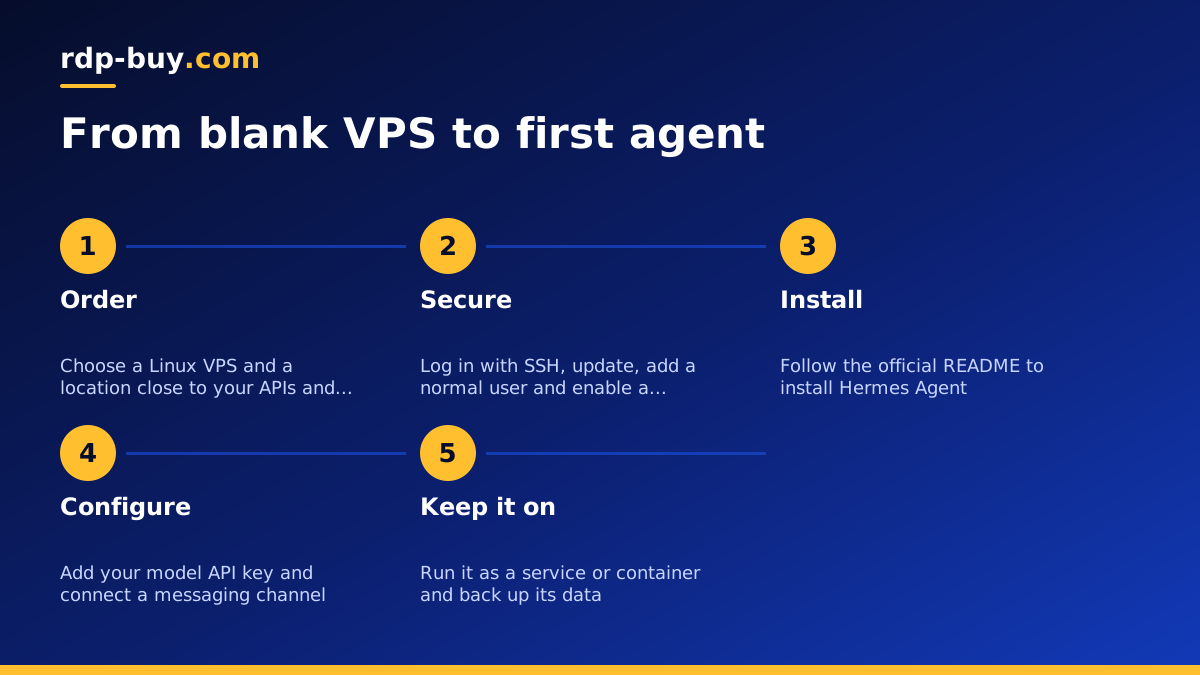
- Order and wait a few minutes. Pick a Linux plan and a location, choose Debian or Ubuntu, and wait for the server to be ready. Servers at rdp-buy.com are ready in minutes.
- Log in over SSH. Use the dedicated IPv4 address and the root credentials you were given: ssh root@your-server-ip.
- Update the system. Run apt update and then apt upgrade, and reboot if the kernel was updated.
- Create a normal user. Add a user for the agent, give it sudo only if you need it, and prefer SSH keys over passwords. Running the agent as a non-root user limits the damage if something goes wrong.
- Turn on a basic firewall. Allow SSH and nothing else until you know what the agent needs. A tool such as ufw is enough for a first setup.
- Install Hermes Agent. Open the repository, find the install section and run the steps as your new user. Read the script or commands before you run them.
- Configure the model and keys. Add your provider API key and choose a model when the setup asks. Keep keys in the agent's config or an environment file with strict file permissions, never in a public repository.
- Connect a messaging channel. Add a bot token for the platform you prefer and send a simple test message such as asking the agent what it can do.
- Keep it running. Set the agent up as a systemd service, or run it in a container, so it starts on boot and restarts after a crash. Then log out and confirm it still answers.
Should you run it in Docker?
Many people prefer containers for agents. A container keeps the agent's dependencies separate from the host, makes updates and rollbacks easier, and lets you move the setup to another server by copying a compose file and a data folder. If you go this way, store the agent's memory and configuration in a mounted volume so they survive when the container is replaced.
Our Docker VPS page explains the basics of running containers on a server. The official Docker documentation covers installing the engine and compose on your distribution. Whether you use Docker or a plain service, the principle is the same: the agent should be easy to restart, easy to back up and easy to rebuild.
Hermes Agent best use cases
Because it is built for continuous operation and memory, Hermes Agent suits jobs where context builds up over time. These are sensible starting points, not promises about results:
- A personal assistant on your phone. Message it from a chat app for reminders, quick research and drafting, with the agent running on the server rather than on your device.
- Scheduled routines. Daily summaries, recurring checks and reports that should arrive at a set time whether or not your computer is on.
- Research and note keeping. Collecting sources, summarising them and keeping the results in files the agent can come back to later.
- Light automation of repetitive work. Tasks with clear steps, such as sorting information, preparing drafts or preparing data for a human to review.
- Learning the agent pattern. A cheap, isolated server is a good place to experiment with tools and skills without touching your main machine.
Hermes Agent best practices
Agents act on your behalf, so a little discipline at the start prevents most problems later.
- Start with narrow permissions. Give the agent only the files, accounts and tools it needs for the first task. Widen access one step at a time.
- Use a dedicated account and API keys. Create keys just for the agent, so you can revoke them without affecting anything else.
- Do not run it as root. Use a normal user, and think carefully before allowing shell commands that change the system.
- Keep the firewall tight. Open only the ports you can name a reason for, and prefer SSH keys with password login disabled.
- Back up the memory and config. The agent's value grows with what it remembers. Copy that data off the server on a regular schedule.
- Watch the logs and your model usage. Check what the agent is doing after the first few days, and set spending limits with your model provider where they are offered.
- Review before it acts on anything important. For messages to other people, payments or deletions, keep a human approval step.
- Update deliberately. Read release notes in the repository before upgrading, and test on a spare setup if the agent matters to you.
Pick a server location that suits the agent
An agent spends much of its time waiting on network calls: model APIs, web services, your messaging platform. If most of those services, or most of your users, are in one region, a server in or near that region keeps the delay lower and more consistent. rdp-buy.com offers 33 server locations, listed on the server locations page.
A practical approach: find where your model provider and main tools are hosted, pick the closest location, and test with a few real tasks. If a service you depend on limits access by country or region, choose a location that matches its rules.
When Windows is the better fit
Hermes Agent is normally a Linux workload, so a Linux VPS is the straightforward choice. Windows RDP makes sense when your agent also has to drive Windows-only desktop software or a visible browser session that you want to watch over remote desktop. The guide to choosing a Windows or Linux server walks through the trade-offs, and the Windows RDP for AI agents page covers the desktop case. Windows plans at rdp-buy.com include the licence in the price and give you full admin access.
