 Sign in
n8n Hosting: How to Choose the Right Server for Your Workflows
Good n8n hosting comes down to a server that never sleeps, has enough memory for your busiest workflow, and sits close to the apps it connects. This guide explains what n8n needs and how to choose a plan, from a small VPS for n8n to a larger box on our AI agent hosting range.
What n8n hosting actually means
n8n is a workflow automation tool. You connect triggers, such as a webhook, a schedule or a new email, to actions in other apps, and increasingly to AI models and agents. The n8n software itself is source-available, so you can run it on your own server instead of using the vendor's managed cloud.
Hosting n8n yourself means three jobs: running the n8n process, storing its data (workflows, credentials and execution history), and exposing it on a web address with HTTPS so webhooks from other services can reach it. A virtual private server handles all three. It is online around the clock, it has a fixed public IP address, and you control the software versions and the data.
If you want the comparison with the managed cloud first, our post on self hosted n8n vs paid cloud covers the trade-offs. This guide assumes you have decided to host it and want to pick the right server.
Why a laptop is not good n8n hosting
Many people start n8n on their own computer. It works for building workflows, but it breaks down as soon as the workflows matter. A schedule trigger set for 3 a.m. does not fire if the laptop is asleep. A webhook from a payment provider or form tool fails if your home connection drops or your IP address changes. And anything that runs for hours ties up your machine.
A server removes those problems. It stays on, it keeps the same dedicated IPv4 address, and it can sit behind a proper domain with a certificate so outside services can call it reliably.
What n8n needs from a server
n8n runs on Node.js and is most often installed with Docker. The official documentation at docs.n8n.io lists the supported setups. When you choose a plan, think about these resources:
- Memory: the most important resource. Workflows that move large files, process big JSON payloads or loop over many items hold that data in memory while they run.
- CPU: matters when many workflows run at the same moment, or when you use code nodes that do heavy processing.
- Disk: stores the database, binary data and execution logs. Execution history grows quickly unless you prune it.
- A database: SQLite is the default and fine for light use; PostgreSQL is the usual choice for busier instances.
- A domain and HTTPS: needed for webhooks and secure access to the editor.
Sizing your n8n VPS
Size from your workflows, not from a generic chart. Count how many workflows run on a schedule, how often webhooks arrive, and how large the data is that passes through them.
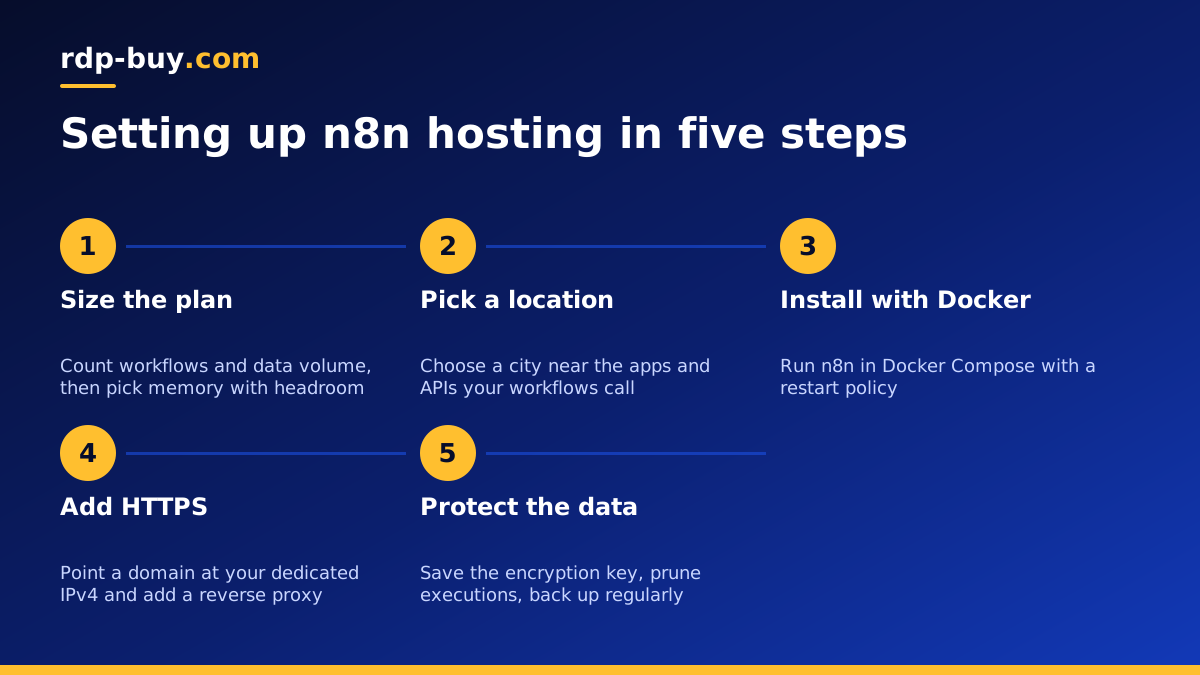
A personal or small business instance with a handful of scheduled workflows and the occasional webhook is a light workload, and an entry-level Linux plan is a sensible start. If you run AI agent nodes that call large language models, keep in mind that the model runs at the provider, so n8n mostly waits on API responses; memory still matters for the context and results it handles. If you plan queue mode with separate workers, Redis and PostgreSQL, or you process files and images, choose a plan with more memory and cores from day one.
Because billing can be monthly, it is reasonable to start on a smaller plan, watch memory use during your busiest workflows, and move up when you see it getting tight.
Choosing a location for n8n hosting
Each workflow step is a network call, so distance adds up. Put your server near the apps and APIs your workflows talk to most, or near the people who use the editor. If most of your tools are hosted in the United States, a US city makes sense; if your business and its customers are in Europe, a UK or Germany server keeps data and responses closer.
rdp-buy.com has 33 server locations, listed on the server locations page. Every server includes a dedicated IPv4 address, which is useful when an API or database only accepts connections from allowlisted IPs.
Keeping n8n online around the clock
Once n8n runs on a server, a few habits keep it reliable:
- Run n8n with Docker Compose and a restart policy so it comes back after a reboot. The official n8n docs include a sample Compose file to start from.
- Put a reverse proxy such as Caddy or Nginx in front of n8n to handle HTTPS certificates.
- Set the encryption key for credentials and store a copy somewhere safe; without it you cannot restore credentials.
- Enable execution data pruning so the database does not grow without limit.
- Back up the database and the n8n data folder to another location on a schedule.
- Update n8n on a regular rhythm, reading the release notes first, and keep the operating system patched.
Security basics for a self hosted n8n server
An n8n instance holds credentials for many of your other accounts, so it deserves careful protection. Treat it like a password vault that also runs code.
Before you connect real accounts, lock down the server and the editor.
- Create the n8n owner account with a long, unique password as soon as the editor is reachable.
- Use SSH keys for server logins and disable password login over SSH.
- Allow only ports 80, 443 and your SSH port through the firewall, and keep the n8n port itself closed to the internet behind the reverse proxy.
- Limit who can open the editor, and remove access for people who no longer need it.
- Store the credentials encryption key and backups outside the server.
Linux VPS or Windows RDP for n8n
For almost everyone, a Linux VPS is the right home for n8n. Docker runs natively, resources go further, and the guides and community examples assume Linux. A Windows server makes sense only if your workflows must also drive Windows-only desktop software on the same machine, in which case a Windows RDP for AI agents can host both, or you can run n8n on Linux and keep a separate Windows server for the desktop tasks.
Signs you have outgrown your n8n server
Your first plan does not have to be your last. Watch for executions that fail with memory errors, an editor that becomes slow while workflows run, webhooks that time out at busy moments, or a disk that keeps filling with execution data even after pruning. Any of these is a hint to move to a plan with more memory or cores, or to split n8n into a main instance and workers in queue mode on a larger server.
How to choose your n8n hosting plan
Start with the n8n VPS hosting plans if you are running a personal or small team instance. You get full root access, a dedicated IPv4, monthly, half-yearly or yearly billing, and servers ready in minutes. If you want room for several agents, queue workers and databases on one machine, browse the wider AI agent hosting range, or pick a larger box from the Docker VPS plans.
You can pay by card, PayPal or crypto, and 24/7 support can help you pick a size if you describe your workflows.
