 Sign in
Best VPS Chicago: A Midwest Server Guide for Traders and Apps
The best VPS in Chicago is the one that sits close to the people, markets and services you connect to, with enough resources for your workload and full root control. This guide explains who benefits from a Chicago server, how traders and developers should size one, and how to buy a VPS in the USA that fits.
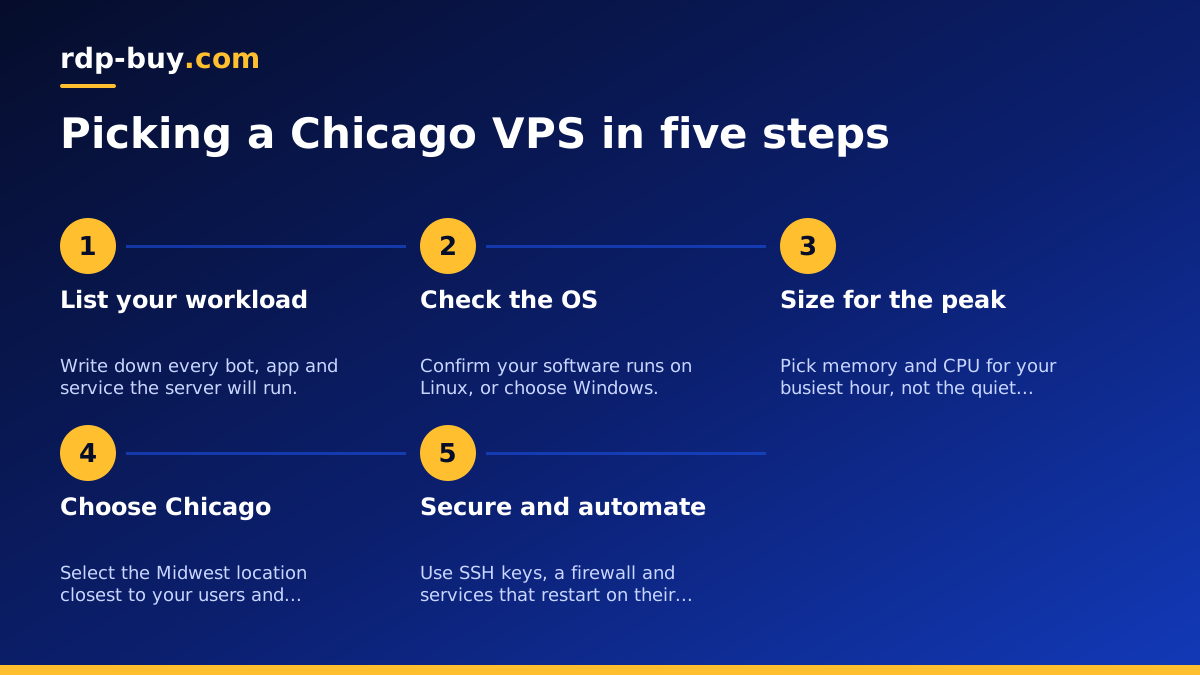
Why choose a VPS in Chicago at all
Chicago sits in the middle of the United States, which makes it a natural meeting point for traffic coming from both coasts, the Midwest and Canada. When your server lives in the centre of the country, the distance to most North American users is shorter on average than from a coastal city. That matters for anything interactive: trading tools, dashboards, chat bots, APIs and remote desktops all feel more responsive when the round trip is short.
Chicago also has a long history as a financial city. Many traders who follow futures, options and commodity markets prefer to run their tools on a server in the region where a lot of that activity is handled. We will not quote latency numbers here, because they depend on your broker, your platform and the route your data takes, but the general rule holds: the closer your server is to the systems it talks to, the less time each message spends travelling.
Finally, a Chicago server gives you a US IP address. Some services, data feeds and dashboards work more smoothly from a US address, and many teams simply want their infrastructure in the same country as their customers. A USA VPS based in Chicago covers all three needs at once: central location, financial focus and a US IP.
Who needs a Chicago VPS
A Chicago VPS is not only for traders. Here are the groups that get the most from a Midwest Linux server:
- Futures and options traders who run automated strategies, trade copiers or data collectors and want them online around the clock without leaving a home computer switched on.
- Businesses with customers across the US who want one central server instead of separate East and West Coast machines.
- Developers and agencies in the Midwest hosting client websites, staging environments or internal tools close to the people who use them.
- Automation users running n8n, scheduled scripts, scrapers or AI agents that call US based APIs all day.
- Remote teams who need a shared Linux box for builds, monitoring or a private VPN exit with a US address.
Chicago VPS for futures trading: what to check
If you are looking at a Chicago VPS for futures trading, start with the software you actually use. Many popular charting and execution platforms are Windows programs. A Linux VPS is a great fit for custom bots written in Python, Node or Go, for market data recorders and for broker APIs, but if your platform needs Windows you should look at a Windows VPS or a Windows RDP instead. A USA RDP in Chicago gives you the same location with a full Windows desktop.
For Linux based trading setups, check these points before you order:
- Memory headroom. Market data, logs and multiple strategy processes add up. Leave room so the server never starts swapping during a busy session.
- Dedicated IPv4. Some brokers and API gateways let you whitelist an IP. A dedicated address makes that simple and stable.
- Root access. You need it to install your language runtime, set up a firewall and run your strategy as a system service that restarts on its own.
- Billing that matches your plans. Monthly billing suits testing a new strategy, while half-yearly or yearly billing suits a setup you already trust.
- Support hours. Markets move outside office hours, so 24/7 support is worth having.
How to size the best VPS in Chicago for your workload
There is no single best plan, only the best plan for what you run. Think about the busiest moment your server will face, not the quiet hours. A trading bot that idles most of the day but processes a burst of orders at the open needs enough CPU for that burst. A website that is quiet at night but busy at lunch needs enough memory for the lunch rush.
A simple way to decide is to list every process that will run on the server, then estimate memory for each one and add a safety margin. Light workloads such as a single bot, a small website or a VPN fit on an entry plan. Several bots, a database, a dashboard and an automation tool together need a mid range plan. Heavy data collection, many containers or a busy web shop need a larger plan or even a dedicated CPU server where cores are not shared.
Storage is the other half of the decision. Trading logs, tick data and database files grow every day. Plan for growth from the start, and set up log rotation so old files are compressed or removed automatically. Our guide on how to size a server walks through the same thinking for agents and automation.
Setting up your Chicago VPS step by step
Once your server is ready, which takes minutes, follow these steps to get a safe and reliable setup:
- Connect over SSH with the root details from your welcome email, then create a regular user with sudo rights.
- Switch to key based login and disable password login for SSH, so automated attacks have nothing to guess.
- Turn on a firewall and open only the ports you need, for example SSH plus the port your dashboard or website uses.
- Update the system and enable automatic security updates.
- Install your runtime, such as Python, Node or Docker, and deploy your bot or app.
- Run it as a service with systemd or Docker restart policies, so it comes back on its own after a reboot.
- Add monitoring, even a simple health check that messages you if the process stops.
Chicago or another US city?
Chicago is a strong default when your users or markets are spread across the country or concentrated in the Midwest. It is not always the right answer, though. If most of your users are on the East Coast, a New York VPS may be closer. If your audience is in California or Asia Pacific, a West Coast city is often a better fit. Texas based businesses may prefer Dallas.
The good news is that you do not have to guess forever. rdp-buy.com offers 33 server locations, and you can see every option on the server locations page. Start with the city closest to the systems your server talks to most, test it with your real workload, and move if you find a better match. Monthly billing makes that kind of testing easy.
Common mistakes when buying a Chicago VPS
Most problems with a new server come from a few avoidable choices. Watch out for these:
- Choosing by price alone. A plan that is too small will slow down at the worst moment. Pick the plan that covers your busiest hour.
- Ignoring the operating system your software needs. Check whether your platform runs on Linux before you order a Linux VPS.
- Leaving default security in place. Change login methods and enable a firewall on day one.
- Skipping backups. Keep copies of configuration files, strategy code and databases somewhere other than the server itself.
- Running everything as root. Use a normal user and services with limited rights wherever you can.
Choosing your Chicago plan and buying it
When you are ready, pick the plan that covers your peak workload, choose Chicago as the location, and select the billing period that suits you. Every plan includes full root access, a dedicated IPv4 address and 24/7 support, and you can pay by card, PayPal or crypto. If you prefer to pay with digital currency, see how to buy a VPS with crypto.
To compare plans side by side and order, visit the US VPS plans page. If you are still unsure whether you need Linux or Windows, read RDP vs VPS first, then come back and choose the plan that matches your software.
