 Sign in
Buy USA RDP With Bitcoin: Wallet, Network and Payment Tips
Paying in Bitcoin is simple once you know the few details that trip people up: the wallet you send from, the network, the exact amount and the invoice time window. This guide covers each one so you can buy a USA RDP with Bitcoin without delays.
Why Buy USA RDP With Bitcoin
Bitcoin is a practical way to pay for a server when a card or PayPal is not an option, or when you already hold crypto and prefer to spend it directly. Some buyers live in countries where international card payments are often declined. Others simply like paying from their own wallet without involving a bank.
The server you receive is the same whichever way you pay. A USA RDP from rdp-buy.com is a Windows server in the United States with full administrator access, a dedicated IPv4 address, the Windows licence included in the price and 24/7 support. Bitcoin only changes the checkout step.
If you want a broader overview of paying with any coin, see our page on buying RDP with crypto. This article focuses on Bitcoin and the specific details that matter for it.
Step One: Choose the Right Wallet to Pay From
Where your Bitcoin sits makes a real difference to how smoothly the payment goes. There are two main options.
A personal wallet, such as a mobile, desktop or hardware wallet where you hold the keys. You control the exact amount sent and the fee, and the payment leaves straight away. This is usually the smoothest option for paying invoices.
An exchange account. Many people keep Bitcoin on an exchange. You can often withdraw directly to a payment address, but exchanges may batch withdrawals, add their own withdrawal fee, hold the transfer for review or require you to whitelist the address first. Any of these can delay a payment past the invoice time window.
If you pay from an exchange, check its withdrawal rules before you start checkout. Some buyers move funds to a personal wallet first, then pay the invoice from there.
Step Two: Place Your USA RDP Order
Choose your plan and US city before you pay. Pick the city closest to the services your server will talk to, such as a broker or the APIs your tools use, and size the plan to your heaviest program. If you are unsure, our guide to which RDP plan you need helps.
Then pick a billing term. Monthly is best for testing, while half-yearly or yearly suit servers you will keep. At checkout, choose crypto as the payment method and Bitcoin as the coin. You will see a payment page with a Bitcoin address, an exact amount and a time limit for paying.
Step Three: Send on the Correct Network
This is the most important step. Bitcoin payment pages expect coins sent on the Bitcoin network itself. Some wallets and exchanges also hold wrapped or bridged versions of Bitcoin on other blockchains, and they may offer several networks in the withdrawal menu.
Always select the Bitcoin network that matches the payment page. Sending a wrapped token or using another blockchain will not reach the invoice and can be very hard or impossible to recover. If the payment page supports the Lightning Network, it will say so clearly; if it does not mention Lightning, do not use it.
Copy the address with the copy button or scan the QR code rather than typing it. After pasting, check the first and last few characters against the payment page to make sure nothing changed.
Step Four: Pay the Exact Amount
Crypto invoices are set to an exact amount of Bitcoin for that order. Send that amount precisely.
Watch out for exchange fees. If you withdraw from an exchange, it may deduct its withdrawal fee from the amount you enter, so the invoice receives less than required. Look for an option to set the amount received, or add the fee on top so the full amount arrives.
Pay in one transaction. Splitting a payment across several transfers can confuse the invoice and slow down matching. Send the full amount at once.
Underpaid by mistake? Contact support with your invoice number and transaction ID instead of sending another random amount. They can tell you exactly what is missing.
Step Five: Choose a Sensible Network Fee
Every Bitcoin transaction includes a network fee paid to miners. The fee you choose affects how quickly the transaction is picked up. When the network is busy, a very low fee can leave your payment waiting for a long time.
Because invoices have a time window, choose a normal or priority fee rather than the cheapest option. Most personal wallets suggest fee levels based on current network conditions. Pick one that aims for a reasonably quick confirmation.
If a transaction gets stuck, some wallets let you speed it up by raising the fee. Check whether your wallet supports this before you pay, so you have a backup plan.
Step Six: Wait for Confirmation and Receive Your Server
After you send, the payment page usually shows that a transaction has been detected, then marks the invoice as paid once the transaction is confirmed on the network. How long this takes depends on network traffic and the fee you chose.
Once the payment is confirmed, your USA RDP is set up and the login details are sent to your email. Servers are ready in minutes after confirmation. Connect with the Remote Desktop app, change the administrator password and run Windows Update before installing your software. Our guide on connecting to your RDP server covers every device.
Keep your transaction ID until you have your server details. It is the quickest way for support to locate your payment if anything looks wrong.
Common Bitcoin Payment Mistakes to Avoid
Most delays come from a handful of avoidable errors.
- Wrong network: sending a wrapped Bitcoin token on another blockchain instead of native Bitcoin.
- Fee deducted: an exchange taking its withdrawal fee out of the amount, leaving the invoice underpaid.
- Expired invoice: starting checkout, then waiting too long before sending.
- Too low a fee: a transaction that sits unconfirmed while the invoice window passes.
- Reused address: paying a new invoice to an address from an older order. Always use the address on the current payment page.
- Exchange hold: a withdrawal held for review or address whitelisting.
Keeping Records of Bitcoin Payments
Crypto payments do not come with a bank statement, so keep your own records. Save the invoice from your client area, note the transaction ID and the date you paid, and keep the wallet address you paid from. Together, these prove the payment if a question ever comes up and make accounting or expense claims easier.
If you buy for a business, check how your accountant wants crypto spending recorded before you pay. Some prefer a note of the value in your local currency at the time of payment, which you can take from your wallet or exchange history.
Store these records somewhere other than the server itself, such as a cloud drive or your email, so you can reach them even if you rebuild the server later.
Bitcoin or Another Way to Pay
If Bitcoin fees are high when you check out, or you hold other coins, you can pay with another supported cryptocurrency instead. You can also use a card or PayPal if those work for you; see our guide to buying RDP USA with PayPal or card. The server and its features are identical whichever method you pick.
For renewals, you can pay each new invoice the same way. Choosing a half-yearly or yearly term means fewer Bitcoin payments to make over the life of the server.
Order Your USA RDP With Bitcoin
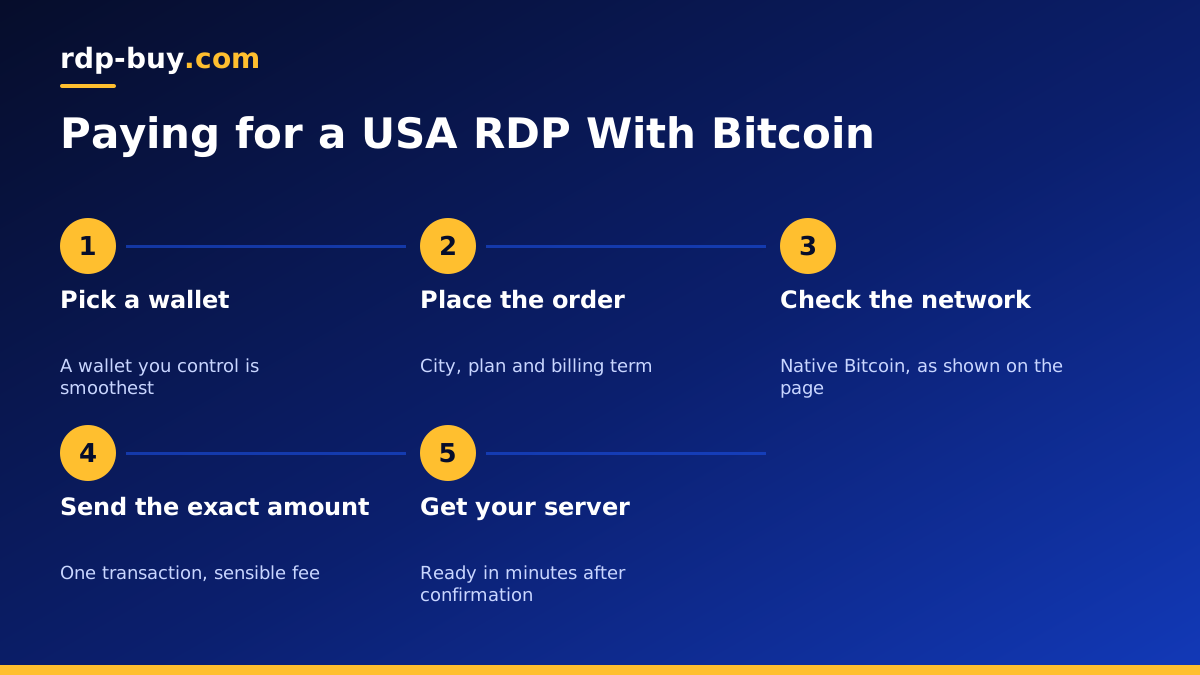
To recap: pay from a wallet you control, choose the Bitcoin network, send the exact amount in one transaction with a sensible fee, and keep your transaction ID until your server arrives.
When you are ready, choose your city and plan on our USA RDP page, select Bitcoin at checkout and follow the steps above. If budget matters most, see our cheap RDP plans as well.
