 Sign in
USA VPS for VPN: How to Run Your Own Private US VPN
A USA VPS for VPN use gives you a private server with your own dedicated US IP address that only you and your team connect through. This guide covers why people build one, how to set it up with WireGuard and how to pick a US VPS that suits the job.
Why use a USA VPS for VPN instead of a shared service
A commercial VPN app sends you through servers that many other people share. That works for casual browsing, but it has limits. The IP addresses are widely known, so some websites and work tools treat them with suspicion, and you have no say in how the server is run.
A self hosted VPN on a USA VPS works differently. The server is yours, with full root access and a dedicated IPv4 address that nobody else uses. You decide which software runs, which users may connect and what is logged. For remote workers, small teams and developers, that control is the main reason to build one.
It is worth being clear about what a private VPN does not do. It does not make you anonymous, because the address belongs to a server rented in your name. It does hide your traffic from the local network you are sitting on, and it gives you a steady US address to work from.
Who builds a private VPN on a US VPS
In every case the value is the same: a consistent, private US address that you control, available around the clock.
- Remote workers abroad who need a stable US IP address for company tools, banking portals or software that only accepts American users.
- Small teams that want one fixed address to allowlist on firewalls, admin panels and cloud dashboards.
- Travellers who connect from hotel and airport Wi-Fi and want their traffic encrypted to a server they trust.
- Developers and testers who need to see how a site or app behaves for US visitors.
- Agencies managing client ad accounts and analytics from one consistent US location.
- Home lab users who want a secure tunnel back to services they run on the same server.
Choosing a protocol: WireGuard, OpenVPN or IPsec
Three VPN protocols cover almost every self hosted setup. Each runs well on a Linux VPS.
WireGuard is the modern default. The configuration is short, the code base is small and clients exist for Windows, macOS, Linux, iOS and Android. For most people building their first private VPN, it is the right choice.
OpenVPN has been around for many years and is very flexible. It can run over TCP on a common port, which helps on networks that block unusual traffic. The setup has more moving parts, so it suits people who need that flexibility.
IPsec with IKEv2 is built into many phones and laptops, so users can connect without installing an app. It takes more care to configure correctly, which is why most new setups start with WireGuard.
Setting up WireGuard on your US VPS step by step
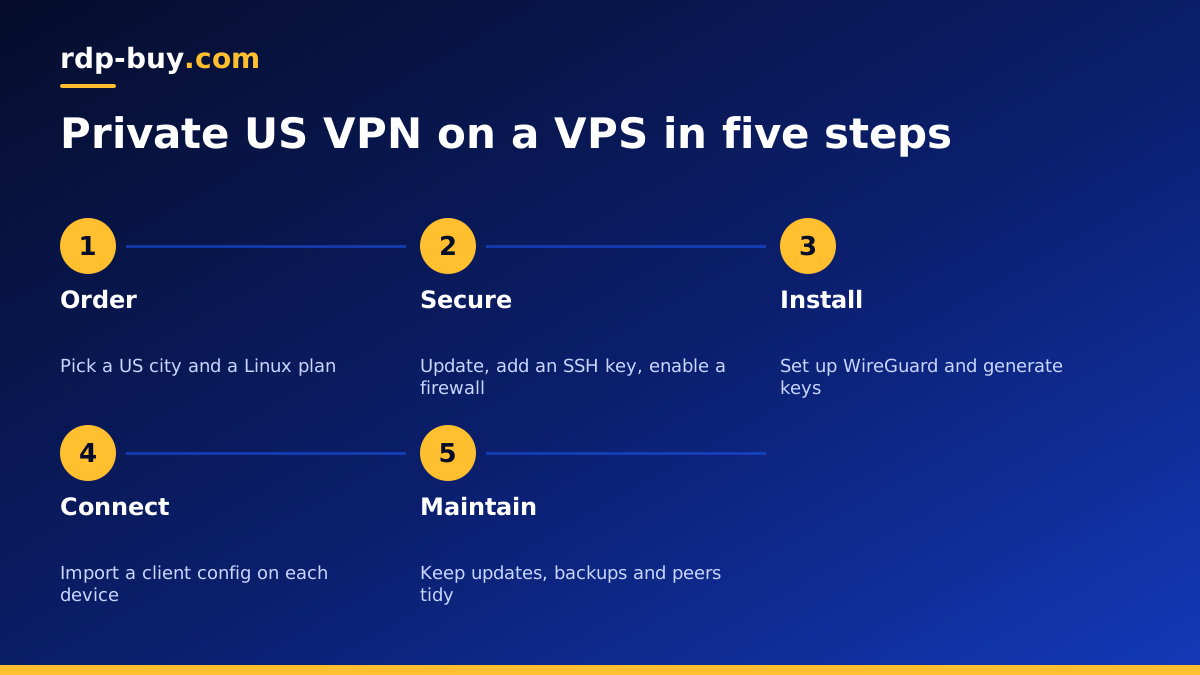
The following outline works on current Ubuntu and Debian releases. Read the official documentation for your distribution as you go, because package names can change between versions.
- Order and connect: choose a US location, pick Ubuntu or Debian, and log in over SSH with the details from your welcome email.
- Update and secure the server: install updates, create a sudo user with an SSH key and turn off password logins for root.
- Install WireGuard from the distribution's package manager.
- Generate keys for the server and for each device that will connect. Every device should have its own key pair.
- Write the server config with a private subnet for the tunnel, the server's private key and one peer section per device.
- Enable forwarding of IPv4 traffic in the kernel settings and add a NAT rule so tunnel traffic leaves through the server's public address.
- Open the firewall for the WireGuard UDP port and SSH, and keep every other port closed.
- Start the service and set it to start on boot, then import the client config on each device, often by scanning a QR code on a phone.
- Test by checking your public IP address from the client. It should show the server's US address.
Which US city should host your VPN
rdp-buy.com offers 33 locations, with several US cities. For a VPN, the best location is usually the one closest to you or to the services you reach through it, because every request travels to the server and back.
If you are in Europe, an East Coast city such as New York is a natural pick. If you are in Asia or Australia, a West Coast city such as Los Angeles, Seattle or Silicon Valley is closer. If you need a particular state for local content, choose that city directly. The server locations page lists every option, and the VPS New York guide explains the East Coast choice in more depth.
How big a plan does a VPN server need
A VPN on its own is a light workload. WireGuard uses very little memory and CPU, so a small plan is usually enough for one person or a handful of devices. Look first at the cheap VPS plans if the VPN is the only thing the server will do.
Step up a plan when the server does more than one job. Many people run the VPN next to a password manager, an ad blocking DNS resolver, a small website or Docker containers. In that case, size the plan for the other services, since they will use far more memory than the tunnel. The Docker VPS page helps with that sizing.
Keeping a private VPN safe and reliable
A VPN server is a door into your devices, so treat it with care. A few habits keep it healthy.
- Give each device its own key, and remove the peer when a device is lost or replaced.
- Keep the operating system and WireGuard updated on a regular schedule.
- Use a firewall that allows only SSH and the VPN port, and consider moving SSH behind the VPN once it works.
- Back up the server config and keys to a safe place so you can rebuild quickly.
- Follow the terms of the services you access and the law where you live. A VPN is a privacy and access tool, not a way around rules you agreed to.
Paying for your US VPS server
Ordering takes a few minutes. Pick a plan, choose the US city, select a Linux distribution and a billing term: monthly, half-yearly or yearly. You can pay by card, PayPal or crypto. If you want to keep the payment side private as well, the guide on how to buy a VPS with crypto walks through it. The server is ready in minutes, and 24/7 support is available if the setup gets stuck.
Picking a USA VPS plan for your VPN
For a private VPN, choose the US city closest to you, start with a small Linux plan and use WireGuard unless you have a reason not to. Size up only if the server will also run other services. With your own server you get a dedicated US IP address, full root access and a tunnel that only your devices use.
When you are ready, buy a VPS in the USA, pick your city at checkout and follow the steps above to have your VPN running the same day.
