 Sign in
AI Agents Examples: 10 Real Uses You Can Run on Your Own Server
An AI agent is software that uses a language model to decide on steps, call tools and finish a task with little supervision. Below are ten concrete AI agents examples, what each one needs to run, and why most of them belong on always-on AI agent hosting rather than a laptop.
What counts as an AI agent
A chatbot answers a question and stops. An AI agent goes further. It receives a goal, plans a sequence of actions, uses tools such as web search, file access, APIs or a shell, checks the results and keeps going until the goal is met or it needs a human decision.
Most agents have the same parts: a language model that does the reasoning, a set of tools it is allowed to call, some form of memory so it can keep context between steps, and a trigger that starts it, such as a schedule, a webhook or an incoming message. Frameworks and tools like n8n, OpenClaw, Hermes Agent and Claude Code (by Anthropic) package these parts in different ways.
Because agents often run on a schedule or wait for events, where they live matters. An agent on a laptop stops when the lid closes. An agent on a server keeps listening. That is the main reason people look for hosting for AI agents once a prototype works.
Customer support and communication agents
These are among the most common AI agents examples because the value is easy to see and the inputs are text.
- 1. Inbox triage agent: reads new support emails, labels them by topic and urgency, drafts a reply from your help articles and leaves it for a person to approve. It needs mailbox access through an API and a store of approved answers.
- 2. Chat assistant on a messaging app: answers common questions in Telegram, Discord or Slack, looks up order or account status through your own API and hands off to a human when unsure. It must be online all the time, so it needs a server with a stable address for webhooks.
- 3. Meeting follow-up agent: takes a transcript, writes a summary, lists action items and creates tasks in your project tool. It runs after each meeting, triggered by a file or webhook.
Research and content agents
Research agents gather information from several sources and turn it into something usable. They tend to run on a timer.
- 4. Market watch agent: checks competitor pages, release notes and news feeds every morning, compares them with yesterday and sends a short brief of what changed.
- 5. Keyword and topic research agent: pulls search data from an SEO API, groups related queries and proposes article outlines for a human editor to review.
- 6. Document question agent: indexes your internal documents and answers staff questions with links to the source page, so answers can be checked.
Coding and developer agents
Coding agents read a repository, make changes, run tests and report back. Claude Code is a well known example, and OpenClaw and Hermes Agent can be pointed at development tasks too.
- 7. Pull request helper: reviews new pull requests, flags likely bugs and missing tests, and comments on the diff. It is triggered by a repository webhook.
- 8. Maintenance agent: runs on a schedule to update dependencies on a branch, run the test suite and open a pull request when everything passes.
Operations and automation agents
Operations agents connect business systems. Many teams build these in n8n, which combines regular automation nodes with AI steps.
- 9. Lead enrichment agent: when a form is submitted, it looks up the company, classifies the lead, writes a short note for sales and updates the CRM.
- 10. Server watch agent: reads logs and health checks, explains unusual errors in plain language and alerts the right person with a suggested fix.
What these AI agents examples have in common
Look across the ten examples and a pattern appears. Nearly all of them are triggered by something outside your control: an email arriving, a form being submitted, a webhook firing, or a schedule at an hour when you are asleep. That means the agent has to be running and reachable at that moment.
They also hold credentials. An inbox agent has mail access, a CRM agent has API keys and a coding agent has repository tokens. Keeping those on a dedicated server with its own access controls is cleaner than leaving them on a personal laptop that also browses the web.
Finally, many agents call external APIs many times per task. Placing the server in a region close to those APIs and to your users keeps each round trip short, which adds up over long agent runs.
How to tell if a task suits an agent
Not every job needs an agent. A fixed rule, such as copying a form entry into a spreadsheet, is better handled by a plain automation step that never varies. Agents earn their place when the input is messy and a judgement call is needed, such as deciding what an email is really asking or which of several sources to trust.
A useful test is to ask whether a capable new hire could do the task from written instructions and a few examples. If yes, an agent can probably do a first pass, with a person reviewing the output at the start. If the task needs knowledge that exists only in someone's head, write that knowledge down first, because the agent can only use what you give it.
It also helps to keep the first version narrow. One agent that does one job reliably is easier to test, cheaper to run and simpler to trust than a broad assistant that tries to do everything at once.
What you need to run your own agent
Hosted agent platforms are convenient but limit what tools an agent may use and where your data goes. Self hosting on a server gives full control. A typical setup looks like this.
- A Linux VPS with root access, or a Windows server if the agent must drive desktop software.
- Docker, so each agent and its database run in isolated containers that are easy to update.
- A reverse proxy with HTTPS for any webhooks or dashboards.
- API keys for the model provider you choose, stored as environment variables rather than in code.
- A process manager or Docker restart policy, so the agent comes back after a reboot.
- Logs and simple alerts, so you know when a run fails.
Matching examples to tools
If your agent is mostly a workflow with a few AI steps, such as lead enrichment or inbox triage, n8n is a natural fit. Our guide to self hosting n8n walks through a production setup, and the VPS for n8n page lists suitable plans.
If the agent needs to act more freely, browse, write files and use many tools, OpenClaw or Hermes Agent are popular self-hosted choices; see VPS for OpenClaw and VPS for Hermes Agent. For coding agents, the Claude Code VPS setup guide shows how to run it on a remote server. None of these vendors is affiliated with rdp-buy.com; they are simply common tools our customers run.
If an agent must operate Windows-only software through a desktop, a Windows server you reach over RDP is the better base. The Windows RDP for AI agents page covers that case.
Picking a server for your first agent
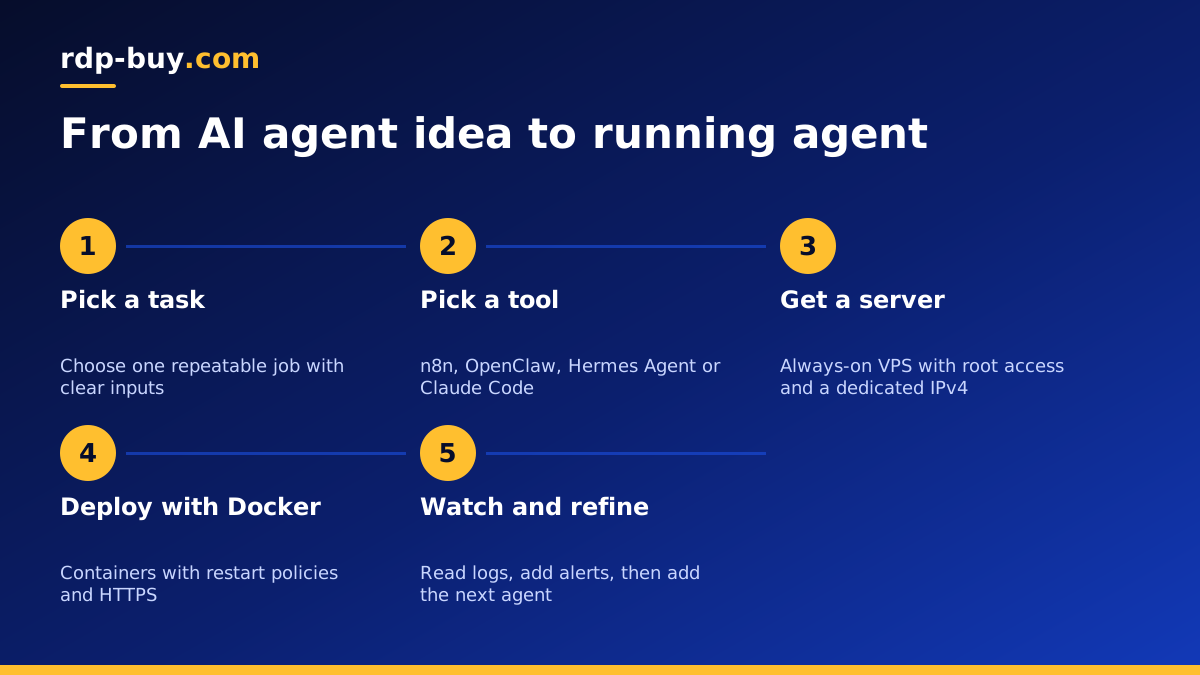
Start with one agent and one server. Pick a location close to the APIs the agent calls most often, install Docker, deploy the agent with a restart policy and watch its logs for a few days. Add more agents to the same server only when you understand how much memory and CPU the first one uses.
When you are ready, our AI agent hosting plans give you full root or administrator access, a dedicated IPv4 address and a choice of 33 locations, with monthly, half-yearly or yearly billing. Servers are ready in minutes and support is available 24/7, so your first agent can be live the same day you finish building it.
