 Sign in
Claude Code VPS Setup: A Step by Step Guide for 2026
A Claude Code VPS setup moves your coding agent off your laptop and onto a server that stays online, so long tasks keep running while you sleep or travel. This guide covers every step, from a fresh Linux server to a secure, persistent session, and explains when dedicated AI agent hosting is worth it.
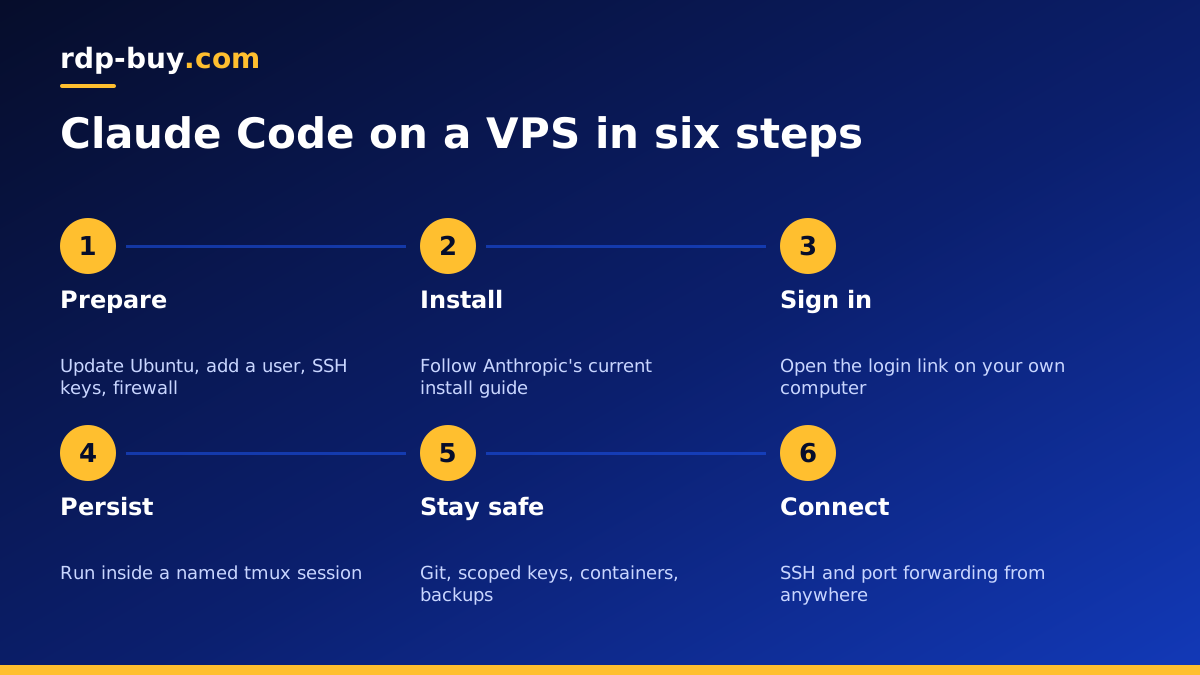
Why run Claude Code on a VPS
Claude Code (by Anthropic) is a command line coding agent. It reads your repository, edits files, runs commands and tests, and works through tasks you describe in plain language. On a laptop it stops when the lid closes, the battery dies or the Wi-Fi drops. On a VPS it keeps going.
A server also gives the agent a clean, consistent environment. You install your language runtimes, databases and tools once, and every session starts from the same place. Nothing the agent runs touches your personal files, browser profiles or saved passwords, which is a sensible boundary for any tool that executes commands.
Finally, a VPS has a fixed address and sits in a data centre close to the services you deploy to. Pulling dependencies, running containers and pushing to a remote repository all happen on the server's connection rather than your home line.
What you need before you start
The requirements are modest. Claude Code itself is light, because the model runs on Anthropic's side. What needs resources is everything the agent runs on your behalf: test suites, builds, dev servers, databases and containers.
- A Linux VPS. Ubuntu or Debian is the easiest choice. Size it for your project's builds and tests, not for the agent. A dedicated VPS for Claude Code comes ready for this kind of work.
- Root access. You need it to install packages, create users and set up the firewall.
- An Anthropic account. Either a Claude subscription that includes Claude Code, or an API key from the Anthropic Console. Check the current options on anthropic.com.
- Your code. A Git repository you can clone onto the server, with a deploy key or access token.
- An SSH client. Built into macOS and Linux, and available in Windows Terminal.
Step 1: prepare the server
Order your server, choose Ubuntu, and wait for the ready notice with the IP address and root password. Servers are ready in minutes. Then connect and harden the basics before you install anything else.
Do not run Claude Code as root. A normal user with sudo rights keeps mistakes contained and makes it clear which actions need elevated permission.
- Connect with ssh as root using the IP address from your welcome email.
- Run a full system update with apt update and apt upgrade.
- Create a normal user, for example dev, and add it to the sudo group.
- Copy your SSH public key into that user's authorized_keys file and test logging in as dev in a second terminal.
- In the SSH server config, turn off password login and direct root login, then restart the SSH service.
- Enable a firewall such as ufw, allowing SSH and only the other ports you truly need.
Step 2: install Claude Code
Log in as your new user. Anthropic publishes install instructions in its documentation, and the method can change over time, so follow the current guide. At the time of writing there is a native installer script, and the package can also be installed through npm if you already use Node.js.
After installing, run claude with the version flag to confirm it is on your path. If the shell cannot find the command, open a new session so your profile reloads, or add the install directory to your PATH.
Install the tools your project needs as well: Git, your language runtime, a package manager, Docker if you use containers, and any database clients. The agent can only run what is installed, and it is faster to set these up yourself than to have the agent discover each gap.
Step 3: sign in from a headless server
A VPS has no browser, so sign-in works a little differently from a desktop.
If you use a Claude subscription, start claude and choose the login option. It prints a link. Open that link in the browser on your own computer, approve the sign-in, and paste the code back into the terminal if asked. The credentials are stored for your user on the server.
If you use an API key, set it as an environment variable for your user, for example in a file that your shell loads at login and that only your user can read. Never commit the key to a repository, and never paste it into a prompt.
Either way, test with a simple request inside a project folder, such as asking the agent to describe the repository structure.
Step 4: keep sessions alive with tmux
If you start Claude Code in a plain SSH session and your connection drops, the session can end with it. A terminal multiplexer fixes this by keeping the session on the server.
Install tmux, then start a named session with tmux new -s agent. Inside it, change into your project and run claude. To leave it running, detach with the tmux prefix followed by d. Later, from any device, SSH in and run tmux attach -t agent to pick up exactly where you left off.
You can open several windows inside tmux: one for the agent, one for logs, one for a dev server. Name them clearly so you always know where you are. Screen works in a similar way if you already know it.
Step 5: work safely with an agent that runs commands
Claude Code asks for permission before many actions, and you can choose how much to allow. On a server, a few habits keep things safe.
- Work inside Git, commit often, and review diffs before merging. Rolling back is then always one command away.
- Give the agent its own user and only the access tokens it needs. A deploy key scoped to one repository is better than a personal token with wide access.
- Keep production credentials off the development server where possible.
- Use a project instructions file to tell the agent your conventions, test commands and anything it must never touch.
- Run risky experiments inside Docker containers so the host stays clean. Our Docker VPS page covers that setup.
- Take snapshots or backups before large changes.
Step 6: reach the agent from anywhere
Once the server is set up, the agent is available from any machine with SSH. A laptop, a borrowed computer or a tablet with an SSH app all work, because the session lives on the server.
For dev servers the agent starts, use SSH port forwarding to view them on your own machine instead of opening ports to the internet. For example, forward a local port to the server's local port, then open it in your browser.
If you also run automation tools, the same server can host them. Many people pair Claude Code with workflow tools such as n8n, which runs well on a VPS for n8n, or other agents such as those on a VPS for Hermes Agent.
Choosing a server for Claude Code
Size the server for what your project runs, not for the agent. A small web app with a quick test suite is happy on a modest plan. Monorepos, heavy builds, several containers or browser tests need more memory and cores. If you are unsure whether to self host at all, read VPS vs managed services for AI agents.
Choose a location close to your Git host, package registries and deployment targets from 33 locations. Every server includes full root access, a dedicated IPv4 address, 24/7 support, and monthly, half-yearly or yearly billing. When you are ready, pick a server for your AI agents and follow the steps above to have Claude Code running around the clock.
