 Sign in
ARK Dedicated Server: How to Buy, Set Up and Run One
An ARK dedicated server keeps your tribe's world running around the clock, with your own rules, mods and player list, whether or not anyone is online. This guide explains what ARK needs, how to set it up, and how to choose a dedicated server that can carry a busy map.
Why ARK players move to a dedicated server
ARK lets one player host a non-dedicated session from their own game. That works for a couple of friends, but the world only exists while the host is playing, tribe members far from the host get a poor connection, and the host's PC has to run both the game and the server at once.
A dedicated server separates the world from any single player. It runs on its own machine, keeps dinosaurs breeding, crops growing and timers ticking while everyone sleeps, and gives every player the same connection. You control the settings: taming speed, harvest rates, PvP or PvE, structure limits, mods and who can join.
ARK is also one of the more demanding survival games to host. Large maps, many tamed creatures, big bases and popular mods all add load. That is why hosting choices matter more for ARK than for lighter games.
ARK Survival Ascended vs Survival Evolved
There are two ARK games to plan for, and the hosting details differ.
Whichever version you run, check the official server documentation and the game's community wiki for the current requirements, since updates and expansions change them over time.
- ARK: Survival Ascended is the newer remake on a modern engine. Its official dedicated server is a Windows program, so the simplest path is a Windows server. Some communities run it on Linux through compatibility layers, but that adds complexity and is not officially supported.
- ARK: Survival Evolved is the original game. Its dedicated server runs natively on both Windows and Linux, and many long running communities still host it on Linux.
- Mods work differently between the two. Survival Ascended uses its own mod platform, while Survival Evolved uses the Steam Workshop. Plan your mod list before choosing a setup.
What hardware an ARK dedicated server needs
ARK servers are heavy compared with most game servers. Focus on these points when you size one.
- Memory. The biggest requirement. A single ARK map uses a lot of memory on its own, and every additional map in a cluster needs its own share. Mods and large tribes add more.
- Fast cores. The main server loop relies heavily on single core speed. Dedicated cores that are never shared keep tick rate steady when the base raid starts.
- Fast storage. SSD or NVMe storage shortens startup, saves and the time it takes to load a large world.
- Location. Place the server near most of your players to keep delay low.
- A dedicated IP. A fixed address lets players add the server to their favourites and lets you list it reliably.
VPS, dedicated CPU or bare metal for ARK
A small private ARK server for a handful of friends can run on a large VPS. For a public server, a modded map, or more than a few active players, a server with dedicated CPU cores is a much better fit, because ARK punishes uneven processor time with rubber banding and lag. Our explainer on dedicated CPU servers covers why.
If you plan a cluster of several maps, so players can transfer between them, consider a whole machine. A bare metal server gives every map access to the same hardware with no neighbours. Our comparison of bare metal and dedicated servers explains the difference.
How to buy a dedicated server for ARK
Buying a server for ARK comes down to a few decisions, made in this order.
- Decide which game you are hosting, Survival Ascended or Survival Evolved, since that decides the operating system.
- Count maps and players. One map for friends needs far less than a public cluster.
- List your mods, and allow extra memory for the heavier ones.
- Choose Windows for Survival Ascended. On rdp-buy.com Windows plans the licence is included in the price. Survival Evolved can use either Windows or Linux.
- Pick the location closest to most of your players from 33 locations.
- Choose billing: monthly while your community grows, half-yearly or yearly once it is stable.
- Order, then wait for the ready notice. Servers are ready in minutes.
Setting up an ARK server on Windows
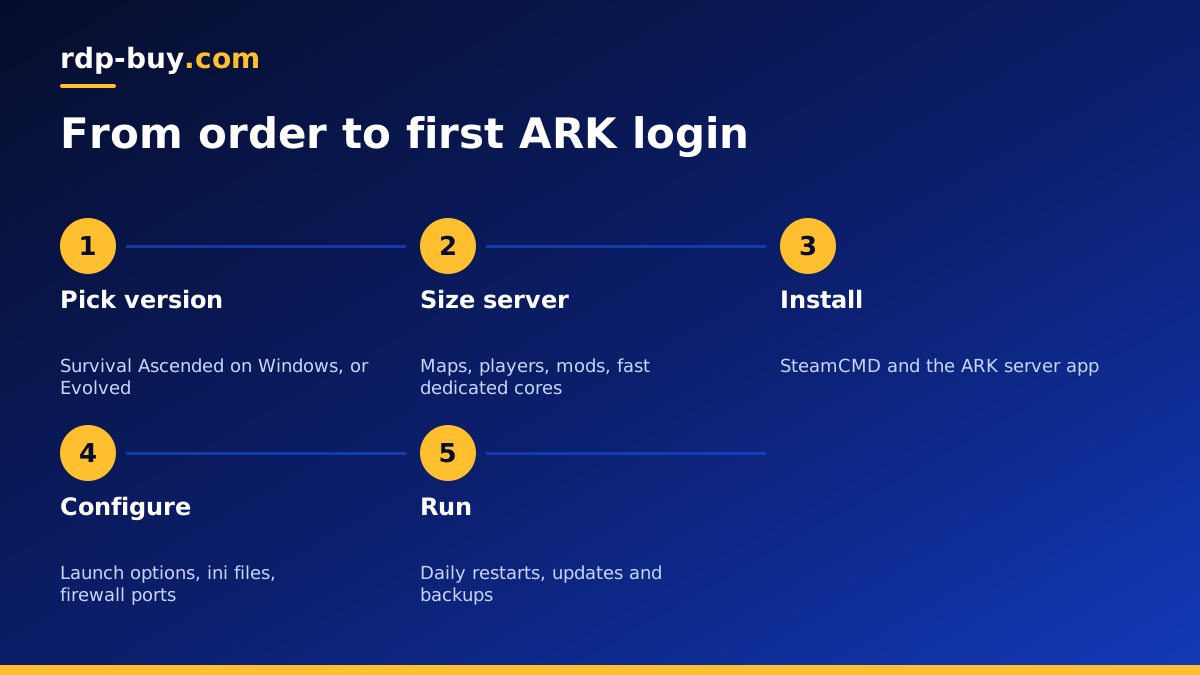
These steps follow the usual SteamCMD method. The official server guide for your version has the exact app and launch options.
Keep a short text file on the server listing the launch command, ports, admin password location and backup routine. It saves time when another admin has to step in.
- Connect to the server with Remote Desktop using the administrator account. Our guide on connecting to your RDP server walks through it.
- Run Windows Update and restart.
- Download SteamCMD from Valve, extract it to its own folder, and run it once to update itself.
- Use SteamCMD to log in anonymously and install the ARK dedicated server app into a folder such as C:\ArkServer.
- Create a start script with the map name, session name, server password, admin password and maximum players.
- Run the server once to generate the config files, then stop it and edit GameUserSettings.ini and Game.ini for rates and rules.
- Open the game, query and, if used, RCON ports in Windows Firewall. Use the ports listed in the official documentation.
- Start the server again and join from the game's server browser or by direct connect.
Mods, clusters and day to day running
Add mods through the method for your version, then list their IDs in the launch options or config. Add them a few at a time and test, since a broken mod can stop the server from starting.
For a cluster, run each map as its own server process with its own ports, and point them all at a shared cluster folder so characters and items can transfer. Watch memory closely, because every map adds its own load.
Schedule a daily restart in a quiet hour with an in-game warning beforehand. Restarts clear memory growth and apply updates. Check for game updates regularly, since players cannot join a server running an older version than their client.
Backups and protecting your world
An ARK world represents many hours of your players' time. Back up the SavedArks folder and your config files on a schedule, keep several days of copies, and store at least one copy off the server. Test a restore once so you know it works.
Use a strong admin password, keep RCON closed to the internet unless you need it, change the default administrator password on the server, and keep Windows updated. Give admin rights in game only to people you trust.
Common ARK server problems and fixes
Most ARK hosting issues fall into a few familiar groups. Check these before reinstalling anything.
- The server does not appear in the browser. Confirm the query port is open in the firewall, wait a few minutes after startup for the server to register, and try direct connect with the IP address and game port.
- Players get a version mismatch. The game updated and the server did not. Stop the server, run the SteamCMD update for the server app, then start it again.
- The server crashes on startup after adding mods. Remove the most recently added mod, start again, and add mods back one at a time to find the one that breaks.
- Rubber banding during busy hours. The processor or memory is at its limit. Reduce the number of maps on one machine, trim heavy mods, or move to dedicated cores.
- Memory use climbs through the day. This is common on long running ARK servers. A scheduled daily restart clears it.
Choosing your ARK server plan
Start with the number of maps and players, add room for mods, and favour fast, dedicated cores over a large number of slow ones. Every rdp-buy.com server includes full administrator or root access, a dedicated IPv4 address, 24/7 support, and monthly, half-yearly or yearly billing.
When you know your version, map count and region, you can buy a dedicated server sized for ARK and follow the steps above. Hosting another survival game too? Our Palworld dedicated server guide and game server VPS guide cover the details.
