 Sign in
VPS Hosting Checklist: What to Check Before You Buy
VPS hosting plans can look alike on the surface, but the details decide whether a server fits your project for years or needs replacing in a month. Use this checklist before you buy VPS capacity, whether it is your first server or your tenth.
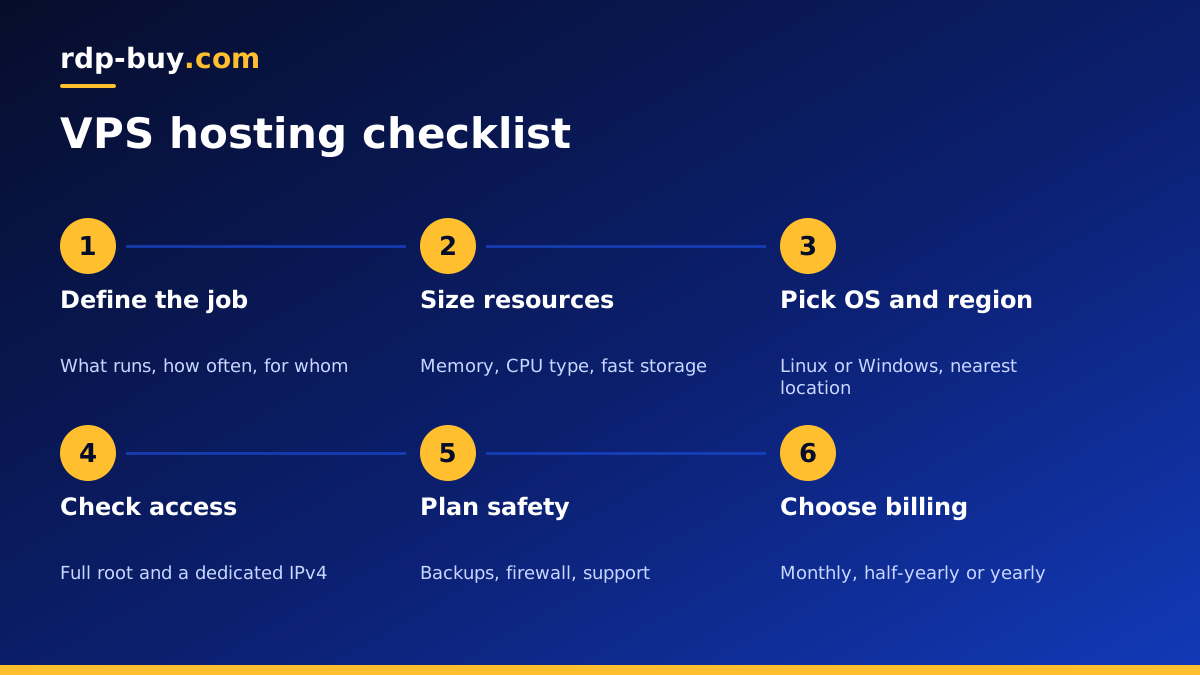
Start with the job the VPS will do
Before comparing plans, write down in one or two sentences what the server must run. A WordPress site, a set of Docker containers, an n8n instance, a game server, a trading bot and a build runner all have very different needs.
Note what runs all the time and what runs occasionally, how many people or systems will use it, and whether anything must keep working at night. This short description makes every later choice on the list easier, and it stops you paying for resources you will never use or, worse, buying too little.
If you are still unsure whether a VPS is the right type of hosting at all, our comparison of VPS hosting and web hosting and our explainer on what a VPS is cover the basics.
Check the resources: CPU, memory and storage
These three numbers appear on every VPS hosting plan. Read them in light of the job you wrote down.
- Memory. Usually the first limit you hit. Databases, Java applications, browsers run by automation, and containers all hold data in memory. Running out forces the server to swap to disk, which slows everything.
- CPU cores. More cores help when several things run in parallel. Check whether cores are shared or dedicated. Shared vCPU suits bursty work, while sustained heavy processing benefits from dedicated CPU cores.
- Storage size and type. SSD or NVMe storage makes databases, builds and file operations much quicker than spinning disks. Size it for your data, logs and local backups, with room to grow.
- Bandwidth terms. Read how traffic is measured and what happens if you use more than expected, especially for media, downloads or backups that leave the server.
Pick Linux or Windows
Linux is the default for most VPS hosting: web servers, databases, Docker, automation tools and most open source software run there first. It uses fewer resources for the operating system and is easy to manage over SSH.
Choose Windows when your software needs it, for example trading platforms, Windows-only business tools, or anything you want to operate through a full desktop. On Windows, check whether the licence is included or charged separately. On rdp-buy.com Windows plans, the licence is included in the price. Our guide on choosing Windows or Linux goes deeper.
Choose the location carefully
Distance adds delay. Put the server near whoever or whatever it talks to most. For a website, that is your visitors. For a trading bot, it is the broker. For an AI agent or automation, it is the APIs and services it calls.
Also consider legal and data residency rules if you store personal data, and whether you may want servers in several regions later. A provider with many locations makes that easy. rdp-buy.com offers 33 locations, listed on the server locations page.
Confirm access level and IP address
Full root access on Linux, or full administrator access on Windows, means you can install any software, change system settings and configure the firewall yourself. Some low-end offers restrict this, which rules out many tools. Check before you order.
A dedicated IPv4 address belongs to your server alone. It matters for allowlists, mail reputation, SSL setups, API keys tied to an IP, and any service where a shared address could get you blocked because of someone else's behaviour.
Decide between managed and unmanaged
An unmanaged VPS gives you the server and the access; you handle updates, security, software and backups. It suits developers and anyone comfortable on the command line, and it offers the most control.
A managed VPS adds help with setup, updates and monitoring. It suits teams without in-house admin skills. Even on an unmanaged plan, check what support covers. Round-the-clock support for the platform itself, such as a server that will not boot or a network issue, is valuable even if you run the software yourself. rdp-buy.com provides 24/7 support.
Plan backups and recovery from day one
Backups are your job unless the plan clearly says otherwise. Decide what to back up, how often, and where the copies live. Keep at least one copy off the server, so a deleted file, a bad update or a compromised account does not take your only copy with it.
Test a restore once. A backup you have never restored is a hope, not a plan. Snapshots, where available, are handy before risky upgrades but are not a full replacement for off-server backups.
Review setup speed, billing and upgrade paths
A few practical details round out the list.
- Provisioning time. How long until you can log in? On rdp-buy.com, servers are ready in minutes.
- Billing periods. Monthly billing is good while you test. Half-yearly or yearly billing suits servers you know you will keep.
- Upgrades. Check how you move to a bigger plan when the project grows, and whether that means a migration.
- Operating system choices. Make sure the distribution or Windows version you need is offered.
- Acceptable use. Read the rules for what you plan to run, especially for mail, scraping or automation.
Secure the server in the first hour
Whatever plan you choose, spend the first hour on security. Update the system. Create a normal user and use SSH keys on Linux, or change the default password and rename the admin account on Windows. Turn on the firewall and open only the ports you need. Disable services you will not use. These steps stop most automated attacks before they start.
Putting the checklist together
Go through the list in order: the job, the resources, the operating system, the location, access and IP, management level, backups, then billing and upgrades. By the end, you will know exactly which plan fits, and why.
rdp-buy.com VPS plans include full root access, a dedicated IPv4 address, 33 locations, 24/7 support, and monthly, half-yearly or yearly billing, with servers ready in minutes. When your checklist is filled in, compare our Linux VPS hosting plans and pick the size that matches. If you plan to run containers, the Docker VPS page shows a ready setup.
