 Sign in
Best AI Agent Hosting: What to Look For Before You Choose
The best AI agent hosting is a server that keeps your agent running all day and night, close to the APIs it calls, with enough memory for its tools and full control over its setup. This guide explains what to look for and how to match your agent to the right AI agent hosting plan.
Why AI agents need their own hosting
An AI agent is a program that takes a goal, decides on steps, calls tools and APIs, and keeps going until the work is done. Some agents answer messages, some watch inboxes or dashboards, some write and test code, and some run long workflows that chain many services together.
Most agents are only useful if they are always available. An agent on a laptop stops when the lid closes, the Wi-Fi drops or the machine restarts for an update. Scheduled jobs are missed, webhooks fail and long tasks end halfway through.
Hosting the agent on a server solves that. A VPS or Windows RDP server runs in a data centre with stable power and connectivity, keeps a fixed IP address, and lets the agent work while your own computer is off. That is the core of what AI agent hosting gives you.
What to look for in the best AI agent hosting
Whichever agent you run, the same handful of qualities decide whether a host works well for it. Use them as a checklist when you compare plans.
- Always on: the server should run around the clock without depending on your devices.
- Full control: root access on Linux or admin access on Windows, so you can install runtimes, Docker, browsers and anything else the agent needs.
- A dedicated IP: a dedicated IPv4 address keeps webhooks, API allowlists and logins stable.
- The right location: a server close to the APIs and users the agent talks to responds faster.
- Enough memory: agents that run browsers, local tools or several workers at once use more memory than a simple script.
- Help when you need it: 24/7 support matters because agents often fail at night, when you are not watching.
Linux VPS or Windows RDP for your agent
Most agents run best on Linux. Frameworks written in Python or Node.js, workflow tools such as n8n, and container based setups with Docker are all at home on a Linux VPS. You manage it over SSH, run each agent as a service, and keep things light. Our Linux VPS plans are the usual starting point.
Windows makes sense when the agent needs a real desktop. Browser automation that must look like a normal user, tools that only run on Windows, or workflows where you want to log in and watch what the agent is doing all suit a Windows server. Our page on Windows RDP for AI agents covers that setup.
If you are unsure, start with Linux. You can always add a Windows server later for the parts of the job that need a desktop.
Matching the host to the agent you run
Different agents have different needs. Here is how the common ones map to hosting.
- n8n workflows: a Linux VPS with Docker suits most setups. Give it more memory as the number of active workflows and executions grows. See VPS for n8n.
- OpenClaw: a Linux VPS keeps the agent and its message channels online around the clock. See VPS for OpenClaw.
- Hermes Agent by Nous Research: a Linux VPS gives it a persistent home with its memory and tools in one place. See VPS for Hermes Agent.
- Claude Code (by Anthropic): a Linux VPS lets long coding sessions keep running in a terminal multiplexer after you disconnect. See VPS for Claude Code.
- Custom agents in containers: a Docker VPS keeps each agent and its dependencies in its own container.
Choosing a location for an AI agent
Agents spend much of their time waiting on other services: model APIs, search, databases, email and messaging platforms. Every call has to travel to that service and back, and an agent that makes many calls per task feels each round trip.
Choose a server location close to the APIs your agent uses most, or close to your users if the agent responds to people in real time. rdp-buy.com has 33 server locations, listed on the server locations page. After setup, you can measure the round trip from the server to each API with ping or by timing a simple request, and move to another location if needed.
Sizing a server for AI agents
Most agents call hosted models through an API, so the server does not run the model itself. That keeps resource needs modest. What uses memory is everything around the model: the runtime, the tools, browsers, databases and any queue or worker processes.
A single lightweight agent or a small n8n setup runs on an entry level VPS. Several agents, a browser automation tool or a workflow tool with many concurrent executions need more memory. Heavy parallel work, large builds or local data processing need more CPU cores as well. Start modest, watch memory with htop or docker stats for a week, and upgrade when usage stays high.
If you want to run several agents on one machine, run each one as its own service or container, and our guide to what you can run on an RDP or VPS shows common combinations.
Security basics for hosted agents
Agents hold API keys and often have permission to send messages, change files or spend credits. Treat the server that runs them as sensitive.
- Use SSH keys: turn off password logins for root on Linux.
- Keep secrets out of code: store API keys in environment files with tight permissions, not in scripts or repositories.
- Open only needed ports: put web interfaces behind a reverse proxy with TLS, and close everything else with a firewall.
- Limit what the agent can do: give each agent its own user and only the permissions it needs.
- Log and back up: keep logs so you can see what the agent did, and back up its configuration and data.
Keeping a hosted agent healthy
Hosting an agent is not a one time job. A little routine care keeps it reliable over months instead of days.
Check the logs regularly, at least for the first few weeks, so you notice failed API calls, rate limits or tasks that loop. Set up a simple health check: a scheduled job that confirms the agent responds and alerts you by email or chat if it does not. Keep the operating system and the agent itself updated, but update one thing at a time so you know what changed if something breaks.
Watch resource use as the agent takes on more work. If memory climbs steadily over days, the agent or one of its tools may be leaking it, and a scheduled restart can be a practical stopgap while you look into the cause. Finally, keep a copy of the configuration and any data the agent depends on, so you can rebuild it on a fresh server quickly if you ever need to.
Getting your agent online
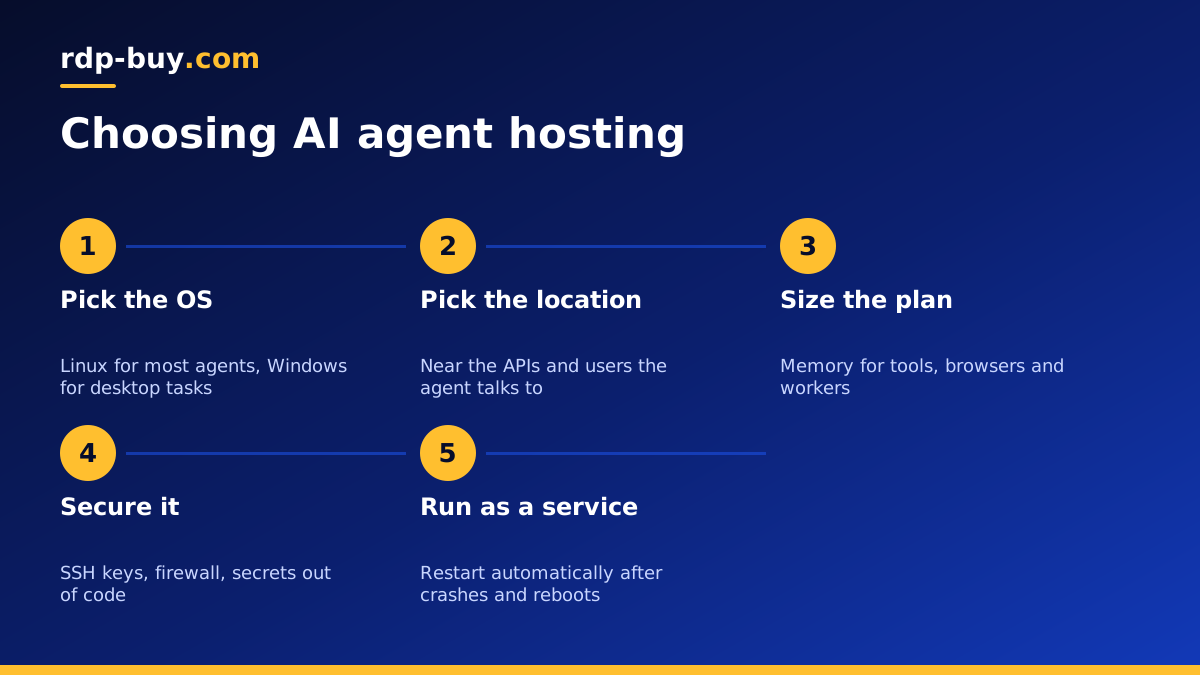
Once you have picked a plan, the steps are the same for most agents. Connect to the server, update it, create a user, add your SSH key and enable a firewall. Install the runtime or Docker, deploy the agent, and run it as a service that restarts automatically after a crash or reboot. Then test a full task end to end and check the logs.
rdp-buy.com servers are ready in minutes and come with full root or admin access, a dedicated IPv4 address and 24/7 support. Billing is monthly, half-yearly or yearly, and you can pay by card, PayPal or crypto.
Choosing your AI agent hosting plan
The best AI agent hosting for you comes down to four choices: Linux or Windows, the location nearest your APIs, enough memory for the tools around the model, and a setup you fully control.
Compare the options on our hosting for AI agents page, which links to plans for each popular agent, or go straight to a Linux server if you already know your stack. Start small on monthly billing and grow the plan as your agents take on more work.
