 Sign in
RDP Price in Pakistan: What Affects Cost and How to Buy Safely
If you are comparing RDP price in Pakistan, the useful question is not only how much a plan costs but what you get for it: the right location, enough memory, a licensed copy of Windows and a payment method that works for you. This guide covers each point so you can buy RDP with confidence from anywhere in Pakistan.
What people in Pakistan use an RDP server for
A Remote Desktop server is a Windows computer in a data centre that you control from your own laptop or phone. It stays on all day and night, has its own internet connection and keeps running when your home power or broadband drops. For many users in Pakistan, that last point is the main reason to rent one.
Common uses include freelancing and remote work tools that must stay online, forex and crypto trading terminals, running automation scripts and AI agents around the clock, managing websites and online stores, and doing heavier work on a machine that is faster than a home PC. In each case, the RDP server keeps the task running even when your own device is off.
- Freelancers and agencies: a stable desktop with a fixed IP address for client tools and dashboards.
- Traders: MetaTrader terminals and Expert Advisors that need to run without interruption.
- Automation and AI agents: bots, browsers and agent tools that work through the night.
- Developers: a clean Windows environment for testing software and builds.
What sets the RDP price in Pakistan
There is no single RDP price in Pakistan because the cost depends on the plan you choose, not on where you live. Buying from Pakistan does not change what the server costs to run. These are the factors that do:
- Memory and CPU: the more applications, browser tabs or trading terminals you run at the same time, the more memory and cores you need. This is the biggest driver of price.
- Storage: SSD space for your files, programs and logs. Most users need less than they expect.
- Windows licence: a genuine Windows Server licence costs money. On rdp-buy.com the Windows licence is included in Windows prices, so you do not buy it separately.
- Billing period: you can pay monthly, half-yearly or yearly. Monthly billing is best for a first try, and longer terms suit a setup you know you will keep.
- Location: some data centre locations cost more to operate than others.
Which server location suits users in Pakistan
Location affects how responsive the remote desktop feels. Every click and keystroke travels from your device to the server and back, so a server closer to you usually feels smoother. At the same time, the best location also depends on what the server connects to.
For general desktop work from Pakistan, a nearby region in South Asia, the Middle East or Southeast Asia is often a good fit. An India RDP or a Singapore RDP server are common choices for users who want a location close to home.
If your work targets customers or services elsewhere, pick a location near them instead. Traders should choose a location close to their broker's trade server, which is often in Europe. Anyone selling to customers in the United Kingdom or Germany may prefer a server in that market. You can browse all 33 options on the server locations page.
How to find the best RDP provider in Pakistan for your needs
The best RDP provider in Pakistan is the one whose plans match your workload and whose service you can rely on when something goes wrong. Before you order from any provider, check these points:
- Genuine Windows: make sure the licence is included and legitimate, so updates and activation work normally.
- Full admin access: you should be able to install any software and change settings. rdp-buy.com gives full administrator access on every Windows server.
- Dedicated IP: a dedicated IPv4 address means the server's identity is yours alone, which matters for logins, whitelists and trading accounts.
- Support at any hour: problems do not wait for office hours. Look for 24/7 support.
- Fast setup: servers that are ready in minutes let you start working the same day.
- Clear billing: the price you see should cover the plan you get, with a choice of billing period.
Cheap RDP in Pakistan without cutting corners
A cheap RDP in Pakistan is a good idea when the plan still fits the job. The mistake is buying the smallest plan for a heavy workload and then fighting slow sessions every day. The opposite mistake is buying a large plan for a single browser and a chat app.
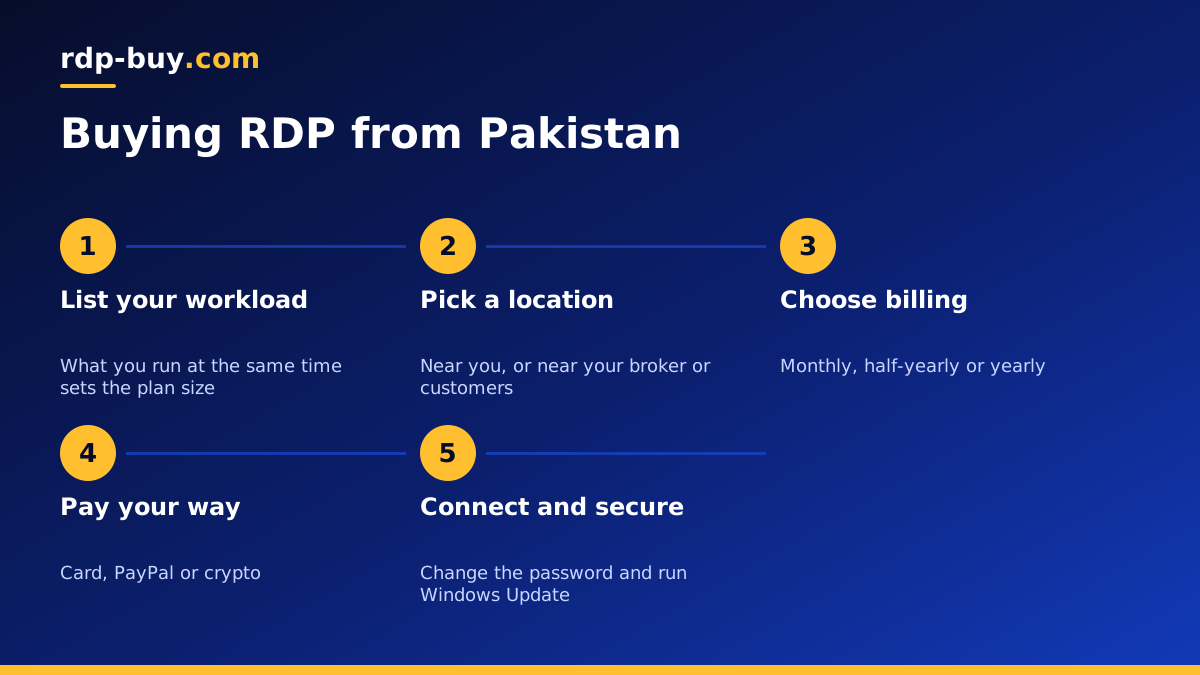
To keep costs down sensibly, start with an honest list of what you will run at the same time. One browser and a few office tools need little. Several browsers with many tabs, trading terminals or automation tools need more memory. Begin with a modest plan on monthly billing, watch Task Manager for a week, and upgrade only if memory or CPU stays near the limit.
Our cheap RDP plans are built for exactly this kind of light, always-on use. If you are unsure which size to pick, the guide on which RDP plan you need walks through common workloads.
Common mistakes to avoid when buying RDP
Most problems with a first RDP server come from a few avoidable choices. Knowing them in advance saves both money and frustration, and helps you compare offers on what they really include.
Watch out for these when you compare plans:
- Shared or resold logins: an account on a server that other people also use is not the same as your own server. You should receive a server with its own dedicated IPv4 address and full admin rights.
- Unclear Windows licensing: if the offer does not say the licence is included, ask before you pay. An unlicensed system can stop activating or updating.
- Choosing by location name alone: the closest city is not always the right choice. Think about where your broker, customers or APIs are.
- Skipping security basics: leaving the first password in place or turning off Windows Update invites trouble. Change the password and keep the system updated from the first day.
- Paying for a long term too early: test your setup on monthly billing first, then move to half-yearly or yearly billing once you know the plan fits.
Paying for RDP from Pakistan
Payment is often the part that worries first-time buyers most. rdp-buy.com accepts payment by card, PayPal or crypto, so you can use whichever method works for you.
If you have an international debit or credit card, paying by card is the most direct route. Our page on buying RDP with a card explains the steps. If card payments abroad are difficult for you, crypto is another option, explained on the buy RDP with crypto page. PayPal is also accepted where you have access to it.
Whatever method you use, check that the checkout page is secure, keep the order confirmation email, and save the server details you receive in a password manager rather than a text file.
Getting started after you order
Once your server is ready, you receive an IP address, a username and a password. On Windows, open Remote Desktop Connection, enter the IP address and sign in. On Android, iPhone or Mac, install the official Microsoft remote desktop app and add the server the same way. Our guide on how to connect to your RDP server has step-by-step instructions.
Your first tasks should be changing the password to a strong one, running Windows Update, and installing the software you need. If you run trading terminals or bots, set them to start automatically when Windows starts, and close the Remote Desktop window instead of signing out so they keep running.
Choosing your RDP plan from Pakistan
To sum up: the RDP price in Pakistan is set by the plan, not by your country. Pick enough memory for what you run at once, choose a location that is close to you or to the services you use, and pay with the method that suits you.
When you are ready, compare the Windows plans and choose a Windows RDP server that fits your workload. You can start on monthly billing, keep full admin access from day one, and upgrade later as your needs grow.
