 Sign in
Buy USA VPS: How to Choose a US Region, Plan and Setup
When you buy USA VPS hosting, the most important choice is not the plan size but the region: a server close to your users, APIs or market makes everything else work better. This guide explains who needs a US server, how to pick the right part of the country and how to buy a VPS in the USA that fits your workload.
Who should buy a USA VPS
A VPS is a virtual server with its own operating system, its own resources and its own IP address, running in a data centre. A USA VPS is simply one that runs in a US data centre. You reach it over SSH if it runs Linux, or Remote Desktop if it runs Windows, and it stays online around the clock.
The location matters when the server's work happens in or near the United States. Typical reasons to choose a US server include:
- Websites and apps with US visitors: pages load faster when the server is close to the people using them.
- APIs and SaaS tools hosted in the US: many popular APIs run in US data centres, so an AI agent or automation workflow that calls them all day benefits from being nearby.
- Trading on US markets: futures, equities and many forex brokers have servers in US financial hubs.
- A US IP address for your work: some business tools, ad platforms and services expect a US based connection.
- Remote teams in North America: a shared server that is close to most of the team feels more responsive.
East, central or west: picking a US region
The United States is large, and the distance from one coast to the other is long enough to notice in a remote session or an API call. Picking the right region is the single most useful decision when you buy a USA VPS.
Think about where your traffic comes from and where the services you call are hosted. Then use these rules of thumb:
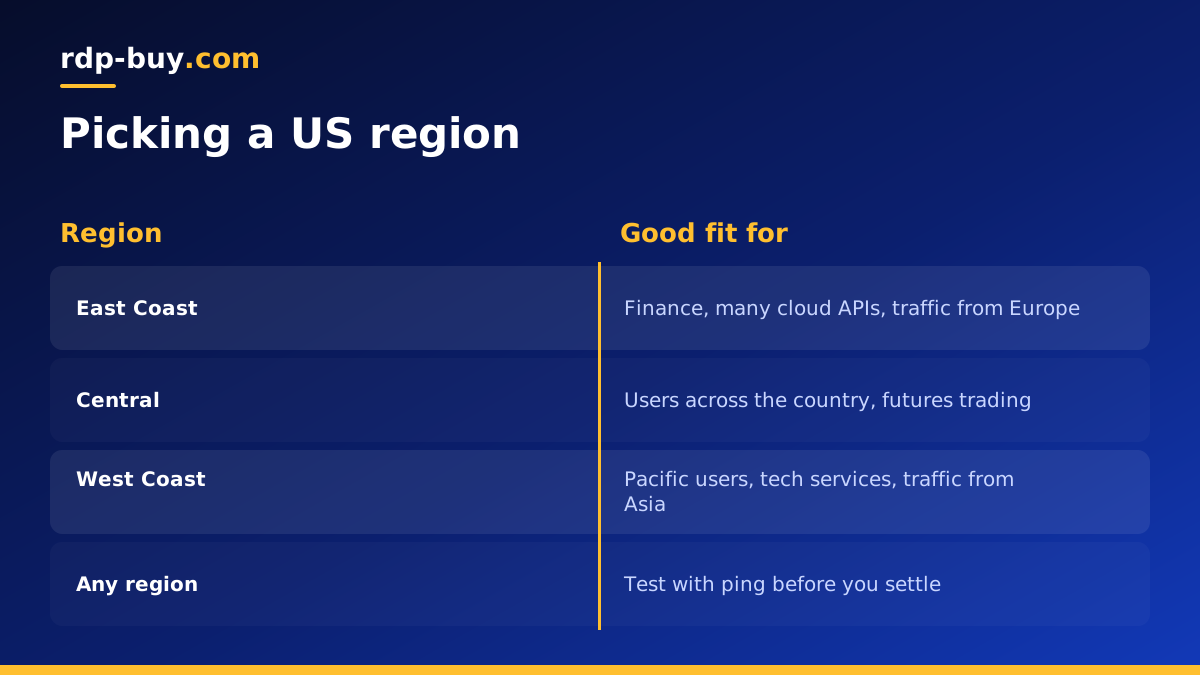
- East Coast: a good fit for financial services, many large cloud API regions and traffic from Europe, since it sits closest to the Atlantic.
- Central: a balanced choice when users are spread across the country, and a common home for futures trading infrastructure.
- West Coast: a good fit for users on the Pacific side, many technology services and traffic from Asia.
How to check a location before you commit
Rules of thumb are a starting point, not proof. Once your server is running, test it against the things it will actually talk to.
On Linux, use ping and traceroute to the APIs, brokers or sites you care about, and compare the results from more than one region if timing matters to you. For a website, run a page load test from the regions where your visitors are. For trading, check the ping shown in your trading platform.
rdp-buy.com offers 33 server locations, including US options, all listed on the server locations page. Because servers are ready in minutes, it is practical to try one location on monthly billing and move if another suits your traffic better.
Sizing your US VPS plan
After the region, choose resources based on what the server will run. The usual mistake is to size for an imagined future instead of the workload you have today.
For a small website, a VPN, a bot or a single automation tool, an entry level Linux plan is often enough. For several websites, a database, Docker containers or a workflow tool such as n8n with many active workflows, choose more memory. For build servers, heavy data processing or several AI agents running in parallel, choose more CPU cores and memory, or look at a dedicated server.
If you are unsure, start one size smaller than you fear you need, watch memory and CPU with a tool such as htop for a week, and upgrade if usage stays high.
USA VPS price: what changes the cost
The USA VPS price you see on any order page is built from the same parts as any other server. Knowing them helps you compare plans on value rather than on the headline figure alone.
Memory has the largest effect, because it decides how many services, containers or browser sessions the server can hold at once. CPU cores come next, and matter most for builds, data work and several agents running side by side. Storage size and type follow, with SSD storage keeping databases and logs responsive.
The operating system also plays a part. A Linux server has no licence cost, while a Windows server includes one, which on rdp-buy.com is already in the Windows price. Finally, the billing period changes how you pay: monthly for flexibility, half-yearly or yearly once you know the plan suits you. For a wider look at how these parts add up, read our guide to what drives VPS price.
Linux or Windows for a USA VPS
Most VPS workloads run on Linux. Web servers, databases, Docker, n8n, Python bots and AI agent frameworks are all at home there, and you manage the server over SSH with full root access. Our Linux VPS plans are built for this kind of work.
Choose Windows if your software needs it, for example a Windows only trading platform, desktop browsers you want to see and click, or business software that only runs on Windows. In that case a US Windows server with Remote Desktop is the better fit, and on rdp-buy.com the Windows licence is included in Windows prices. If you are deciding between the two, our guide on Windows or Linux server helps.
What to check before you buy
Before you order a US VPS from any provider, check what is included so you can compare offers fairly.
- Full root access: you should control the whole server, including the firewall, packages and users.
- A dedicated IPv4 address: it keeps your server's identity stable for DNS, whitelists and email.
- Flexible billing: monthly billing lets you test, while half-yearly or yearly billing suits a settled setup.
- Support at any hour: 24/7 support matters when your users are in a different time zone from you.
- Payment that works for you: rdp-buy.com accepts card, PayPal and crypto, including buying a VPS with crypto.
First steps after you buy a USA VPS
Once your server is ready, you receive its IP address and login details. Connect over SSH from a terminal on Mac or Linux, or from PowerShell on Windows.
Then secure the basics before you install anything else. Update the system packages, create a regular user with sudo rights, add your SSH key, and turn off password logins for root. Enable a firewall and open only the ports you need, such as SSH and web traffic. Set the server time zone to match your logs or your users.
Finally, install your stack. For containers, add Docker and Docker Compose. For a website, add a web server and a TLS certificate. For automation and agents, install the tool and run it as a service so it restarts after a reboot. Take a snapshot or backup once everything works, so you have a clean point to return to.
Ready to buy USA VPS hosting
To recap: pick the US region closest to your users, APIs or market, size the plan for what runs today, choose Linux unless your software needs Windows, and secure the server on day one.
When you are ready, compare plans and choose a USA VPS in the region that suits you. If cost is the main concern for a light workload, see our cheap VPS plans as well. Every Linux server comes with full root access, a dedicated IPv4 address and 24/7 support, and is ready in minutes.
