 Sign in
Best US VPS Hosting: A Practical Checklist for Choosing a Plan
The best US VPS hosting is the plan that puts your server in the right American city, gives your software the resources it needs and lets you control it fully, at a billing term that fits your project. This checklist shows how to judge each of those points before you buy a VPS in the USA.
What makes US VPS hosting the best fit for you
There is no single best VPS for everyone. A developer running one small API, a store owner hosting a busy shop and a team running AI agents all need different things. Lists that crown one winner rarely match your exact situation, so it is more useful to know what to check.
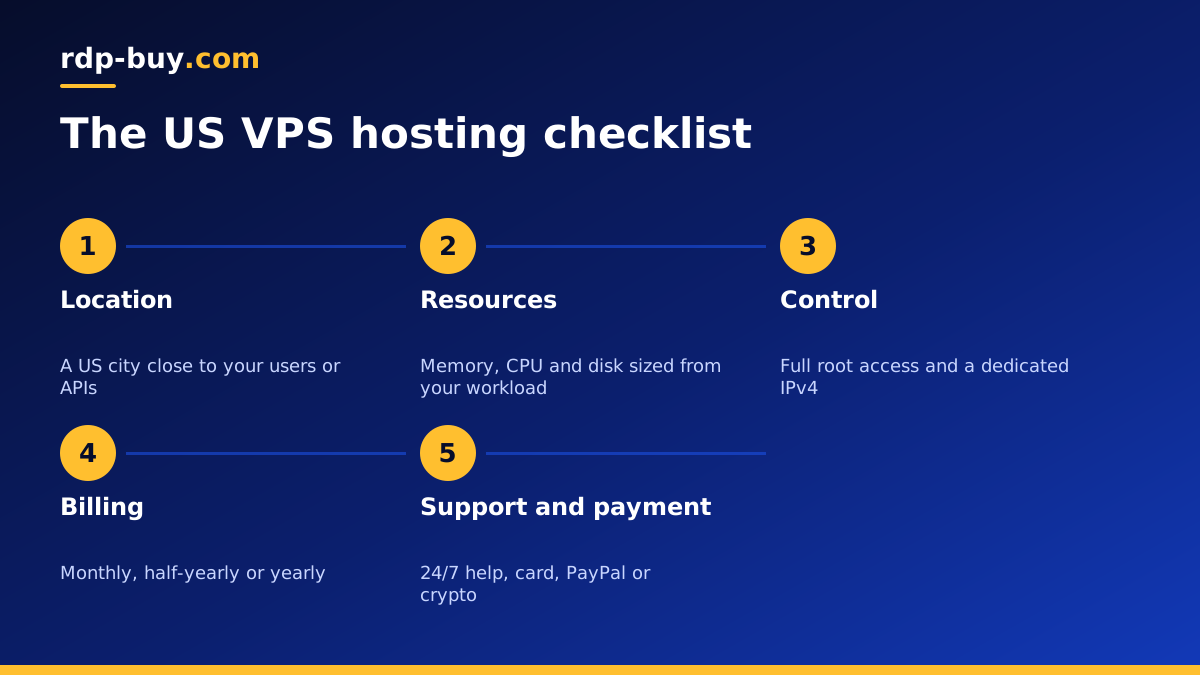
Good US VPS hosting comes down to six questions: is the server in the right place, does it have enough resources, do you get full control, how flexible is billing, what support is available, and how easy is it to pay and start. The sections below take each in turn and explain what a good answer looks like.
If you already know you want a US server and only need to pick a plan, our USA VPS plans page lists every American location and size in one place.
Checklist item one: the right US location
The United States is wide, and the distance between a server and its users affects how quick it feels. A provider with several US cities lets you place the server close to the traffic that matters.
Ask where most of your requests come from or go to. Visitors on the East Coast are best served from New York, Atlanta or Miami. A national audience is often well served from Dallas or Chicago. West Coast users and California hosted APIs suit Los Angeles, Silicon Valley or Seattle. Hawaii users suit Honolulu.
We offer all of those US cities among 33 locations worldwide, listed on the server locations page. Being able to choose matters more than any single city being best.
Checklist item two: resources that match the workload
A plan is a bundle of CPU cores, memory and disk. The best plan is the smallest one that runs your workload comfortably with room to grow, not the largest one you can afford.
Write down every service you will run and check each one's documented requirements. Then look at where your workload is heavy:
- Memory heavy: databases, many Docker containers, n8n with lots of workflows, and AI agents that hold context in memory.
- CPU heavy: code builds, video or image processing, compression and data crunching.
- Disk heavy: media libraries, logs, backups and large databases.
- Light: a single website, a small API or one bot.
Checklist item three: full root access and a dedicated IP
Root access means you control the whole operating system. You can install any package, run Docker, change the firewall, tune the web server and automate whatever you like. Without it, a VPS is closer to shared hosting with extra steps. Every VPS we sell includes full root access.
A dedicated IPv4 address is just as important. It gives your server a stable address to point domains at, to whitelist with APIs and payment providers, and to use for email or VPN setups. It also means you are not sharing an address with other customers' traffic. Each of our servers comes with its own dedicated IPv4 address in the location you pick.
Checklist item four: flexible billing
Projects change. A test may become a product, or a product may be retired. The best hosting lets you start without a long commitment and move to a longer term when you are ready.
Look for a choice of billing periods. We offer monthly, half-yearly and yearly billing. Monthly is ideal while you test a location or size. Half-yearly or yearly suits a settled setup where you would rather not think about renewals. Being able to upgrade the plan later also means you can start small without risk.
Checklist item five: support and setup speed
Even experienced admins sometimes need help with access, network settings or a server that will not boot. Support that is available at any hour matters, especially when your server serves users in many time zones. We provide 24/7 support.
Setup speed matters too. If a server takes days to arrive, you lose momentum. Our servers are ready in minutes after payment, so you can test the location and the plan the same day you order.
Checklist item six: easy payment
The best plan is no use if you cannot pay for it. Check that the provider accepts a method you can use. We accept card, PayPal and crypto. If you prefer crypto, the guide to buying a USA VPS with crypto covers each step. If price is the main concern, the cheap VPS page shows the entry plans.
Matching the checklist to common projects
Here is how the checklist plays out for a few typical buyers:
- A small business website: pick the city nearest to your customers, an entry plan with enough disk for images and backups, and monthly billing until traffic settles.
- An online store: more memory for the database and caching, a central or coastal city near most buyers, and a longer billing term once the store is stable.
- AI agents and automations: memory and uptime matter most, plus a location close to the APIs the agent calls. See AI agent hosting and VPS for n8n.
- Container based apps: enough memory for every container plus headroom, and root access to manage Docker. See Docker VPS.
- Trading tools: a city near your broker or exchange, steady CPU and a dedicated IP.
Red flags to watch for
While you compare options, be cautious about a few warning signs. Vague descriptions of where servers are located make it hard to plan for your audience. Limited or no root access restricts what you can install. Long setup times slow you down. Support that is only available in a narrow window leaves you stuck when things break at night. And claims that sound too good to be true, such as unlimited everything, are worth questioning.
You do not need to know every technical detail. If a plan answers the six checklist questions clearly, it is a strong candidate.
Choosing your US VPS hosting plan
Work through the checklist in order: location first, then resources, then access, billing, support and payment. Most buyers can settle the first two in a few minutes by looking at where their traffic comes from and what software they will run.
When you are ready, open the US VPS order page, choose the American city that suits your audience, select the plan and pay by card, PayPal or crypto. You get root access, a dedicated IPv4 address, flexible billing and 24/7 support, with the server ready in minutes. If you need Windows instead of Linux, compare the options in Windows or Linux server.
