 Sign in
Buy USA VPS With Crypto: A Safe Step by Step Checkout Guide
You can buy a USA VPS with crypto in a few minutes: choose a US city and plan, pick crypto at checkout, send the exact amount from your wallet and wait for the network to confirm. This guide walks through each step, the mistakes to avoid and how to choose the right USA VPS before you pay.
Why people buy a USA VPS with crypto
Paying with cryptocurrency is popular for a few practical reasons. Some buyers do not have a card that works for international online payments. Some prefer not to share card details with every service they use. Others already hold crypto because of their work, for example running trading bots, nodes or development tools, and it is simply the most convenient balance to spend.
Whatever the reason, the server you get is the same as one paid by card or PayPal. A US VPS comes with full root access, a dedicated IPv4 address in the city you choose, and monthly, half-yearly or yearly billing. Servers are ready in minutes once payment is confirmed.
If you want the general version of this guide without the US focus, see buy VPS with crypto. This article concentrates on choosing a US location and plan and completing a crypto checkout cleanly.
Step one: choose the right US city
Before you think about wallets, decide where the server should live. Pick the city closest to the people or services the VPS will talk to most often. For a website, that is your visitors. For a bot, an automation or an AI agent, it is usually the exchange, API or database it calls.
Our US locations include New York, Los Angeles, Dallas, Chicago, Miami, Atlanta, Seattle, Silicon Valley and Honolulu. A quick way to think about them:
- East Coast (New York, Atlanta, Miami): visitors in the eastern states, financial services and links toward Europe and Latin America.
- Central (Dallas, Chicago): a balanced choice for audiences spread across the whole country, and Chicago for futures related tools.
- West Coast (Los Angeles, Silicon Valley, Seattle): West Coast users and the many tech APIs hosted in California.
- Pacific (Honolulu): users in Hawaii and nearby.
Step two: size the plan from your workload
List what will run on the server, then size memory and CPU for that list with some headroom. A single website or one bot runs well on an entry plan. A Docker stack with a database and a reverse proxy needs more memory. Builds, data processing or several agents at once need more CPU cores.
Do not forget disk space. Logs, container images and backups all take room. If you are unsure, start smaller on monthly billing and upgrade later. The USA VPS price guide goes deeper into matching a US plan to real needs, and the cheap VPS page lists the entry options.
Step three: the crypto checkout, done properly
Once your location and plan are selected on the buy a VPS in the USA page, continue to checkout and choose crypto as the payment method. From there, a careful routine prevents nearly every payment problem:
- Pick the coin and network you will actually send. Many tokens exist on more than one network. Sending a token on the wrong network can mean the payment is not detected, so match the network shown on the invoice exactly.
- Copy the address, never type it. Use the copy button or scan the QR code, then compare the first and last characters with what your wallet shows before you confirm.
- Send the exact amount on the invoice. If your wallet or exchange deducts a withdrawal fee from the amount, add enough so that the invoice receives the full figure.
- Pay within the invoice window. Crypto invoices lock an exchange rate for a limited time. If it expires, create a fresh invoice rather than sending to the old one.
- Keep the transaction ID. If anything looks wrong, the transaction hash lets support find your payment quickly.
Step four: wait for confirmation and log in
Blockchains confirm transactions in blocks, so there is a short wait between sending and the payment being recognised. Some networks confirm faster than others, and busy periods can slow things down. Once the payment is confirmed, your server is set up and ready in minutes.
You receive the IP address and root login. Connect over SSH from a terminal on Mac or Linux, or from Windows Terminal or PowerShell on Windows. If you ordered a Windows server instead, connect with Remote Desktop, as described in how to connect to your RDP server.
Step five: secure the new server
A fresh VPS is reachable from the whole internet, so secure it before you deploy anything:
- Create a normal user with sudo rights and add your SSH key.
- Disable password logins and root login over SSH.
- Update every package and turn on automatic security updates.
- Enable a firewall and allow only the ports you need.
- Store any API keys or wallet credentials in protected files, never in code you share.
- Schedule backups to a location outside the server.
Common crypto payment mistakes and how to fix them
Most payment issues fall into a few patterns, and nearly all are avoidable with the routine above. Here is what to do if one happens anyway.
Underpayment: if a withdrawal fee reduced the amount that arrived, contact support with the transaction ID. Do not send a second full payment. Expired invoice: if you paid after the window closed, share the transaction ID so the payment can be matched. Wrong network: this is the hardest to recover, which is why matching the network before sending matters so much. Slow confirmation: check the transaction on a block explorer. If it is still pending, it will usually confirm once the network clears.
Support is available 24/7, so you do not have to wait for business hours if a payment needs attention.
What to run on a crypto paid USA VPS
Once it is running, a US VPS behaves exactly like any other Linux server. People who pay with crypto often use it for trading tools and bots that need a stable US IP address, monitoring dashboards, websites and APIs, or AI agents that should stay online all day.
For agents and automations, the AI agent hosting hub explains how to keep n8n, OpenClaw, Hermes Agent or Claude Code (by Anthropic) running on a server. If you prefer containers, start with the Docker VPS page. And if you also need a Windows desktop paid the same way, see buy RDP with crypto.
Choosing your US VPS and paying with crypto today
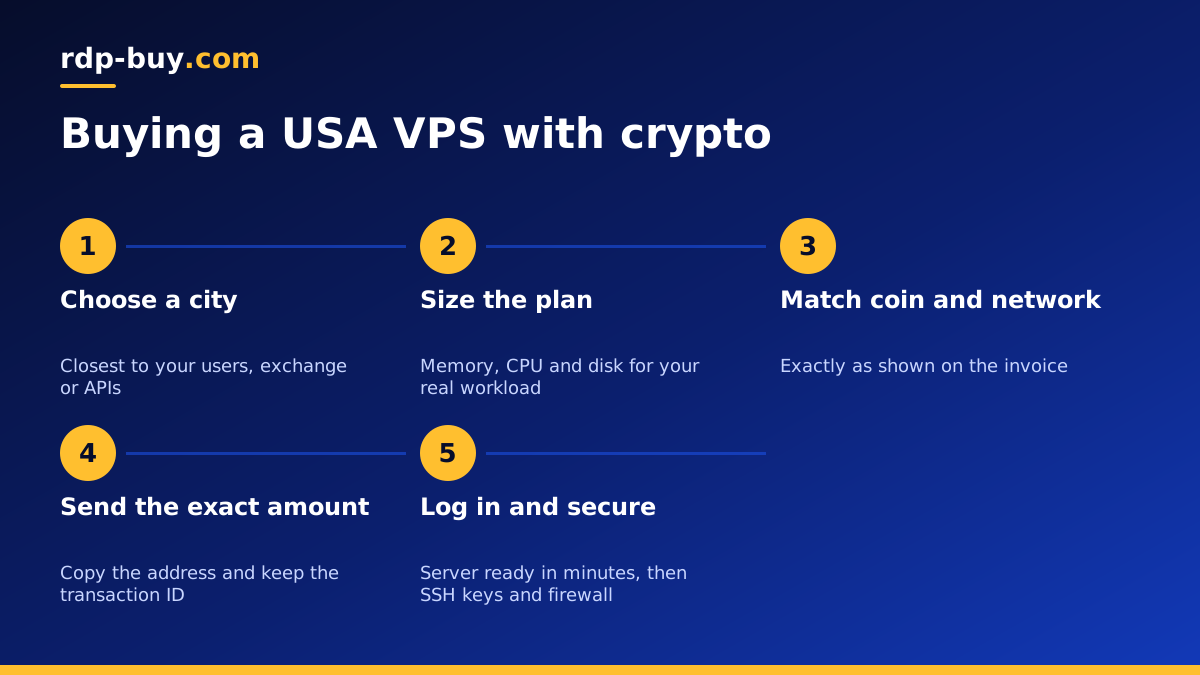
To recap: choose the US city nearest to your traffic, size the plan from what you will run, then complete the crypto checkout by matching the coin and network, copying the address, sending the exact amount and keeping the transaction ID. After confirmation, your server is ready in minutes with root access and a dedicated IPv4 address.
When you are ready, open the US VPS order page, select your city and plan, and choose crypto at checkout. If you would rather use a different method, card and PayPal are available on the same page.
