 Sign in
USA VPS Price Guide: Matching a US Linux Plan to Real Needs
A USA VPS price is set by the resources you rent, the billing term you choose and the extras included or left out, so two plans that look alike can be very different value. This guide explains each factor, the hidden costs to check, and how to buy a VPS in the USA that fits your workload without paying for capacity you never use.
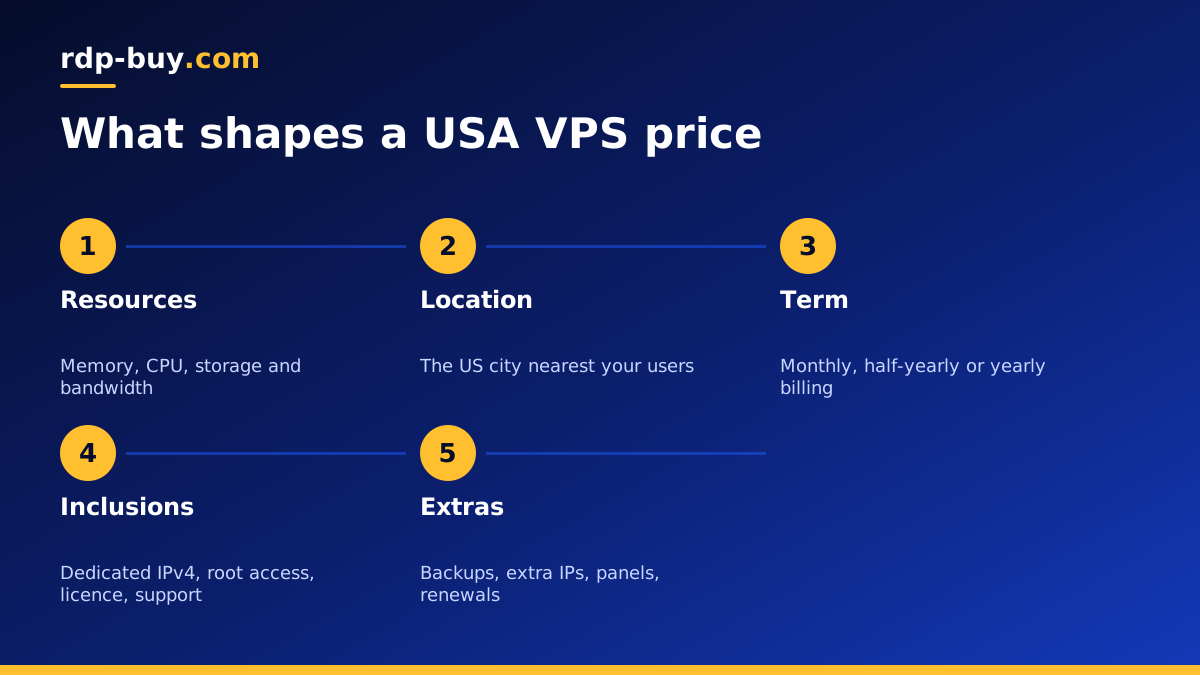
What goes into a USA VPS price
A VPS, or virtual private server, is a virtual machine running on a physical server in a data centre. You rent a fixed share of that server's processor, memory and storage, along with a network connection and an IP address. A USA VPS simply means that data centre is in the United States, so your server has a US IP address and sits close to American users and services.
The price of that server is not a single mysterious number. It is the sum of a handful of parts, and once you understand them you can compare plans from any provider with confidence. Some parts you choose directly, such as memory and billing term. Others depend on what the provider includes by default, such as the operating system licence, the IP address and support.
The goal is not to find the lowest figure on a page. It is to find the plan whose resources match your workload, with nothing missing that you will have to pay for later. Our broader guide to VPS price explained covers the general picture. This post focuses on choosing a US plan.
Resources: memory, CPU and storage
Resources are the biggest part of any VPS price, and they are where most people either overspend or underspend.
- Memory: usually the first resource a server runs short of. Databases, caches, Docker containers and browsers all need it. Too little memory makes everything slow, no matter how fast the processor is.
- CPU: the number of virtual cores, and whether they are shared with other customers or reserved for you. Shared cores suit most websites and tools. Reserved cores suit steady, busy workloads, as our guide to dedicated CPU servers explains.
- Storage: how much space you get and what kind of disk it is. Fast solid state storage makes databases and file heavy apps feel much quicker.
- Bandwidth: how much traffic the plan includes. Check what happens if you go over, because policies differ.
Location within the United States
The United States is large, and the city you pick decides how close the server is to the people and systems it serves. For pricing purposes, the important point is that choosing the right city usually lets you get away with a smaller plan, because a server near its users does not have to work as hard to feel fast.
Pick the city closest to your main audience or the API you depend on. East Coast audiences fit New York, Atlanta or Miami. Central audiences fit Dallas or Chicago. West Coast audiences fit Los Angeles, Silicon Valley or Seattle, and Honolulu suits users in Hawaii. Our guides to a Dallas VPS and Atlanta VPS show how to make that choice, and the full list is on the server locations page.
Billing term and how it changes value
Most providers let you pay for different periods. We offer monthly, half-yearly and yearly billing. The right term depends on how sure you are about your needs.
If you are testing an idea, moving from another provider or unsure about plan size, monthly billing keeps you flexible. You can watch how the server behaves for a few weeks and resize without being tied to a long commitment. Once the workload is settled and you know the plan is right, a longer term reduces the number of renewals you have to manage. Compare the total for each term on the order page before you decide.
What should be included in the price
Two plans with the same resources can still differ in value because of what is included. Before you compare figures, make sure you are comparing like with like.
- Dedicated IPv4: a public address used only by your server. Some providers charge extra for it. Ours includes one.
- Root access: full control to install any software. All our Linux plans include full root access.
- Operating system licence: Linux distributions are free, but Windows Server needs a licence. On our Windows plans the licence is included in the price, so check this carefully if you are comparing a Windows VPS.
- Support: when help is available and how you reach it. Ours is available 24/7.
- Setup time: how long until you can log in. Our servers are ready in minutes.
Hidden costs to watch for
The figure on a pricing page is not always the figure you pay over a year. These are the common extras that change the real cost of a US VPS, so ask about each before you order.
- Extra IP addresses: needed for some setups and often charged separately.
- Backups and snapshots: sometimes included, sometimes an add on, sometimes not offered.
- Control panels: hosting panels may carry their own licence fee.
- Bandwidth overage: charges or slowdowns if you exceed the included traffic.
- Renewal terms: check whether the renewal price matches the first payment.
- Your time: an unmanaged VPS asks you to handle updates and security, which is a cost in hours rather than money.
How to size a US VPS so you do not overpay
The surest way to overpay is to guess. The surest way to under buy is to pick the smallest plan and hope. A better approach is to describe your workload and size the plan from that description.
- Small website or blog: a modest plan with enough memory for the web server and database.
- Online store or app with a database: more memory and fast storage, with some headroom for busy periods.
- Personal VPN or remote tools: a small plan is usually enough. See our guide to buying a VPS for VPN.
- Automation and AI agents: n8n, Docker stacks and agents need steady memory. Our VPS for n8n page covers this use.
- Several projects on one server: add up the needs of each and leave room to spare.
Ways to keep a USA VPS affordable
Keeping cost under control is mostly about running a lean server. Use a lightweight Linux distribution, remove services you do not need and add caching to dynamic websites so they do less work for each visitor. Clean old logs and unused Docker images so you are not paying for storage full of clutter.
Start on a smaller plan with monthly billing, monitor memory and CPU for a few weeks, and only upgrade when the numbers show you need to. If cost is your main concern, our cheap VPS plans and the guide to choosing a low cost VPS explain how to save without ending up with a server that cannot cope.
Paying for a US VPS
You can pay by card, PayPal or crypto. If you would rather not use a bank card, our page on how to buy VPS with crypto explains the process. Whichever method you choose, the server is ready in minutes after payment.
How to choose your USA VPS plan
Bring the pieces together in order. Decide which US city is nearest your users or key services. Describe your workload and choose memory, CPU and storage to match, with some headroom. Check what is included, such as the dedicated IPv4, root access, licence and support, and ask about any extras you will need. Then pick a billing term that matches how sure you are.
Every plan includes full root access, a dedicated IPv4 address, 24/7 support and setup in minutes, with 33 locations including nine US cities. When you are ready, compare US plans and cities on our USA VPS hosting page, or see every Linux plan on buy VPS.
