 Sign in
RDP Silicon Valley: A Bay Area Windows Desktop Buying Guide
An RDP server in Silicon Valley gives you a full Windows desktop in Northern California that you can open from any device. This guide covers who gains from a Bay Area location, when another US city fits better, and how to buy RDP in the USA with the right plan size.
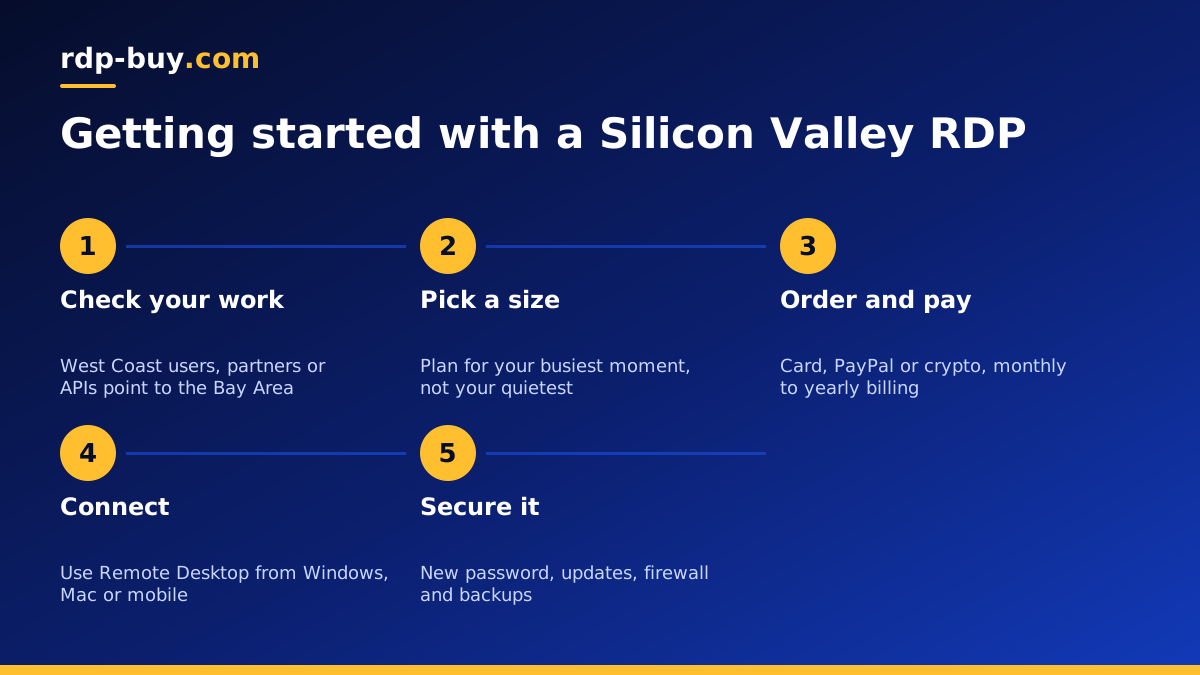
What RDP Silicon Valley means in practice
RDP stands for Remote Desktop Protocol, the Microsoft technology that lets you see and control a Windows computer over the internet. When you rent an RDP server, you get a Windows machine in a data centre with full administrator access. You connect with the Remote Desktop app on Windows, Mac, iPhone, Android or Linux, and the server's desktop appears in a window on your screen.
Choosing RDP Silicon Valley simply means that Windows machine lives in the San Francisco Bay Area. Everything you run on it, from a browser to trading software to a coding tool, starts its connections from Northern California and uses a US IP address. The Windows licence is included in the price, so there is nothing extra to buy before you log in.
You can compare the Bay Area with every other American site on our USA RDP plans page, and see all 33 locations on the server locations page.
Who needs a Windows desktop in the Bay Area
A Bay Area RDP is useful whenever Windows software needs to run close to West Coast users or services, or needs a stable US presence that does not depend on your own computer. Common buyers include:
- Remote workers and freelancers who need a Windows desktop with a US IP address to reach US based client systems and portals.
- Developers and testers who check how Windows apps or websites behave from a West Coast connection.
- Teams working with California companies who want shared Windows tools close to their partners and their cloud services.
- People building AI workflows who prefer a Windows environment for browser automation, desktop agents or tools that only ship for Windows. See Windows RDP for AI agents.
- Mac and Chromebook users who occasionally need Windows only software without buying another computer.
Silicon Valley RDP or another US location
The right city is the one closest to the people and services your desktop talks to. If your work centres on the West Coast or on APIs hosted in California, Silicon Valley is a strong fit. If you trade on US exchanges or work with East Coast firms, a New York or Chicago server is usually closer to them. If your clients are scattered across the country, a central location such as Dallas keeps the distance balanced.
Your own location matters less than you might think. RDP sends screen updates and keyboard input, which is light traffic, so a desktop on the West Coast still feels responsive from most places. What matters more is the connection between the server and the systems it uses all day. Our guides to RDP in New York and RDP in Seattle describe two other coastal options.
Choosing the plan size
Windows itself uses a share of memory before you open a single app, so size your RDP with that in mind. Think about the heaviest moment of your day, not the quietest.
For browsing, email, office documents and one or two light programs, an entry plan works. If you keep many browser tabs open, run trading platforms with several charts, or work with spreadsheets full of data, choose more memory. If you compile code, process media or run automation that drives several browsers at once, extra CPU cores make the biggest difference.
Our guide which RDP plan do you need lists typical workloads and the tier that suits each one. You can start on monthly billing, see how the server copes, then switch to half-yearly or yearly once you know the right size.
- Light: browser, office apps, one lightweight tool.
- Medium: several apps open together, trading platforms, small automations.
- Heavy: development, browser automation at scale, data processing. Also look at admin RDP plans with more resources.
Connecting and securing your Bay Area RDP
Servers are ready in minutes after payment. You receive an IP address, a username and a password. On Windows, open Remote Desktop Connection and enter the IP. On a Mac, install the Microsoft remote desktop app from the App Store. The full walkthrough is in how to connect to your RDP server.
After the first login, take a few minutes to lock the server down:
- Change the administrator password to a long, unique passphrase.
- Run Windows Update and restart until no updates remain.
- Keep Windows Defender and the firewall switched on.
- Create a separate standard user for daily work if others will share the desktop.
- Install only software from trusted sources, and keep copies of important files somewhere other than the server.
Why rent instead of keeping a PC running
A home or office PC can act as a remote desktop, but it depends on your power, your home internet and your router settings. It also gives out your home IP address. A rented RDP runs in a data centre with a dedicated IPv4 address, stays online when your laptop is closed, and can be reached from any device you own.
That makes it a good base for jobs that should run all day: scheduled scripts, a browser that watches dashboards, desktop automation, or an AI agent that has to stay online. If you want the Linux equivalent for containers and servers, compare the two in our RDP vs VPS guide.
Paying for your RDP
You can pay by card, PayPal or crypto. The buy RDP with PayPal and buy RDP with crypto pages explain each method. If you only need a small desktop for occasional tasks, the cheap RDP plans are a sensible starting point.
Ordering the right Silicon Valley RDP plan
Run through three checks before you order. Do the people and services you work with sit on the West Coast? If yes, choose Silicon Valley. What is the heaviest thing you will run? Size memory and CPU for that. How long will you need it? Monthly for a trial, longer terms for steady work.
Then open the US RDP server order page, select Silicon Valley, pick your plan and pay. You get full administrator access, a dedicated IPv4 address, the Windows licence included and 24/7 support, with the desktop ready to use in minutes.
