 Sign in
Buy VPS for V2Ray: Choose and Set Up a Private Proxy Server
When you buy a VPS for V2Ray, the choices that matter most are location, a dedicated IP and a clean, secure setup, not raw power. This guide covers how to pick a plan, install V2Ray step by step and keep it reliable, starting with where to buy VPS plans in the right city.
What V2Ray is and why people run it on a VPS
V2Ray is an open source network tool, developed in the open on GitHub, for building private proxies. It supports several protocols and transports and lets you route your own traffic through a server you control. People use it to protect their browsing on public Wi Fi, to reach their own services securely while travelling, and to keep a private, encrypted path between their devices and the internet.
Running V2Ray needs a server with a public IP address that is online all the time. A home connection rarely fits, because home addresses change, incoming connections are often blocked and the line goes down whenever the router restarts. A Linux VPS solves those problems: it has a dedicated IPv4 address, runs in a data centre and gives you full root access to install and configure whatever you need.
Always use a proxy in line with the laws where you live and the terms of the services you access. A private proxy is a privacy and security tool, and it should be treated as one.
What to look for when you buy a VPS for V2Ray
A proxy server is light work for a modern VPS, so you rarely need a large plan. Focus on these points instead:
- Location. Pick a city close to you for a responsive connection, or a city in the country whose IP address you need for your own accounts and services.
- Dedicated IPv4. An address used only by you is cleaner and more predictable than a shared one.
- Root access. You need it to install V2Ray, manage certificates and configure the firewall.
- Enough memory for extras. If you also run a web server, a monitoring tool or other apps, size for all of them together.
- Flexible billing. Monthly billing lets you test a location before committing to half-yearly or yearly billing.
- Payment you are comfortable with. Card, PayPal and crypto are all accepted. See how to buy a VPS with crypto if you prefer that route.
Choosing the right server location
Distance shapes how your proxy feels. Every request travels from your device to the server and then on to the site you visit, so a server far away adds delay to everything. If your goal is privacy on public networks, choose the nearest location. If you need an IP address in a particular country, for example to manage your own US or UK accounts while abroad, choose a city in that country.
rdp-buy.com offers 33 locations, listed on the server locations page. For a US address, a USA VPS covers cities from New York to Los Angeles. For Europe, a UK VPS or Germany VPS are common picks. Start with monthly billing, test from the devices you use most, and keep the location that feels best.
Setting up V2Ray on your VPS step by step
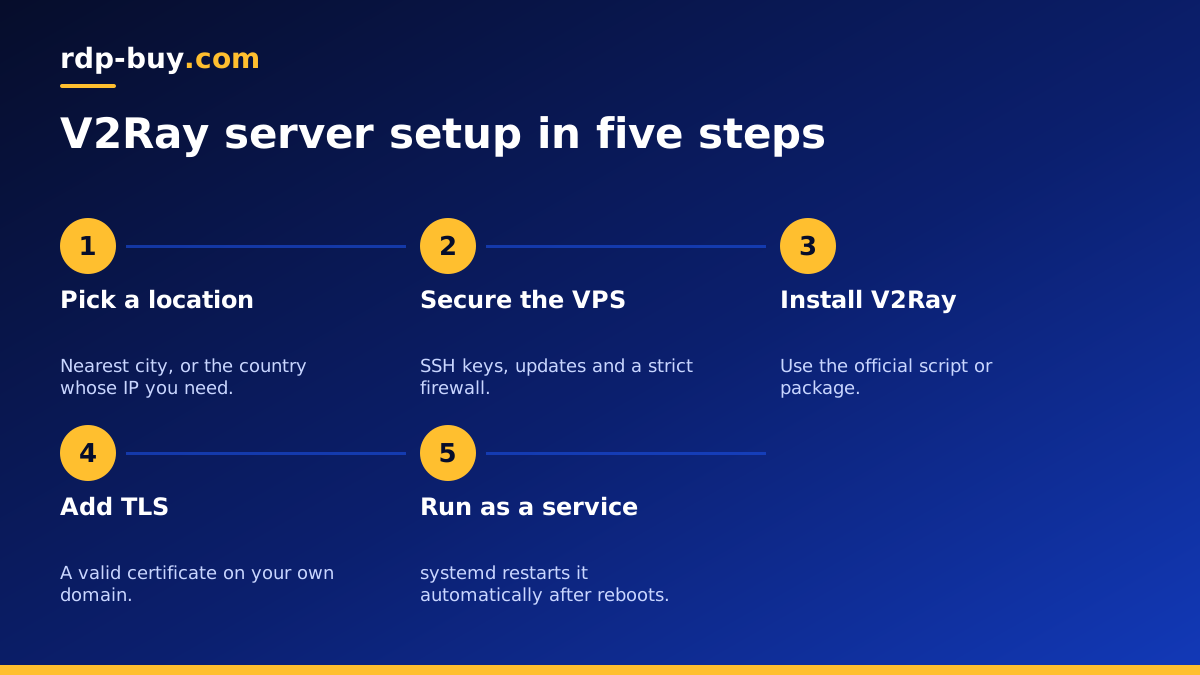
Your server is ready in minutes. The outline below works on Ubuntu or Debian; always follow the current official instructions for the exact commands.
- Secure the server first. Log in over SSH, create a normal user with sudo rights, add your SSH key and disable password login.
- Update the system and enable automatic security updates.
- Enable a firewall. Allow SSH and the single port V2Ray will listen on, and nothing else.
- Install V2Ray using the official install script or package from the project repository.
- Create the configuration. Generate a fresh user ID, choose a protocol and transport, and set the listening port.
- Add TLS. Many setups place V2Ray behind a web server with a valid certificate on your own domain, which encrypts traffic and keeps the connection standard looking.
- Start it as a service with systemd so it restarts on its own after a reboot or crash.
- Configure your client on each device with the server address, port, user ID and transport settings, then test.
Keeping your V2Ray server secure
A proxy server is a gateway to your traffic, so treat its security seriously. Never share your configuration publicly, because anyone with your user ID can use your server. Create a separate ID for each device so you can revoke one without changing the rest. Keep V2Ray, the operating system and any web server updated.
Watch the logs for unexpected connections and keep logging to the minimum you need for troubleshooting. Back up your configuration files somewhere safe so you can rebuild quickly. If you run other services on the same server, isolate them with separate users or Docker containers; the Docker VPS page explains that setup.
V2Ray or a traditional VPN
V2Ray is not the only way to build a private tunnel. Traditional VPN software such as WireGuard or OpenVPN creates a full network connection between your device and the server, which is simple to set up and works well for routing all traffic. V2Ray is more of a flexible proxy platform, with many protocol and routing options, and is often chosen by people who want fine control over how traffic is handled.
Both run happily on the same kind of Linux VPS. If you want a straightforward full device tunnel, our guide to running your own private VPN covers that route. Some users run both on one server and pick whichever suits each device.
Running V2Ray for a small team
A single VPS can serve a small team as well as one person. Give each team member their own user ID so you can see which device is connecting and remove access instantly when someone leaves. Keep a simple record of who has which ID and when it was issued.
As the number of users grows, watch memory and CPU during busy hours and step up to a larger plan if the server starts to struggle. For teams spread across regions, a second server in another city can give everyone a nearby option; clients can store both profiles and switch as needed.
Document the setup in a short script or configuration repository kept private. If the server ever needs rebuilding, or you want to add a new location, a written setup turns a long afternoon into a few minutes of work.
Common problems and quick fixes
If your client cannot connect, work through this list:
- Port closed. Check the firewall allows the V2Ray or web server port.
- Mismatched settings. Protocol, transport, path and user ID must match exactly between server and client.
- Clock drift. Some protocols reject connections when the server and client clocks differ. Enable time sync on the server.
- Certificate issues. Make sure your domain points at the server and the certificate is valid and renewed.
- Service not running. Check the systemd status and logs after any update or reboot.
Choose your V2Ray server plan
For most personal and small team setups, an entry Linux plan is enough. Pick the city that matches your goal, choose monthly billing while you test, and secure the server before anything else. Every plan includes full root access, a dedicated IPv4 address and 24/7 support. Compare plans and locations on the Linux VPS hosting page, or start with a cheap VPS if you only need a light proxy.
