 Sign in
Buy VPS Server USA: How to Order a US Linux Server Step by Step
Buying a VPS server in the USA comes down to five decisions: city, plan size, operating system, billing period and payment method. This walkthrough takes you through each one in order, so you can buy a VPS in the USA with confidence and have it running the same day.
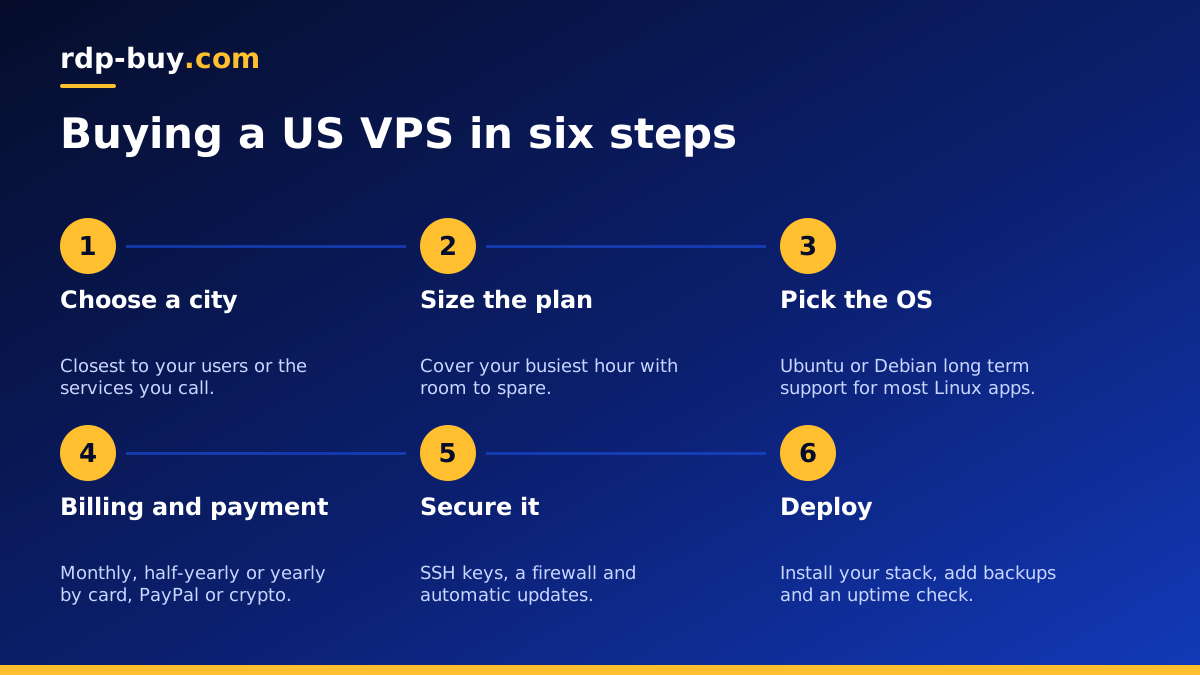
Before you buy a VPS server in the USA
A US VPS is a virtual Linux server with its own resources, full root access and a dedicated US IPv4 address. People buy one to host websites and APIs for American users, to run bots and automation around the clock, to use a private VPN with a US exit, or to keep development tools on a machine that never sleeps.
Before you start the order, spend five minutes writing down two things. First, what the server will run: every website, database, bot, container and tool. Second, who or what it will talk to most: your visitors, a broker, a payment gateway, an AI API or another service. Those two notes answer almost every question in the checkout.
If you have not yet decided between a Linux VPS and a Windows desktop, read RDP for USA or VPS first. The rest of this guide covers the Linux route.
Step 1: Choose your US city
The United States is wide, and distance still matters for anything interactive. Choose the city closest to the people or systems your server talks to most. rdp-buy.com sells US servers in New York, Los Angeles, Dallas, Chicago, Miami, Atlanta, Seattle, Silicon Valley and Honolulu, among 33 locations worldwide listed on the server locations page.
A quick guide to matching cities with audiences:
- East Coast users or North East businesses: New York. See our New York VPS guide.
- Nationwide or Midwest users: Chicago sits in the middle. See the Chicago VPS guide.
- Texas and the South: Dallas or Atlanta.
- Florida and Latin America: Miami.
- California and the West Coast: Los Angeles or Silicon Valley.
- Pacific Northwest: Seattle.
- Hawaii and the Pacific: Honolulu.
Step 2: Size the plan
Use your workload list to pick a plan. Memory is the resource most people run short of first, so add up what each service needs and leave a comfortable margin. CPU matters most for bursty work such as builds, video processing or many automation runs at once. Storage needs to cover your data today plus a year of growth from logs, uploads and databases.
A simple way to think about it: one small site, a VPN or a single bot is a light workload. A site with a database, an automation tool and a couple of containers is a medium workload. A busy shop, many containers or heavy data jobs are a heavy workload. For heavy, steady CPU use, a dedicated CPU server keeps the cores for you alone.
If you are torn between two sizes, pick the larger one. A server that has room to breathe is easier to run than one that keeps hitting its limits.
Step 3: Pick the operating system
Most Linux software runs well on Ubuntu or Debian, both of which have large communities and clear documentation. Choose the long term support release of your preferred distribution so you get security updates for years without a forced upgrade.
If your software only runs on Windows, a Linux VPS is the wrong tool. In that case choose a Windows VPS or a USA RDP, where the Windows licence is included in the price.
Step 4: Choose billing and payment
You can choose monthly, half-yearly or yearly billing. Monthly is ideal when you are testing a city, a plan size or a new project. Half-yearly and yearly billing suit a server you know you will keep.
At checkout you can pay by card, PayPal or crypto. Pick whichever is easiest for you. If you prefer digital currency, our guide to buying a VPS with crypto explains the steps, including which wallet and network details to double check before you send a payment.
Use an email address you check often, because that is where your server details and invoices arrive.
Step 5: Receive and secure your server
Servers are ready in minutes. Your welcome details include the IP address and root login. Before you install anything else, lock the server down:
- Connect over SSH and change the root password straight away.
- Create a normal user with sudo rights and use it for daily work.
- Add your SSH key and turn off password login.
- Enable a firewall that allows only SSH and the ports your apps need.
- Run all updates and turn on automatic security updates.
- Set the time zone so logs and scheduled jobs match your working hours.
Step 6: Deploy what you bought it for
With the basics in place, install your stack. For websites, that usually means a web server, a database and a free TLS certificate. For bots and scripts, install the language runtime and run each program as a systemd service that restarts on failure. For multiple apps, Docker keeps each one in its own container; the Docker VPS page explains that setup.
If you plan to run automation or AI agents, tools like n8n and coding agents work well on a US VPS that stays online all day. The AI agent hosting hub shows plans prepared for that kind of work.
Finish with backups that copy data off the server on a schedule and a simple uptime check that tells you when something stops.
What a US IP address helps with
A dedicated US IPv4 address is one of the main reasons people buy a VPS server in the USA rather than elsewhere. Many partner services let you whitelist a single address, so an API key only works from your server. A fixed address also keeps your email reputation, firewall rules and access lists stable, because the address never changes underneath you.
A US address also matters for how other systems see your traffic. Analytics, content checks and region based features behave as they would for an American visitor, which is useful when you test a site for a US audience. If you want a private VPN with a US exit, our guide to running your own US VPN walks through the setup.
Treat your IP with care. Keep the server patched, close ports you do not use and watch logs for repeated login attempts, so the address stays clean and trusted by the services you rely on.
Questions to ask before you click order
A final checklist helps you avoid the most common regrets:
- Is the city close to my main users or services?
- Does the plan cover my busiest hour with room to spare?
- Does my software run on Linux?
- Do I need a fixed IP for whitelisting? (Every plan includes a dedicated IPv4.)
- Have I picked the billing period that matches how long I need the server?
- Do I know how I will back it up?
Order your US VPS
Once you have answered those questions, you are ready. Every US plan includes full root access, a dedicated IPv4 address and 24/7 support, and you can switch to a different city or plan later if your needs change. Compare sizes and choose your city on the USA VPS plans page. If you want a general overview of all Linux locations first, browse the main VPS hosting page.
