 Sign in
Buy VPS With Crypto: How It Works and What to Check First
Paying for a server with cryptocurrency is simple once you understand invoices, networks and confirmations. This guide explains each step so you can buy VPS hosting with crypto without sending funds to the wrong network or letting an invoice expire.
Why people buy a VPS with crypto
There are plenty of ordinary reasons to pay for hosting with cryptocurrency. Some people do not have a card that works for international payments. Some already hold crypto from freelance work or trading and prefer to spend it directly. Others run projects that are paid in crypto, such as bots, nodes or automation for clients, and want the server bill to come from the same wallet. And some simply prefer not to share card details with every online service they use.
Whatever the reason, the server you get is exactly the same as one paid by card. You still receive full root access, the same plan resources and the same support. The only difference is the checkout step, which works a little differently from a card form.
How crypto checkout works, step by step
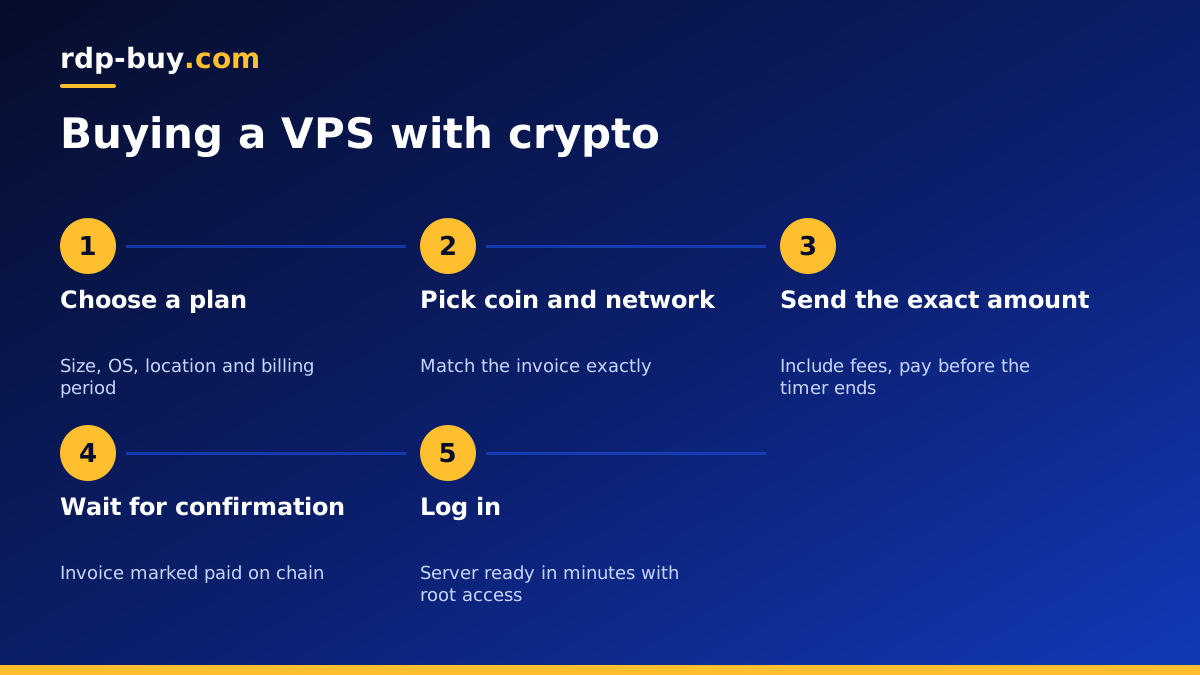
Most hosting providers use a crypto payment processor at checkout. The flow looks like this on most sites, including the VPS with crypto checkout at rdp-buy.com:
- Choose your plan: pick the VPS size, operating system, location and billing period.
- Select crypto as the payment method: the checkout creates an invoice in your local currency.
- Pick a coin and network: the processor converts the invoice into an exact crypto amount and shows a deposit address, usually with a QR code.
- Send the exact amount before the timer ends: invoices lock the exchange rate for a limited window.
- Wait for confirmations: the processor watches the blockchain and marks the invoice paid once the transaction confirms.
- Server is provisioned: after payment is confirmed, the order is processed and your login details arrive by email.
Choosing the right coin and network
The most common mistake with crypto payments is sending a token on the wrong network. Many tokens, especially stablecoins, exist on several blockchains at once. The same token on a different chain is a different asset as far as the receiving address is concerned. If the invoice asks for a token on one network and you send it on another, the payment may not be detected and recovery can be slow or impossible.
Before you press send, read three things on the invoice: the coin, the network and the amount. Then check that your wallet or exchange withdrawal screen shows the same coin and the same network. If they do not match, stop and choose an option that does.
- Stablecoins: popular because the value does not swing between creating the invoice and paying it. Always check the network.
- Bitcoin: widely accepted, but confirmations can take longer, so pay early in the invoice window.
- Other major coins: often fast and cheap to send. Use them if your wallet supports the exact network listed.
Paying from an exchange vs a personal wallet
You can pay from a self-custody wallet or directly from an exchange account. Both work, but they behave differently.
A personal wallet sends the transaction immediately when you confirm it, so you control the timing and the fee. An exchange withdrawal may be held for checks or batched with other withdrawals, which can delay the payment past the invoice timer. Exchanges also sometimes deduct their withdrawal fee from the amount you enter, so the invoice receives slightly less than requested. If you pay from an exchange, make sure the amount that arrives matches the invoice, not just the amount you typed.
Avoiding underpayments and expired invoices
Two problems cause most crypto payment support tickets: underpayments and expired invoices. Both are easy to avoid with a little care:
- Copy the amount with the copy button instead of typing it, and include every decimal.
- Account for network and withdrawal fees so the full amount arrives.
- Pay early in the invoice window, not in the last minute.
- Do not reuse an old invoice address for a new payment. Create a fresh invoice each time.
- Keep the transaction ID. If anything goes wrong, support can trace the payment with it.
- If an invoice expires while your transaction is still confirming, contact support with the transaction ID rather than paying again.
Renewals when you pay with crypto
Cards can be charged automatically each month, but crypto payments are pushed from your wallet, so renewals need a little planning. You will usually receive a renewal invoice before the due date, and you pay it the same way as the first one.
To reduce admin, many crypto payers choose a longer billing period. rdp-buy.com offers monthly, half-yearly or yearly billing, so you can pay once for a longer term and avoid monthly invoices. Set a calendar reminder a few days before the due date so a server running important workloads never lapses.
What to check before you buy any VPS
The payment method is only one part of the decision. Before you pay, with crypto or any other method, make sure the server itself fits your project:
- Resources: enough memory and storage for your applications, with room to grow.
- Location: a data centre near your users or near the services your software talks to. See our server locations.
- Access level: full root access on Linux, or admin access on Windows, so you can install what you need.
- IP address: a dedicated IPv4 for stable DNS records, allowlists and webhooks.
- Operating system: Linux for most server software, Windows if your tools need it. Our guide on Windows or Linux helps.
- Support: a team that answers around the clock if a payment or setup question comes up.
Common uses for a crypto-paid VPS
People who pay with crypto run the same range of projects as anyone else. Popular uses include websites and APIs, Docker stacks, automation tools such as n8n, AI agents that need to stay online around the clock, trading tools and bots, VPN endpoints for personal use, and development servers. Our guide to what you can run on a VPS lists more ideas.
Whatever you run, follow the provider's acceptable use policy and local laws. Paying with crypto does not change the rules for what a server may be used for.
Ready to buy a VPS with crypto?
Once you have chosen a plan and checked the coin and network on the invoice, the rest takes a few minutes. rdp-buy.com accepts crypto at checkout and every Linux server includes full root access, a dedicated IPv4 address, a choice of 33 locations and 24/7 support, with servers ready in minutes.
Compare our Linux VPS hosting plans to pick the right size, then choose crypto as your payment method. If you need Windows instead, you can also buy RDP with crypto, with the Windows licence included in the price.
