 Sign in
Linux Server How to Find IP Address: Public and Private IPs
On a Linux server, run ip addr to see every address on every network interface, and query an external service with curl to confirm the public IP the internet sees. This guide walks through each command, explains public versus private addresses, and shows why a Linux VPS with a dedicated IPv4 makes this simpler.
The quick answer
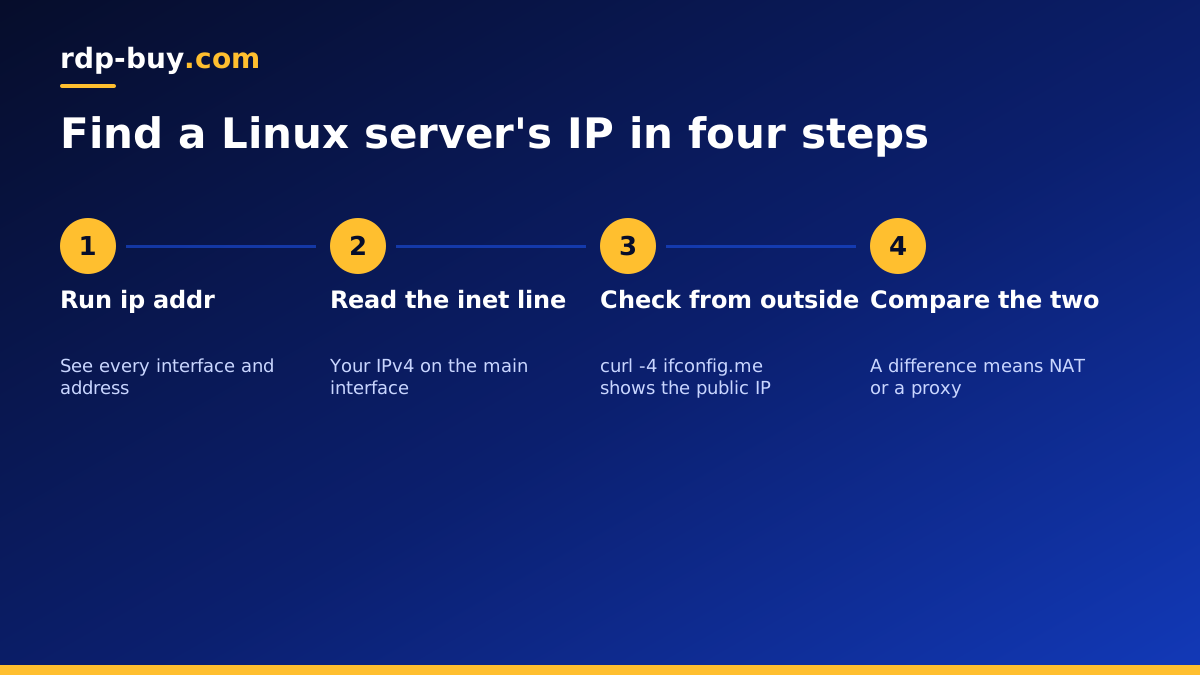
If you only need the answer, log in to the server over SSH and run one of these commands. Each is safe and read-only, so you can try them all:
- ip addr or the short form ip a: lists every interface and its IPv4 and IPv6 addresses.
- hostname -I: prints just the addresses assigned to the server, separated by spaces.
- ip route get 1.1.1.1: shows which interface and source address the server uses to reach the internet.
- curl -4 ifconfig.me or a similar service: shows the public IPv4 address that outside servers see.
Public, private and loopback addresses
Before reading the output, it helps to know which kind of address you are looking for. Linux servers often hold several at once, and each has a different job.
A public IP address is reachable from the internet. It is the address you put in an SSH client, a DNS record or an API allowlist. A private IP address belongs to an internal network and cannot be reached directly from the internet. Private IPv4 ranges start with 10., 172.16. to 172.31., or 192.168. The loopback address, 127.0.0.1 for IPv4 and ::1 for IPv6, always points back to the server itself and is used by local services talking to each other.
On many VPS platforms, the public IPv4 address is assigned directly to the main network interface, so ip addr shows it right away. On some cloud setups and on home networks, the machine only sees a private address and a router or gateway translates it to a public one. That is why checking from the outside with curl is a useful second step.
Using ip addr step by step
The ip command comes from the iproute2 package and is installed on every modern distro, including Ubuntu, Debian, AlmaLinux and Rocky Linux. Run ip addr and you will see a block for each network interface.
The first block is usually lo, the loopback interface, with 127.0.0.1. The next is your main network card, with a name such as eth0, ens3 or enp1s0. Inside that block, the line that starts with inet holds the IPv4 address, followed by a slash and the network prefix. The line that starts with inet6 holds an IPv6 address. Addresses marked scope global are usable on the network, while scope link IPv6 addresses starting with fe80 are only valid on the local link and are not the address you want to share.
To show only IPv4 addresses, use ip -4 addr. To see a compact one-line view per interface, use ip -br addr, which is handy when a server has several interfaces or Docker networks.
Other ways to check the IP address
Different situations call for different tools. These all work on a typical Linux server:
- hostname -I: fast and simple, ideal in scripts. It prints all assigned addresses except loopback.
- ifconfig: the older tool from net-tools. It may not be installed on new systems, and ip replaces it.
- nmcli device show: on servers managed by NetworkManager, this shows addresses, gateways and DNS servers.
- cat /etc/netplan/*.yaml: on Ubuntu, shows how the network is configured, including any static IPs.
- dig +short myip.opendns.com @resolver1.opendns.com: asks a DNS service for your public IP, useful when HTTP lookups are blocked.
Finding the public IP from outside
The address a server reports and the address the world sees can differ. Docker networks, VPNs, NAT gateways and proxies all change the path. To be sure, ask an external service which IP your request came from.
Run curl -4 ifconfig.me for IPv4 or curl -6 ifconfig.me for IPv6. Several similar services exist, such as icanhazip.com, and any of them will do. If the result matches the address in ip addr, your server has a directly assigned public IP. If it differs, traffic is passing through NAT or a proxy, and you will need to configure port forwarding or use the gateway's address for incoming connections.
Finding the IP without logging in
Sometimes you need the IP address before you can connect. On a hosted VPS, the easiest place to look is the welcome email or the client area of your provider, which lists the main IPv4 address of each server. If you set up DNS for a domain, nslookup yourdomain.com or dig yourdomain.com from your own computer will show the address the domain points to.
If you have console access through the provider's panel but cannot reach the server over SSH, open the console and run ip addr there. It works the same way and is often the fastest route to diagnose a network setting that went wrong.
Why your server's IP address matters
Knowing the IP address is the first step in almost every server task. You use it to connect with SSH, to point a domain name at your site, to add the server to API allowlists, and to configure firewalls on other systems. For AI agents and automation tools, a fixed public address means webhooks, OAuth callbacks and partner services keep working without updates.
This is where a dedicated IPv4 address helps. On a home connection, your public IP may change without warning, breaking every allowlist that relied on it. A VPS with a dedicated IPv4 keeps the same address for as long as you keep the server, so you set things up once. Our guide on RDP vs SSH explains how you connect using that address on Windows and Linux.
Troubleshooting common problems
If the address you expect is missing or wrong, these checks solve most cases:
- No inet line on the main interface: the interface may be down. Check with ip link and look for state UP.
- Only a private address: the server is behind NAT. Use the external curl check to find the public IP.
- Many extra interfaces: Docker creates docker0 and bridge networks with private addresses. These are normal and not your public IP.
- IPv6 only appears: confirm IPv4 with ip -4 addr and check the network config files.
- Address changed after reboot: on a home or DHCP network, set a static IP or use a server with a dedicated address.
Get a Linux server with a dedicated IPv4
If you are setting up a new project and want an address that stays put, a VPS is the simplest route. Every rdp-buy.com server comes with a dedicated IPv4 address, full root access, 24/7 support and a choice of 33 locations, and servers are ready in minutes with monthly, half-yearly or yearly billing.
Compare our VPS hosting plans to pick a size, or see the server locations to place your server near your users. If you need a Windows desktop instead of a Linux shell, our Windows or Linux server guide will help you decide.
