 Sign in
Windows RDP for Android: Connect to a Server From Your Phone
You can control a full Windows desktop from an Android phone or tablet with Microsoft's free Remote Desktop client. This guide shows how to set it up, how to work comfortably on a small screen, and why an always-on Windows RDP server pairs so well with a phone.
Why use Windows RDP on Android?
A phone is always with you, but it cannot run Windows programs. A remote Windows machine can, and Remote Desktop Protocol connects the two. With an RDP client on Android, you see the Windows desktop on your screen, tap to click, type with the on-screen keyboard and run anything installed on the server.
This is especially useful when the Windows machine runs all day on its own. Traders check MetaTrader positions from a phone, people running bots restart a stuck script from a café, and small teams reach office software while travelling. A hosted RDP server keeps those programs running whether your phone is connected or not, so the phone becomes a window into work that never stops.
Which RDP app to install on Android
Microsoft publishes its own Remote Desktop client for Android in the Google Play Store. Depending on your device and the time you install it, it may be listed as Remote Desktop or under Microsoft's newer Windows App name. Either way, look for Microsoft Corporation as the publisher so you are getting the official client.
There are third party RDP apps too, some built on the open source FreeRDP project, and they can be handy for features such as different gesture styles. For most people, the official client is the safest starting point because it follows Microsoft's own protocol updates. Avoid apps from unknown publishers that ask for unusual permissions, since they will handle your server login.
How to connect to your Windows server from Android
Before you start, have three details ready: the server IP address or host name, the user name and the password. With rdp-buy.com these arrive when your server is ready, which takes minutes after ordering.
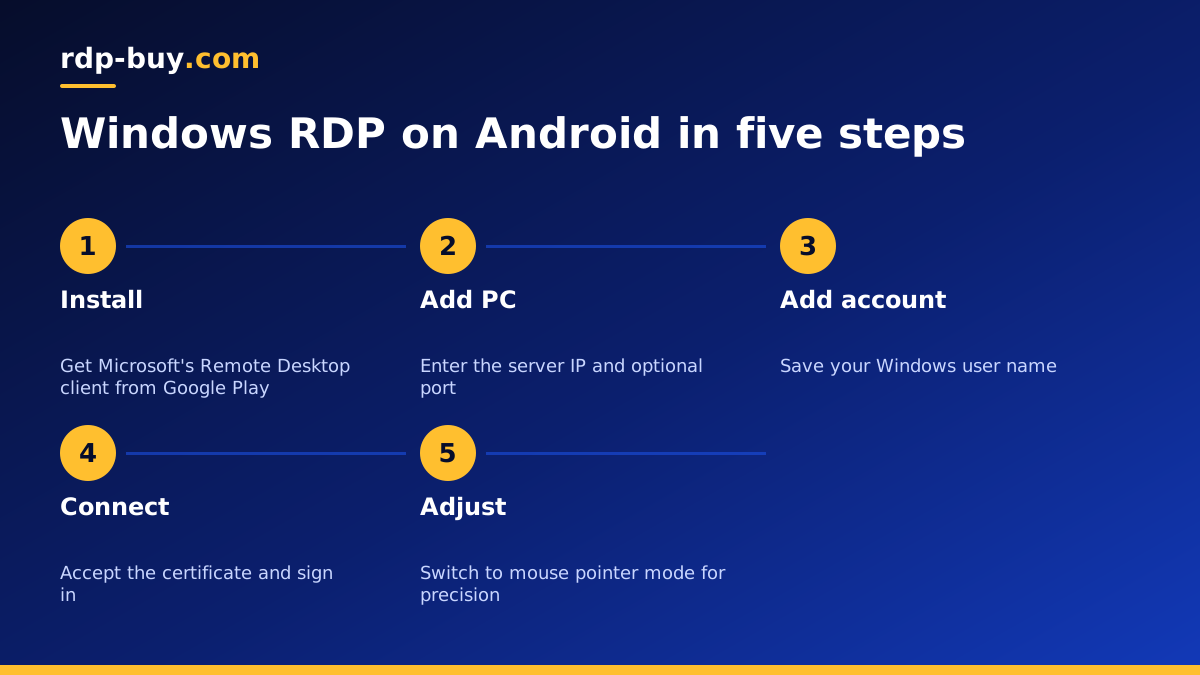
- Step 1: install Microsoft's Remote Desktop client from the Play Store and open it.
- Step 2: tap the plus button and choose to add a PC.
- Step 3: enter the server IP address. If you changed the port, type it after a colon, for example your.server.ip:50123.
- Step 4: add a user account with your user name and password, or leave it to be asked each time.
- Step 5: give the connection a friendly name and save it.
- Step 6: tap the saved PC. On the first connection, review the certificate warning, accept it if the address is correct, and the Windows desktop appears.
Working comfortably on a small screen
A full desktop on a phone screen takes some getting used to. A few settings make a big difference.
The client offers two interaction styles. In touch mode, you tap directly on what you want, which suits large buttons and tablets. In mouse pointer mode, you move an on-screen cursor like a trackpad, which is much more precise for small menus and links. Switch between them from the session toolbar at the top of the screen.
Pinch to zoom into a region of the desktop when you need to read small text, and use the toolbar to bring up the keyboard. Setting a lower display resolution in the connection settings makes Windows draw larger elements, which is easier to use on a phone. On a tablet, a Bluetooth keyboard and mouse turn the device into a capable thin client.
- Use mouse pointer mode for precise clicks on small controls.
- Rotate to landscape for a wider view of the desktop.
- Lower the resolution in the connection settings so everything appears larger.
- Pin your key apps to the Windows taskbar so you do not hunt through menus on a small screen.
Keyboard shortcuts and special keys
The Android on-screen keyboard lacks keys like Ctrl, Alt, Windows and the function keys. The Remote Desktop client adds an extra key row for these when the keyboard is open. You can use it to send Ctrl+C and Ctrl+V, Alt+Tab to switch windows, or the Windows key to open the Start menu.
To reach the security screen on the server, for example to change your password, use Ctrl+Alt+End inside the session or the On-Screen Keyboard on Windows itself. The guide on changing a Windows RDP password shows both methods.
Fixing common Android RDP errors
Most connection problems come down to a handful of causes.
- Cannot connect or timed out: check the IP address and port, and make sure your mobile network or Wi-Fi does not block outgoing RDP. Try switching between Wi-Fi and mobile data to test.
- Wrong user name or password: retype carefully, watch for auto-capitalisation on the first letter, and check whether your account needs the server name before it, such as SERVERNAME\Administrator.
- Certificate warning every time: this is normal for servers using a self signed certificate. Tick the option to remember it if you trust the address.
- Session freezes on mobile data: weak signal causes drops. Reconnect; your programs keep running on the server while you are away.
- Blocked by firewall rule: if you limited RDP to your home IP, your phone's mobile address will be refused. Add a rule for it or connect through a VPN.
Keeping RDP on your phone secure
Your phone now holds the key to a server, so treat it accordingly. Use a screen lock on the device, and avoid saving the password in the app if others use your phone. Use a strong unique password for the Windows account. If you lose the phone, change the server password straight away from another device.
If your server limits RDP to known IP addresses, consider connecting from your phone through a VPN with a fixed address rather than opening RDP to every mobile network. Changing the default port also reduces automated login attempts; the guide on changing the RDP port covers how.
What people run on a Windows server they reach from a phone
The phone is the remote control; the server does the work. Typical setups include a trading platform such as MetaTrader running all day near the broker, a browser kept logged in for automation, accounting or line of business software for a small team, and tools that support AI agents running on Windows. The guide on what you can run on an RDP or VPS server has more ideas, and forex RDP plans are aimed at traders specifically.
Choosing a server to pair with your phone
Since your phone is only the screen, the server is where performance and reliability live. Pick a location close to the services your programs talk to, such as your broker or the APIs your tools call, from the 33 options on the server locations page. Make sure you have admin access so you can install apps and adjust settings yourself.
Windows plans at rdp-buy.com include full admin access, a dedicated IPv4 address, the Windows licence and 24/7 support, with monthly, half-yearly or yearly billing. When you are ready, compare plans to buy RDP and connect from your Android device a few minutes later.
