 Sign in
Cheap and Best RDP: What to Keep and What to Skip When Buying
A cheap and best RDP is a small Windows server that still gives you admin access, a dedicated IP, a licensed copy of Windows and a location that suits your work, sized for what you actually run. This guide shows which features are worth keeping, where you can safely save, and how to buy RDP without paying for capacity you do not use.
Can an RDP be both cheap and the best choice
Yes, if you define best as the right fit rather than the biggest server. Most people overpay for RDP in one of two ways: they buy far more memory and CPU than their work needs, or they pick a very low cost offer that quietly drops something essential, such as a proper Windows licence or real admin rights, and end up replacing it.
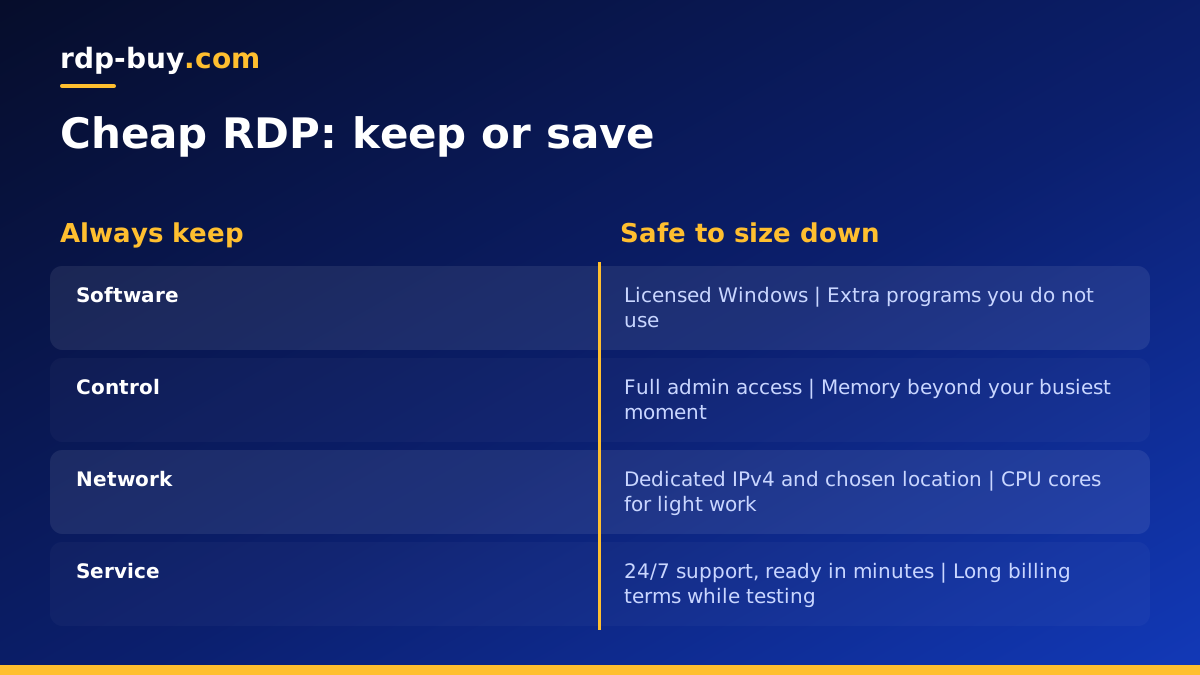
The way to get a cheap and best RDP is to separate the features you should never give up from the resources you can size down. Keep the first list, trim the second, and you get a plan that costs little and still does the job every day.
Our entry level Windows plans are collected on the cheap RDP page, and every plan, small or large, includes the essentials described below.
Features you should never give up
These matter on a small plan just as much as on a large one. If an offer is missing any of them, it is not really cheap, because you will pay for it later in problems or a second purchase.
- A licensed copy of Windows. An unlicensed or trial system can stop working or nag constantly. On our plans the Windows licence is included in the price.
- Full admin access. Without it you cannot install your own software or change settings. Every plan we sell includes it. See admin RDP for details.
- A dedicated IPv4 address. A shared or changing address causes trouble with logins, whitelists and account security. Each of our servers has its own.
- A location you choose. Being able to place the server near the services you use matters more than saving a little on a fixed location. We offer 33 locations.
- Support at any hour. Problems do not wait for office hours. We provide 24/7 support.
- Fast delivery. A server that takes days to arrive costs you time. Ours are ready in minutes.
Where you can safely save
Once the essentials are in place, the real savings come from sizing resources to your work. These are the levers that change cost the most:
- Memory: the biggest factor for most Windows users. If you only run a browser and one or two apps, you do not need a large amount. Add memory only when you run many programs at once.
- CPU cores: important for compiling, backtesting or heavy automation, much less so for browsing and office work.
- Disk space: estimate what you will store. Programs and a modest amount of files fit comfortably on a small plan.
- Billing period: monthly billing keeps commitment low while you test. Half-yearly or yearly suits a setup you know you will keep.
Matching a cheap RDP to common jobs
Here is how a small plan fits typical uses, and when to step up:
- Browsing and account management with a stable IP: a small plan is usually enough.
- Office documents, email and a single business app: a small plan works well for one user.
- One trading platform with a few charts: a small to medium plan, depending on how many advisors run. See forex RDP.
- Browser automation or AI tools: start small for one agent or a few browser windows, step up as you add more. See Windows RDP for AI agents.
- Several users at once, development or backtesting: choose more memory and CPU from the start.
Warning signs in very low cost offers
When an offer is much cheaper than everything around it, check what is missing. Common warning signs include no mention of a Windows licence, limited user rights instead of admin access, shared or rotating IP addresses, unclear server locations, no way to contact support quickly, and vague promises of unlimited resources.
Also be careful with offers that ask you to buy RDP access to someone else's computer, or that come from marketplaces of unknown origin. You have no idea who else can access that machine, and it puts your accounts and data at risk. A server rented from a hosting provider, in your own name, with your own login, is the safe option.
Tips to keep a small RDP running well
A small plan stays fast if you look after it. A few habits make a big difference:
- Remove programs that start with Windows but you do not need.
- Keep browser tabs and extensions under control, since they are often the largest memory users.
- Run Windows Update on a schedule so updates do not compete with your work at busy times.
- Close the remote session with the disconnect button rather than signing out, so your programs keep running.
- Check Task Manager now and then. If memory is regularly nearly full, it is time to upgrade one step.
When to upgrade instead of staying cheap
The cheapest plan is only good value while it keeps up. If programs freeze, the desktop feels slow during busy hours, or you are closing apps to make room, an upgrade will save you more time than it costs. Because billing is flexible, moving up a plan is straightforward, and you can start small knowing you are not locked in.
If your work does not actually need a Windows desktop, for example you only host a website or run Linux tools, a Linux VPS can be an even lower cost option. The RDP vs VPS guide explains which fits, and cheap VPS lists the Linux entry plans.
Choosing your cheap and best RDP plan
Start with the essentials: licensed Windows, admin access, a dedicated IP, your chosen location and support at any hour. Then size memory and CPU to the heaviest thing you run, and pick monthly billing while you confirm the fit.
When you are ready, compare our Windows RDP plans or go straight to the cheap RDP options, choose a location and size, and pay by card, PayPal or crypto. Methods are explained on the buy RDP with PayPal and buy RDP with crypto pages. Your server will be ready in minutes.
