 Sign in
What Is RDP Used For? Practical Uses and When to Buy One
RDP is used to control a Windows computer from somewhere else: to work remotely, run software that must stay on all day, get a stable IP address in another country, or give a team one shared Windows workspace. This guide explains each use with examples and shows when it makes sense to buy RDP rather than use your own PC.
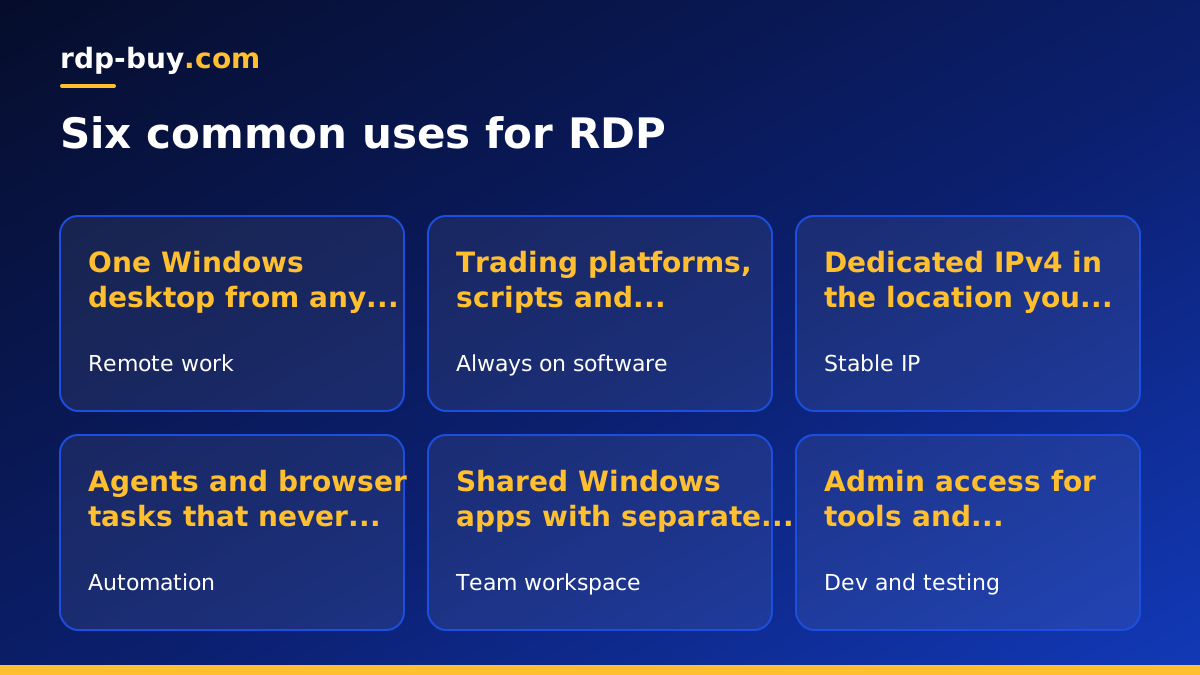
What is RDP used for, in one sentence
Remote Desktop Protocol, or RDP, is Microsoft's technology for seeing and controlling a Windows desktop over a network. You open a remote desktop app on your device, enter an address and login, and the remote computer's screen appears in a window. Your keyboard and mouse control it as if you were sitting in front of it.
There are two ways people use it. The first is reaching a computer they already own, such as an office PC. The second, and the one most people mean when they search for RDP, is renting a Windows server in a data centre. A rented RDP comes with full admin access, a dedicated IPv4 address, the Windows licence included and a location you choose from our 33 server locations.
The rest of this guide focuses on what people actually do with a rented Windows desktop.
Use one: remote work from any device
The most common use is simple: a Windows desktop you can open from anywhere. Your files, programs and browser sessions stay on the server, so you can start work on a laptop, check something from a phone and finish on a tablet without copying anything.
This suits freelancers, consultants and remote staff who need a consistent work environment, and it is especially useful for Mac and Chromebook users who need Windows only software now and then. Microsoft offers remote desktop apps for Mac, iOS and Android, so the device you use matters very little.
Use two: running software that must stay on
A laptop sleeps, loses Wi-Fi and gets closed at the end of the day. A rented RDP does not. That makes it ideal for programs that need to run continuously:
- Trading platforms and expert advisors that watch markets and place orders around the clock. See forex RDP for trading focused plans.
- Scheduled tasks and scripts that run at night or every few minutes.
- Monitoring dashboards that need a browser open all the time.
- Long downloads, uploads or exports that would otherwise tie up your own computer for hours.
Use three: a stable IP address in another location
Every RDP comes with a dedicated IPv4 address in the city you choose. That is useful when you need a consistent identity online: managing advertising or marketplace accounts from one stable address, reaching client systems that only allow whitelisted IPs, or testing how a website looks to visitors in another country.
Because you choose the location, you can place the desktop where your work is. Popular choices include the USA, the UK and Germany, among many others. Always follow the terms of the services you log into.
Use four: automation and AI agents on Windows
Many automation tools and AI agents run best on a machine that never switches off. If your tools are Windows based, or you rely on browser automation that drives a real desktop browser, an RDP is a natural home for them. The agent keeps working when your laptop is closed, and the dedicated IP makes it easier to whitelist with the services it uses.
The Windows RDP for AI agents page explains how to keep agents running. If your agent stack is container based or Linux first, such as n8n or Claude Code (by Anthropic), a Linux server may suit better, and the AI agent hosting hub compares both.
Use five: a shared workspace for a small team
Small businesses often need one Windows machine that several people can use: an accounting package, a legacy database app or a tool with a single licence. Putting it on an RDP means everyone can reach it from their own device without exposing an office PC to the internet.
Give each person their own user account, size the plan for the number of people who will be logged in at once, and keep backups of shared data. Our guide which RDP plan do you need helps you size it.
Use six: development and testing
Developers use RDP to test Windows apps, check how websites behave in Windows browsers, run build tools that need Windows, or keep a clean environment separate from their main machine. Because you have admin access, you can install compilers, SDKs and debugging tools freely, and rebuild the server if an experiment goes wrong.
What RDP is not the best tool for
RDP is a desktop. If you only need to host a website, run Docker containers or keep a Linux service online, a Linux VPS is usually simpler and lighter, because it skips the Windows desktop entirely. The RDP vs VPS guide explains which suits which job.
RDP is also not ideal for graphics heavy work such as gaming or video editing that depends on a powerful graphics card, since standard plans are built around CPU, memory and disk.
Rented RDP versus using your own PC
You can enable Remote Desktop on a Windows Pro PC at home or in the office. That works for occasional access, but it depends on your power and internet staying up, exposes your home or office network if not configured carefully, and shows your home IP address to every site you visit.
A rented RDP runs in a data centre, has its own dedicated IPv4 address, is ready in minutes and comes with 24/7 support. Billing is monthly, half-yearly or yearly, so it fits a short project as well as a permanent setup.
When to buy RDP and how to choose a plan
Buy an RDP when you need Windows software available all day, a desktop you can reach from any device, a stable IP in a specific location, or a shared workspace for a team. Choose the location nearest to the services the desktop uses, size memory for your busiest moment, and start on monthly billing if you are unsure.
When you are ready, browse our Windows RDP plans, pick a location and size, and pay by card, PayPal or crypto. If you want the smallest starting point, see cheap RDP, and once the server is ready, follow how to connect to your RDP server to log in.
