 Sign in
Hermes Agent Hosting: Set Up a Server That Keeps It Online
Hermes Agent hosting means giving the open source agent from Nous Research a server that never sleeps, so its memory, scheduled jobs and chat connections keep working while you are away. Here is how to choose that server, set it up and keep it healthy, with our AI agent hosting plans as the place to run it.
What Hermes Agent hosting involves
Hermes Agent is an open source AI agent published by Nous Research. It runs as a program on a computer you control, talks to a language model provider you choose, and can remember context between conversations, run tools and connect to messaging apps so you can talk to it from your phone. You can find the project and its documentation on github.com and nousresearch.com.
Because the agent itself runs on your machine, where you host it decides how useful it is. On a laptop it only works while the laptop is awake and online. On a server it can answer messages at any hour, run scheduled tasks overnight and keep its memory in one stable place. That is the whole point of Hermes Agent hosting: turning a tool you open into an assistant that is simply there.
A dedicated server for the agent also keeps its files, keys and logs away from your personal computer, which is a sensible separation for any software that can run commands. If you want to skip ahead to plans, see our hosting for AI agents page.
Why a VPS is the best hosting for Hermes Agent
For most people a Linux VPS is the right home for the agent. It is always on, it has a dedicated IP address, and you get full root access to install whatever the agent's tools need. You connect over SSH, set the agent up once and leave it running.
A home server or spare computer can also work, but it brings its own problems: power cuts, router restarts, a home IP address that changes, and the noise and electricity of a machine that never turns off. A VPS removes those concerns and lets you pick a location close to the model API and services the agent uses.
- Always reachable: chat connections and scheduled jobs run day and night.
- Stable address: a dedicated IPv4 for webhooks, allowlists and integrations.
- Full control: root access to install Python packages, browsers or command line tools.
- Clean separation: the agent's keys and memory live apart from your personal files.
Choosing a server size and location
When Hermes Agent uses a hosted model provider, the heavy work happens on the provider's side and the agent itself needs fairly little. What grows over time is everything around it: the tools you enable, any browser automation, the files it works with and the memory it builds up. Size the plan for the tools you plan to use rather than for the agent alone.
If you want to run a local model on the same machine instead of calling an API, the picture changes completely and you need much more memory and CPU. Most people start with a hosted provider and a modest server, then grow only if they need to. If you want the lowest cost starting point, a cheap VPS is enough for a hosted provider setup.
For location, choose a region close to you if you will use the terminal a lot, or close to the model provider and the services the agent calls. You can see every option on the server locations page.
Step by step: install Hermes Agent on a VPS
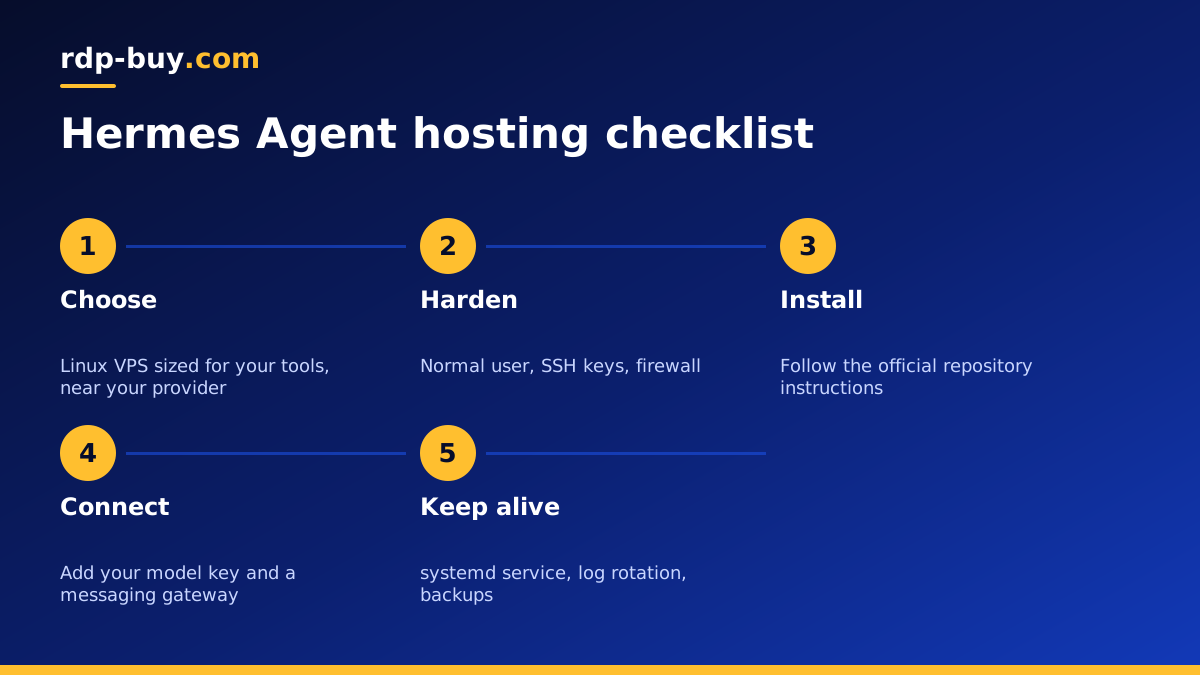
These steps assume a fresh Ubuntu or Debian server. Always follow the current install instructions in the official repository, because commands and requirements can change between releases.
- Connect: log in with ssh root@your-server-ip using the details from your welcome email.
- Update and harden: update packages, create a normal user with sudo, add your SSH key and turn off password login.
- Install prerequisites: Git, Python and any tools the project documentation lists.
- Install the agent: run the install method published in the Hermes Agent repository on github.com as your normal user.
- Add your model provider: enter your provider's API key in the agent's configuration, never inside a public repository.
- Test in the terminal: start a conversation and confirm the agent responds and can use the tools you enabled.
- Connect a messaging app: if you want to chat from your phone, set up the gateway for the platform you use as the documentation describes.
Keeping Hermes Agent online 24/7
Getting the agent to run once is easy. Keeping it running through reboots, updates and dropped SSH sessions is what separates good Hermes Agent hosting from a fragile setup.
The cleanest approach is a systemd service. Create a unit file that starts the agent's long running process as your normal user, set it to restart on failure, and enable it so it starts at boot. Then systemctl status tells you at a glance whether it is up, and journalctl shows its logs.
If you prefer something quicker while testing, start the agent inside a tmux session and detach. That survives a dropped connection but not a reboot, so move to a service once you are happy with the configuration. People who package everything in containers can use a Docker VPS and a restart policy instead.
- Restart on failure: let the service manager bring the agent back automatically.
- Start at boot: enable the service so a server restart does not need you.
- Rotate logs: keep logs readable and stop them filling the disk.
- Back up memory: copy the agent's data directory on a schedule.
Security for an always on agent
An agent that can run tools and reach the internet should be treated like any production service. Run it as a normal user, keep a firewall that only opens SSH and the ports you actually need, and give it API keys with the narrowest access that still works.
Be careful with any tool that lets the agent run shell commands. Restrict which commands it can use where the configuration allows, and review what it did through its logs. Keep the operating system patched and update the agent itself when the project releases fixes. Our guide to what you can run on an RDP or VPS has more ideas for what else can share the server safely.
Running Hermes Agent next to other agents
Once you have one agent on a server, it is tempting to add more. That is fine as long as each one has its own user account or container, its own configuration and its own keys. Many people pair Hermes Agent with an n8n server that sends it tasks, or with a coding agent on the same machine.
Watch memory and disk as you add services. If the server starts to feel slow, either move one agent to its own server or upgrade the plan. Billing is monthly, half-yearly or yearly, so it is easy to start small and grow.
How to choose your Hermes Agent hosting plan
Pick a Linux plan sized for the tools you will enable, in a location near you or your model provider. Every plan includes full root access, a dedicated IPv4 address and 24/7 support, and servers are ready in minutes, so you can follow the steps above the same day you order.
Our dedicated VPS for Hermes Agent page shows the plans that suit this setup, and the wider AI agent hosting hub lets you compare them with plans for other agents. You can pay by card, PayPal or crypto.
