 Sign in
n8n Backup on a VPS: Protect Workflows, Credentials and Data
A reliable n8n backup is the difference between a bad afternoon and losing months of automation work. This guide shows what to back up on a self hosted n8n server, how to automate it, and how to pick AI agent hosting that makes recovery straightforward.
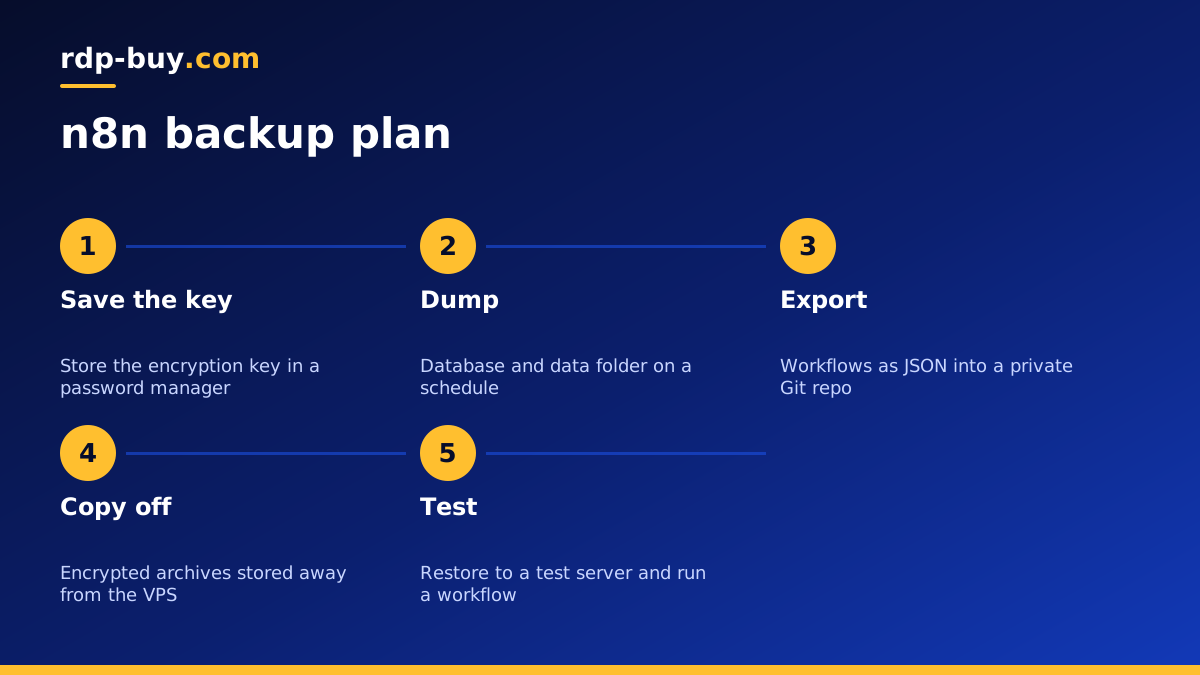
Why your n8n backup plan matters
Self hosting n8n gives you control: your workflows, your credentials and your execution data all live on a server you rent. The trade off is that keeping them safe is now your job. A mistaken delete, a failed upgrade, a corrupted disk or a compromised server can wipe out workflows that took weeks to build and that clients or colleagues depend on every day.
Backups are cheap insurance. Once they run automatically and you have tested a restore, you can upgrade n8n, experiment with new nodes and move servers without fear. Running n8n on a server for your AI agents with full root access means you can set up every part of this plan yourself.
What to back up on a self hosted n8n server
An n8n install has a few distinct parts, and a good backup covers all of them:
- The database. Workflows, credentials, users, tags and execution history live here. Depending on your setup this is either a SQLite file in the n8n data folder or a separate Postgres database.
- The encryption key. n8n encrypts stored credentials with a key kept in its config or set through an environment variable. Without the same key, a restored database cannot decrypt your credentials. Back it up separately and keep it secret.
- The data folder. Besides the database, it can hold config files, custom nodes and binary data you chose to store on disk.
- Your deployment files. Docker Compose files, environment files, reverse proxy configuration and any scripts you use to run n8n.
- Workflow exports. A JSON export of each workflow is a handy second copy that you can read, compare and import on any n8n instance.
Method one: back up the database and data folder
This is the full backup that lets you rebuild the whole instance. The steps depend on your database:
- With Postgres: run a scheduled database dump with the standard Postgres dump tool, then compress the file.
- With SQLite: stop n8n briefly or use SQLite's own backup command so you never copy the file halfway through a write, then copy it together with the rest of the data folder.
- With Docker: back up the named volume or mounted folder that holds n8n's data, plus the Postgres volume if you use one. Our Docker VPS page explains how volumes work on a server.
- Copy the environment file and Compose file into the same backup, but store the encryption key in a password manager as well, so it survives even if the backup archive is lost.
Method two: export workflows and credentials with the CLI
n8n includes command line tools that export workflows and credentials to files. Running them on a schedule gives you readable JSON that is easy to put under version control. The official n8n documentation lists the current commands and options, including how to export each workflow to its own file.
A popular pattern is to export workflows every night and commit them to a private Git repository on GitHub. You then get a full history of every change, can see exactly what someone edited, and can roll back one workflow without touching the others. Export credentials only in their encrypted form, and never commit decrypted secrets to a repository.
Automating the backup
A backup you have to remember is a backup that will be skipped. Automate it:
- Write a small shell script that dumps the database, archives the data folder and deployment files, and names the archive with the date.
- Schedule it with cron or a systemd timer, outside your busiest workflow hours.
- Copy each archive off the server to object storage, another server or a home NAS. A backup that lives only on the same VPS does not protect you from losing that VPS.
- Keep several generations, for example daily copies for a short period and weekly copies for longer, and delete the oldest automatically.
- Encrypt archives before they leave the server, because they contain credentials.
- Send yourself a short success or failure message after each run. Ironically, n8n itself is a fine tool for that alert, as long as the alert does not depend on the backup it is watching.
Testing a restore before you need it
Untested backups are hopes, not backups. Every so often, spin up a separate test server, restore the latest archive, set the same encryption key and start n8n. Log in, open a few workflows, check that credentials decrypt and run a harmless workflow end to end.
Write down each step as you go. That short runbook is what you will follow in a real incident, when you are under pressure and do not want to rediscover commands. Note the n8n version too, because restoring into a very different version can need extra migration steps.
Backups before every n8n upgrade
Upgrades are the most common moment for something to go wrong. Before changing the n8n image or package version, run a fresh backup, read the release notes for breaking changes, and keep the old image tag handy. If the upgrade causes problems, stop the new version, restore the backup and start the old one. Then investigate calmly on a test server.
Pin your n8n version in the Compose file rather than always pulling the newest image. That way an unplanned restart never upgrades you by surprise.
Common n8n backup mistakes to avoid
Each of these is easy to prevent once you know to look for it, and a short monthly check of your backup logs catches most of them early.
- Losing the encryption key. The database restores fine, but every credential is unreadable. Keep the key in at least two safe places.
- Copying SQLite while n8n is writing. The copy can be corrupted. Use a proper backup command or stop the service first.
- Keeping backups only on the same server. If the server is lost or compromised, the backups go with it.
- Never pruning old archives. The disk fills up, the backup job fails, and nobody notices until it is too late.
- Backing up but never restoring. A missing file or a wrong path stays hidden until the day you need it.
- Ignoring binary data. If workflows store files on disk, include that folder or those files will be missing after a restore.
Execution data: keep what you need, prune the rest
Execution history can grow large, which makes backups slower and bigger. n8n has settings to prune old executions automatically and to choose whether successful runs are saved at all. Decide how long you really need execution details for debugging or audit, set pruning to match, and your database and backups will stay a manageable size. Check the current setting names in the official documentation before changing them.
Snapshots, backups and how they differ
Server snapshots capture the whole disk at a moment in time and are handy before big changes. They are not a full replacement for application backups, because they usually live with the same provider and can capture a database mid write. Use snapshots as an extra safety net, and keep independent n8n backups stored elsewhere as your main protection. Our general guide to what you can run on a VPS covers other services that benefit from the same approach.
Choosing a server for n8n you can recover quickly
A good n8n host makes this plan easy: full root access to schedule scripts and install tools, enough storage for local archives before they are copied off, and a dedicated IPv4 address for clean webhook URLs and firewall rules. Our VPS for n8n plans are built for exactly this, and our wider AI agent hosting range covers servers for agents that run alongside your workflows.
Servers are ready in minutes, 24/7 support is available, and billing is monthly, half-yearly or yearly with payment by card, PayPal or crypto. Set up the server, add the backup script on the first day, and test your first restore before you move important workflows across.