 Sign in
USA VPS for Web Scraping: Run Polite Scrapers on a US Server
A USA VPS for web scraping gives your data collection scripts a Linux server in the United States that runs on a schedule, stores results safely and sees US versions of public pages. This guide covers when that helps, how to set it up responsibly and how to buy a VPS in the USA that fits the workload.
Why run scrapers on a USA VPS
Many useful scraping jobs are small and steady: tracking your own product listings, watching public price pages you are allowed to monitor, collecting public data sets for research, or checking that partner sites still link to you. These jobs need to run every day, on time, without a laptop that has to stay open.
A US VPS handles that well. It stays online around the clock, it has full root access so you can install any language or library, and it has a dedicated IPv4 address in the United States. When the pages you collect from show different content by country, such as US prices, US stock levels or US search features, the server sees the American version.
Moving scripts off your own machine also makes them more reliable. Your home connection, sleep settings and software updates no longer interrupt a job halfway through.
Scrape responsibly: the rules that come first
Before any technical detail, decide whether you should collect the data at all. Responsible scraping protects you, your server and the sites you visit. Follow these principles:
- Check permission. Read the site's terms and its robots.txt file, and prefer an official API or data export whenever one exists.
- Collect public data only. Do not log in to scrape behind accounts unless you have clear permission, and never try to get around access controls, paywalls or bot checks.
- Be gentle. Limit request rates, add pauses between requests, avoid busy hours for small sites, and stop if you see errors that suggest the site is struggling.
- Identify yourself. Use an honest user agent with a way to contact you.
- Respect personal data. Avoid collecting personal information, and if you must, follow the privacy laws that apply to you and the people involved.
- Store only what you need, and delete data once it has served its purpose.
What you can run on a scraping VPS
A Linux VPS runs almost any scraping stack. Typical choices include:
- Python scripts with a requests library and an HTML parser for simple, fast collection of static pages.
- Crawling frameworks that manage queues, retries, rate limits and exports for larger jobs.
- Headless browsers for pages that build their content with JavaScript. These use far more memory than plain HTTP requests, so plan for it.
- Workflow tools such as n8n that fetch a page on a schedule, extract a few fields and send them to a sheet or chat. Our page on a VPS for n8n explains that setup.
- Docker containers that package each scraper with its own dependencies, which keeps projects from breaking each other. See our Docker VPS page for how that works.
Good scraping projects for a US server
The jobs that suit a US VPS best are regular, modest in size and clearly allowed. A few examples:
- Monitoring your own listings on US marketplaces to check titles, images and prices display correctly.
- Tracking public price or availability pages where the site permits automated access, to spot changes for your buying decisions.
- Collecting public government or open data that is published for reuse but has no convenient download.
- Checking backlinks and mentions on partner sites so you know when a link disappears.
- Research data sets for academic or market studies, gathered slowly and documented clearly.
- Content change alerts for pages you follow, such as policy pages or release notes.
Where your scraped data should go next
Raw data is only useful once someone can read it. Decide early where results will live. A small database on the same VPS works for many projects, and a scheduled export to a spreadsheet or a dashboard makes the data easy for colleagues to use.
Keep raw pages separate from cleaned records, and record when and where each record was collected. That history helps you explain the data later, fix parser bugs by re running them on saved pages, and delete data on schedule. If the results feed a business process, such as a daily price report, add a short summary message to your team chat so people know the run finished.
How to size a USA VPS for scraping
The right plan depends far more on how you scrape than on how much you scrape.
- Plain HTTP scrapers are light. A modest plan can run several of them on a schedule.
- Headless browser scrapers are heavy. Each browser instance takes a large share of memory, so choose more RAM and run fewer browsers at once.
- Storage grows with saved pages, screenshots and databases. Compress raw pages or keep only the extracted fields.
- CPU helps with parsing large pages and running several jobs in parallel.
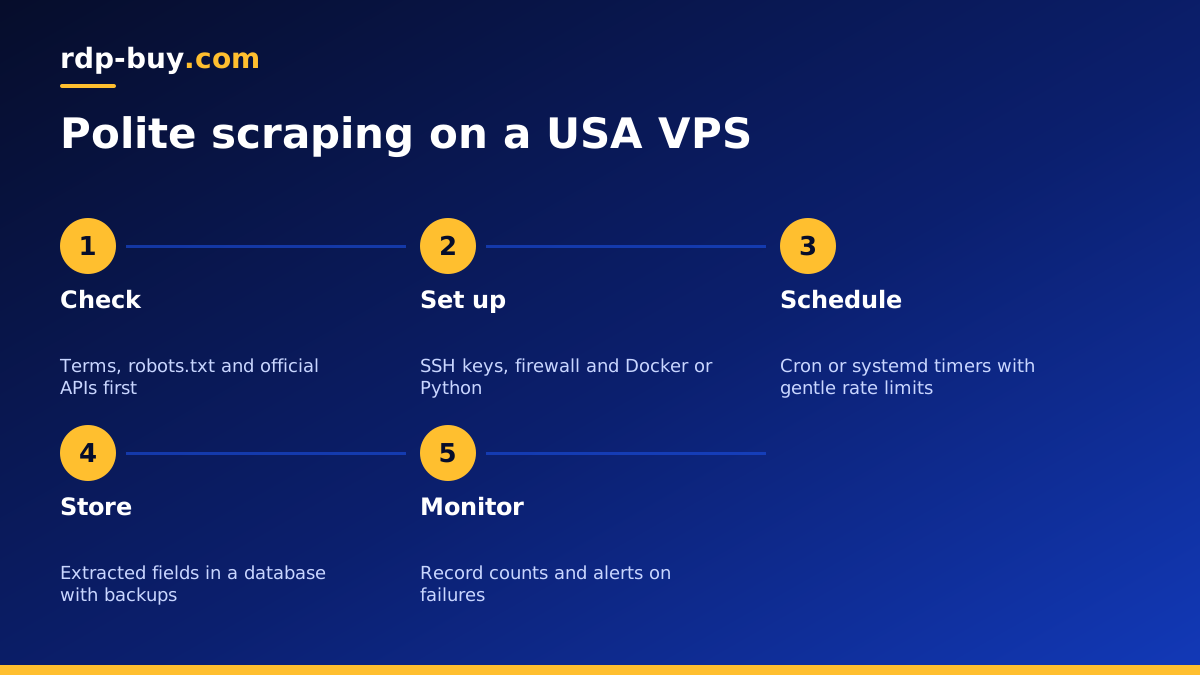
Setting up your scraping server step by step
This setup takes little time once you have done it once, and it makes every new scraper a matter of adding a container or a timer.
- Order the VPS, choose a US city and a current Linux release.
- Log in over SSH, create a normal user, use SSH keys and turn off password login.
- Enable a firewall that allows SSH only, since scrapers make outgoing requests and usually need no open inbound ports.
- Install your language runtime or Docker, then clone your scraper code from your own repository on GitHub.
- Keep configuration such as target lists, rate limits and API keys in environment files, not in the code.
- Schedule jobs with cron or systemd timers, and write logs to files that rotate automatically.
- Send results to a database or storage bucket, and back them up outside the server.
Keeping scrapers reliable over time
Pages change their layout, and a scraper that worked last month can quietly start returning empty fields. Add simple checks that count how many records each run collected and alert you when the number drops sharply or a run fails. Save a sample page from each run so you can see what changed.
Use retries with increasing waits for temporary errors, but stop retrying when a site clearly signals that it does not want automated traffic. Respect those signals rather than fighting them: it keeps your server's IP in good standing and keeps you on the right side of the site owner.
Finally, keep the server itself healthy. Apply updates, watch disk use, and clean out old raw files on a schedule.
Choosing a US city for your scraper
Place the server near the sites and APIs you collect from, or near the database and tools that receive the results. If the sources are spread across the country, choose a central or coastal city that matches where most of your targets are hosted. You can see every option on our server locations page.
Linux VPS or Windows RDP for scraping?
Linux is the natural home for scripted scrapers, headless browsers and schedulers. A Windows desktop makes sense when your data collection relies on Windows only desktop tools or spreadsheets, or when people need to watch and adjust jobs in a graphical interface. In that case, a USA RDP is the better fit. Our guide to Windows or Linux servers covers the choice.
Buying the right USA VPS for scraping
Open our USA VPS plans, choose the city that fits your sources, and pick memory based on whether you run plain HTTP scrapers or headless browsers. Billing is monthly, half-yearly or yearly, and you can pay by card, PayPal or crypto, including the option to buy a VPS with crypto.
Servers are ready in minutes with full root access and a dedicated IPv4 address, and 24/7 support can help with your first login. Start with one polite, well logged scraper, confirm the data is clean, then add the next job.