 Sign in
OpenClaw VPS Security: A Checklist to Lock Down Your Agent
OpenClaw VPS security comes down to one idea: an agent that can read messages, call APIs and run tools needs a server that only you can steer. This checklist covers the setup steps that matter most, and how to choose AI agent hosting that makes them easy.
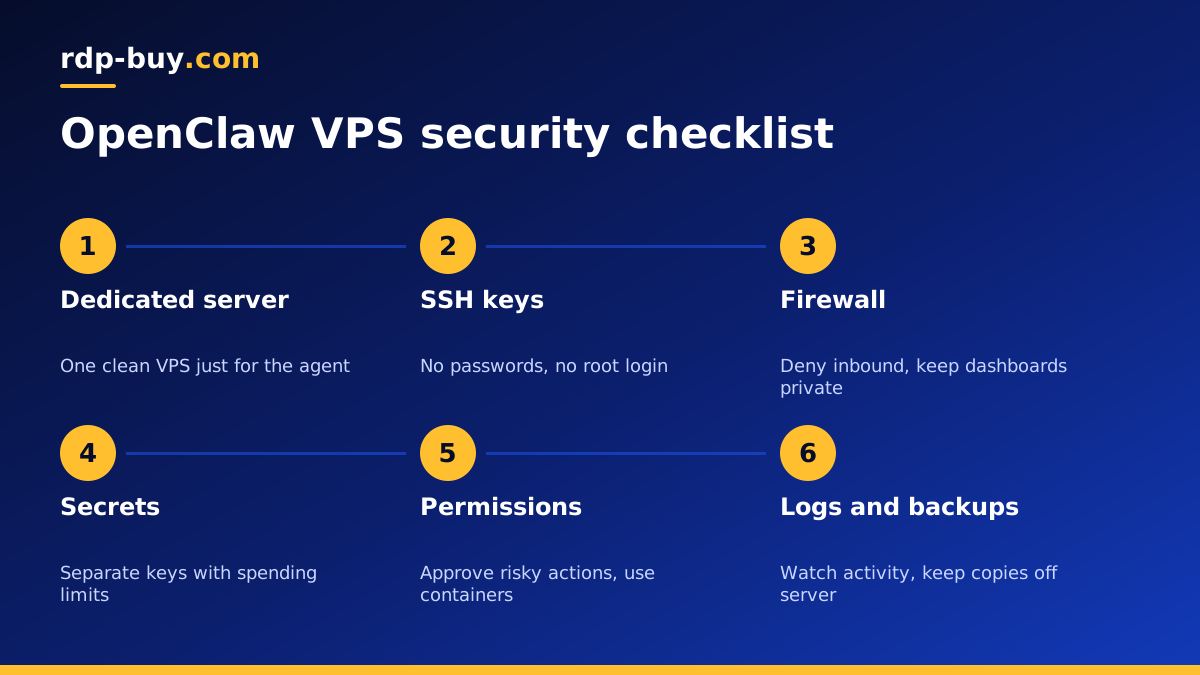
Why OpenClaw VPS security deserves extra care
OpenClaw is an open source personal agent that you run yourself and talk to through chat apps. That is what makes it useful: it can act on your behalf, connect to your accounts and keep working while you sleep. It is also why its server deserves more care than a typical website.
A normal web server mostly serves pages. An agent server holds API keys for model providers, tokens for messaging apps and sometimes access to email, calendars or files. It may also be allowed to run shell commands. If someone else gains control of that server, they gain the agent's reach as well.
The good news is that the protections are well understood. Running OpenClaw on a dedicated VPS with hosting built for AI agents already separates it from your personal laptop. The steps below tighten that separation further.
Step one: start from a clean, dedicated server
Give the agent its own VPS rather than sharing a server with a shop, a game panel or other people's projects. A single purpose machine is easier to reason about: you know what should be running, so anything unusual stands out.
Pick a current Linux release, apply all updates on day one, and turn on automatic security updates. Our VPS for OpenClaw page describes the plans and locations that suit a personal agent.
Step two: lock down SSH access
With full root access you control every one of these settings, so take a few quiet minutes to do them before installing anything else.
- Create a normal user with sudo rights and run OpenClaw under that user or a dedicated service user, never as root.
- Log in with an SSH key, then disable password login and direct root login in the SSH configuration.
- Keep your private key on your own devices only, protected with a passphrase.
- Install a tool that bans repeated failed login attempts, so automated guessing stops quickly.
- Keep a second way in, such as the provider's console, in case you lock yourself out while changing settings.
Step three: firewall everything you do not need
Most agent setups need very few open ports. Messaging integrations usually connect outward to the chat service, which needs no inbound port at all. Start with a firewall that denies all incoming traffic, then allow SSH and only the specific ports a feature truly needs.
If OpenClaw or a companion tool offers a web dashboard or gateway, do not expose it to the whole internet. Bind it to localhost and reach it through an SSH tunnel, or place it behind a private network tool or a reverse proxy with strong authentication. Your dedicated IPv4 address makes allow lists simple: you can permit only your own home or office IP where that fits.
Step four: treat secrets like cash
Model provider keys, bot tokens and account passwords are what an attacker wants most. Handle them carefully:
- Store keys in an environment file or secrets store readable only by the agent's user, not in shell history or shared notes.
- Use separate API keys for the agent rather than reusing the ones from your personal projects, so you can revoke them without breaking anything else.
- Set spending limits and usage alerts in your model provider account, so a leaked key cannot run up a large bill unnoticed.
- Rotate keys after any suspected exposure and whenever someone who had access leaves the project.
- Never paste secrets into chat with the agent itself unless the documentation says that is the intended way to configure it.
Step five: limit what the agent can do
Security is not only about keeping strangers out. It is also about limiting the damage if the agent misunderstands a request or reads a malicious message that tries to trick it, which is often called prompt injection.
Check the project's documentation on openclaw.ai for current options around allowed users, tool permissions and command approval, then apply the narrowest settings that still let the agent do its job. Good habits include:
- Allow only your own chat accounts to give the agent instructions.
- Require approval before the agent runs shell commands, deletes files or sends messages to new contacts.
- Run tools inside containers so a mistake stays inside the container. A Docker VPS setup makes this routine.
- Give connected accounts the least access they need, for example read only access to a calendar if the agent never creates events.
- Avoid letting the agent browse untrusted pages and act on what it reads without a human check.
Step six: watch logs and keep backups
An always on agent should leave a clear trail. Keep its logs, rotate them so the disk does not fill, and glance at them regularly for actions you did not expect. Run it as a system service so it restarts after a crash or a reboot, and get a simple alert if it stops.
Back up the agent's configuration and memory files to storage outside the server. If you ever suspect a compromise, the safest path is often to rebuild a fresh server from your notes and backups, rotate every key, and restore only the data you trust.
Step seven: keep OpenClaw and its tools updated
Agent projects move quickly, and updates often include security fixes as well as new features. Follow the project's release notes on GitHub, and plan a regular moment to update OpenClaw, its plugins or skills, and the container images it uses.
Before updating, take a backup of the configuration. After updating, send the agent a few routine requests to confirm it still behaves as expected. If something breaks, roll back to the previous version rather than leaving a half working agent connected to your accounts.
Be just as careful with add ons. Install skills, plugins and scripts only from sources you trust, read what permissions they ask for, and remove the ones you no longer use. Every extra piece of code is something else that can go wrong.
Common mistakes that weaken an agent server
None of these are hard to fix, and each one closes a door that attackers routinely try.
- Leaving a dashboard or gateway open on a public port with a default or weak password.
- Running the agent as root because it was quicker during testing, then never changing it.
- Reusing a personal model API key with no spending limit.
- Letting anyone who can message the bot give it instructions.
- Connecting email or file storage with full access when read only access would do.
- Skipping backups because the server seems stable, then losing the agent's memory after a mistake.
Windows RDP or Linux VPS for OpenClaw?
Most people run OpenClaw on a Linux VPS, where the steps above map directly onto standard tools. A Windows desktop can suit users who want a familiar graphical environment for the agent's browser tasks. If that is you, our Windows RDP for AI agents page explains the setup, and the same principles apply: separate users, strong passwords, a tight firewall and limited permissions.
Choosing a secure plan for your OpenClaw agent
When you pick a plan, look for full root access so you can apply every setting in this checklist, a dedicated IPv4 address for clean allow lists, and a location near the APIs and chat services the agent uses. Our AI agent hosting plans include all of these, with servers ready in minutes and 24/7 support if you get stuck on the first login.
Billing is monthly, half-yearly or yearly, and you can pay by card, PayPal or crypto. Start with a plan that runs the agent comfortably, finish this checklist before connecting any important account, and only then hand it real work.