 Sign in
USA VPS for Survey Software: Host Your Own Forms in the US
A USA VPS for survey work lets researchers, agencies and product teams run their own survey and form software on a Linux server in the United States, with full control over the data. Here is how to plan it, set it up and buy a VPS in the USA that fits.
Why run survey software on a USA VPS
Hosted form builders are quick to start with, but they put your questions, answers and respondent details on someone else's platform, under their limits and their pricing tiers. Self hosting moves all of that onto a server you rent and control.
Choosing a US VPS makes sense when most of your respondents, clients or stakeholders are in the United States. The survey loads from a nearby server, your data sits in the country where your project is based, and you have a dedicated US IPv4 address you can point your own domain at.
A VPS also stays online around the clock. A survey link shared in an email campaign, a QR code on a printed flyer or a feedback form on a product page needs to answer whenever someone opens it, not only while an office computer is switched on.
Who uses a self hosted survey server
What they have in common is a steady need for forms, a wish to own the data and an audience that is mostly in the US.
- Market research teams running customer and product studies for US brands.
- Agencies that collect feedback for several clients and want each project on its own subdomain.
- Universities and researchers who need to keep response data under their own control and follow their ethics guidance.
- SaaS and app teams running onboarding surveys, churn surveys and feature votes.
- Event organisers collecting registrations and post event feedback.
- Nonprofits gathering volunteer sign ups and community input without per response fees.
Survey and form tools you can self host
Several mature open source projects run well on a Linux VPS. Each has its own style, so pick the one that matches how you work:
Whichever you choose, read the project's own documentation for the current install steps, and check the licence terms if you plan to offer the tool to paying clients.
- LimeSurvey is a long running survey platform with question logic, quotas, multiple languages and detailed exports. It suits formal research.
- Formbricks focuses on product and in app surveys, with a modern interface and Docker based installs.
- Typebot builds conversational, chat style forms that feel friendly on mobile.
- Form builders inside your stack. If you already run WordPress or a no code tool on the server, a form plugin or an automation tool such as n8n can collect answers and send them on to a sheet or CRM.
How to size a USA VPS for surveys
Survey software is light compared with many web apps. The pressure comes in bursts: when a campaign email goes out, many people open the form at once, and each submission writes to the database.
Use these points to choose a plan:
- Memory matters most. The web server, PHP or Node runtime and the database all live in RAM. If you run Docker, several containers add up quickly.
- Storage grows with uploaded files, images in questions and stored responses. Leave room for database backups on the server before you copy them off.
- CPU helps when large exports, reports or many simultaneous submissions run together.
- Room to grow. If you plan to host several client projects, start one size up so a busy campaign on one project does not slow the others.
Setting up a survey server step by step
This is a typical path from a fresh Linux VPS to a live survey. The exact commands depend on the tool you pick.
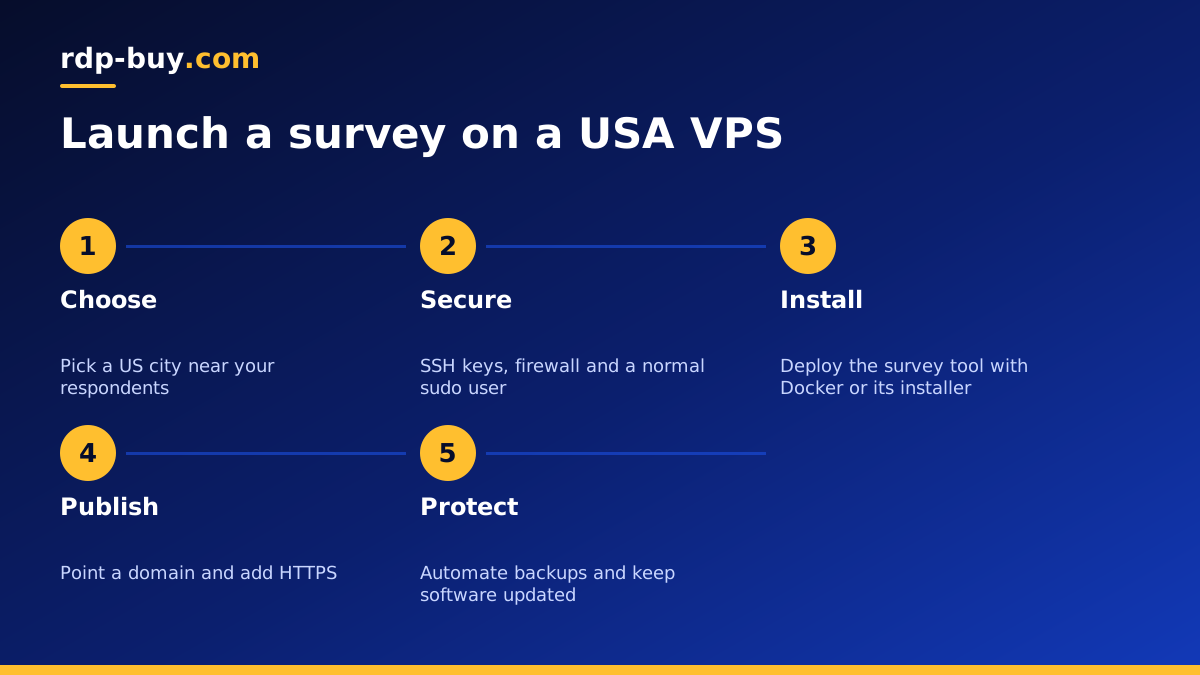
- Order the server, choose a US city close to most respondents and pick a current Linux distribution.
- Log in over SSH with your root access, create a normal user with sudo rights, and turn off password login for root once your SSH key works.
- Enable a firewall that allows only SSH, HTTP and HTTPS.
- Point a domain or subdomain such as surveys.yourcompany.com at the server's dedicated IPv4 address.
- Install the tool, either with Docker Compose from the project's repository on GitHub or with its own installer and a web server.
- Add a free TLS certificate so every form loads over HTTPS. Respondents and browsers expect the padlock.
- Set up email sending for invitations and confirmations through a proper transactional email service, not straight from the VPS.
- Schedule automatic database backups and copy them to storage outside the server.
Respondent data, privacy and good practice
Owning the server means owning the responsibility. Ask only for the personal data you need, explain in plain words how it will be used, and give people a way to contact you about their answers. If your research falls under university ethics rules, a client contract or a privacy law, follow those requirements on top of anything in this guide.
On the technical side, keep the operating system and survey software updated, use strong unique passwords for admin panels, restrict admin pages by IP where the tool allows it, and remove old survey data you no longer need. If you run the tool in containers, a Docker VPS setup makes updates and rollbacks simpler, because each version lives in its own image.
Keeping surveys online during busy campaigns
Before a large send, open the form yourself from a phone and a desktop, submit a few test answers and check they arrive in the results. Watch memory and disk use on the server during the first hour of the campaign. If you see the server struggling, a larger plan is usually a quick change, and you can move back after the busy period if your billing allows.
It also helps to keep the survey server focused. Running a busy shop or a heavy app on the same VPS means a spike in one can slow the other. Separate servers, or at least separate containers with sensible limits, keep each job predictable.
Connecting survey results to the rest of your tools
Collecting answers is only half the job. The value comes from getting them to the people and systems that act on them. Because the VPS is yours, you can connect the survey tool to almost anything that accepts a webhook or an API call.
A common pattern is to run an automation tool next to the survey software on the same server. When a new response arrives, the automation can add a row to a spreadsheet, create a contact in your CRM, post a summary to a team chat channel or send a thank you email through your email service. Our page on running a VPS for n8n explains how that kind of workflow server is set up.
Keep integrations simple at first. One clean flow that sends every response to a single sheet is easier to trust than a web of automations. Add more steps once the first one has run reliably for a full campaign, and log each run so you can see what happened if a response goes missing.
Linux VPS or Windows RDP for survey work?
Survey platforms are web apps, and most are built for Linux, so a VPS is the natural home. A Windows desktop is the better fit when your team analyses results in desktop statistics or spreadsheet software and wants that work to live on a shared US machine. Many teams combine both: the survey runs on a Linux VPS and the analysis happens on a USA RDP. Our guide on Windows or Linux servers explains the choice.
Choosing and buying your US survey server
When you are ready, compare our USA VPS plans, choose the city nearest your respondents from the server locations list, and pick memory and storage using the checklist above. Billing can be monthly, half-yearly or yearly, and you can pay by card, PayPal or crypto, including the option to buy a VPS with crypto.
Your server is ready in minutes with full root access, and 24/7 support can help if the first login or firewall setup gets in your way. Start with one survey, confirm responses flow cleanly, then add the next project.