 Sign in
Buy Windows RDP With Crypto: A Private Checkout Guide
Paying with cryptocurrency is one of the three ways to check out on rdp-buy.com, and for many buyers it is the most convenient. This guide explains how to buy Windows RDP with crypto from start to finish: who it suits, how the checkout works, the mistakes that delay an order, and what you receive once the payment confirms. If you already know what you need, the Windows RDP plans page lists every option.
Why people buy Windows RDP with crypto
Crypto is not a niche payment method for a remote desktop. Three groups reach for it most often. The first is anyone who values privacy at checkout. A crypto payment does not pass a card number, billing address or bank details through a payment processor, so there is less personal data attached to the order. The second group is buyers whose card does not work for international purchases, either because their bank blocks foreign merchants or because card payments to overseas hosts are unreliable where they live. A wallet does not care about borders.
The third group is businesses and projects that already hold funds in a treasury wallet. If a trading desk, a small agency or an automation project keeps its working capital in stablecoins, paying a hosting bill straight from that wallet is simpler than converting to fiat, moving it to a bank and then paying by card. It also keeps the hosting cost inside the same ledger as everything else the project spends.
Whichever group you are in, the server you get is identical to one bought by card. The payment method changes how money moves, not what is provisioned.
How to buy RDP online with crypto, step by step
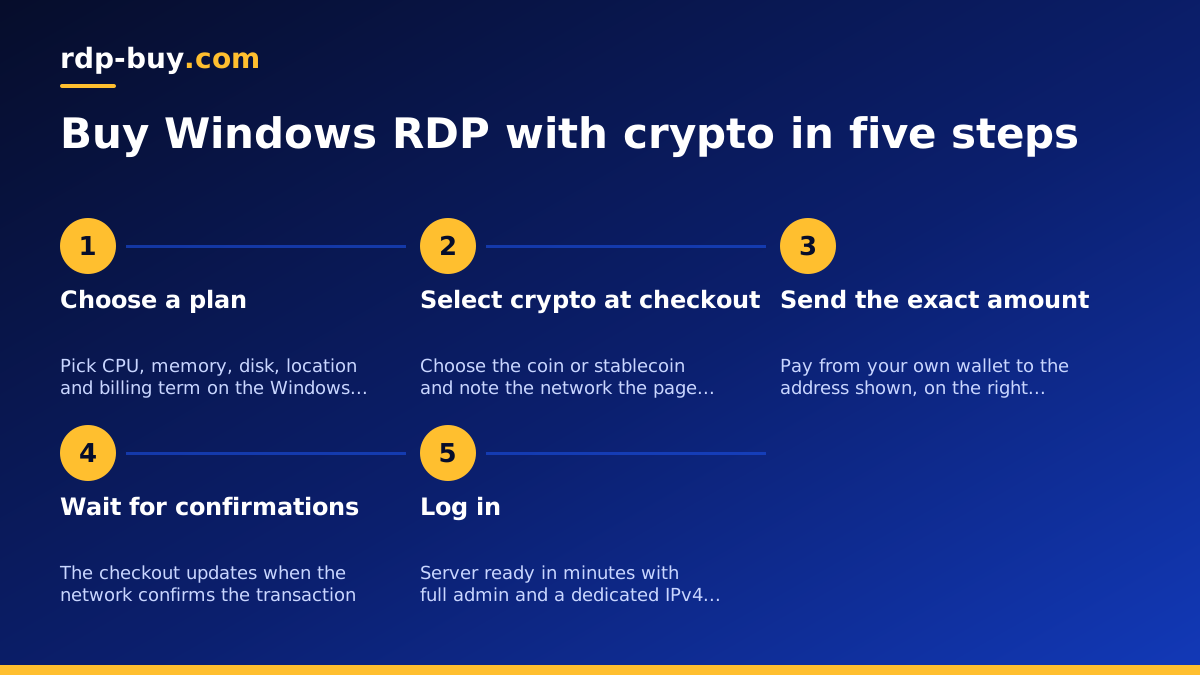
The flow is short, and most of the waiting is on the blockchain rather than on the store. Here is what happens when you buy RDP online with crypto on rdp-buy.com.
- Choose a plan. Open the buy RDP page, pick the CPU, memory and disk that fit your workload, choose a location from the 33 available, and select a billing term: monthly, half-yearly or yearly.
- Choose crypto at checkout. On the order page, pick cryptocurrency as the payment method and then select the coin or stablecoin you want to pay with. The buy RDP with crypto page lists the options and any notes about supported networks.
- Send the exact amount shown. The checkout displays a payment address, the exact amount due and usually a QR code. Send that amount from your wallet to that address on the network the page names.
- Wait for confirmations. The payment is detected once the transaction appears on the network and marked as paid once it has enough confirmations. The checkout page shows the status as it changes.
- Server provisioned. Once the payment is confirmed, the Windows server is built automatically and your login details are sent to you. Servers are ready in minutes after confirmation.
What to prepare before you pay
A smooth crypto order is mostly preparation. A few minutes before checkout saves a long wait on support later. Have these ready before you open the order page.
- A funded self-custody wallet. A wallet you control, holding the coin you plan to pay in, with a little extra to cover the network fee on top of the amount due.
- The right network selected. Many stablecoins exist on several networks. Check which one the checkout supports for your chosen coin and make sure your wallet is sending on that same network.
- An email address you can read right away. Login details and renewal invoices go there, and you will want them as soon as the payment confirms.
- A decision on plan and location. Decide these before you start paying so you are not choosing while a payment window counts down.
- Your remote desktop client installed. On Windows it is built in; on macOS, iOS, Android and Linux you can install one in advance. See how to connect to your RDP server for the exact steps.
Common mistakes that delay or lose a payment
Almost every crypto support ticket comes from one of a handful of errors. None of them are hard to avoid once you know they exist.
- Wrong network. Sending a token on one network to an address that expects the same token on a different network is the most expensive mistake, because the funds may be unrecoverable. Always match the network named on the checkout page, and if your wallet offers several, read the label twice before confirming.
- Underpaying by forgetting the fee. Some wallets deduct the network fee from the amount you type rather than adding it on top. If the store receives less than the amount due, the order stays unpaid until the difference arrives. Check that the amount arriving, not the amount leaving, matches the checkout.
- Sending from an exchange. Exchanges often hold withdrawals for a review period, batch them, or deduct their own fee. Your transfer may arrive late, short, or from a pooled address that is hard to match. Withdraw to your own wallet first, then pay from there.
- Letting the payment window expire. Crypto prices move, so the amount quoted is valid only for a limited window. If you send after it closes, the amount may no longer match the invoice. Start the payment when you are ready to complete it.
- Copying the address by hand. Use the copy button or the QR code. A single wrong character sends funds to an address nobody controls.
What you receive once the payment confirms
If something does go wrong, do not send a second payment to fix it. Contact support with the transaction ID; support is available 24/7 and can look up the transaction and help match a late or short payment to your order.
After confirmation the server is built and an email arrives with everything you need to log in: the server's IP address, the administrator username and the password. The IP is a dedicated IPv4 address that belongs only to your server for as long as you keep it, which matters for anything that whitelists by IP, from trading platforms to client VPNs and internal tools.
You get full administrator access on Windows. That means you can install any software, create additional user accounts, change firewall rules, schedule tasks and reboot the machine whenever you like. The first things to do are to log in, change the password to one of your own, and apply any pending Windows updates. From there it is a normal Windows desktop that happens to stay on while your laptop is closed.
If you are unsure what to run on it, the guide to what you can run on an RDP or VPS server covers the usual cases, from browsers and trading terminals to automation tools and AI agents.
What paying with crypto does not change
A common worry is that a crypto order is somehow a lesser product, or comes with fewer guarantees. It does not. The payment method is the only difference between a crypto order and a card order.
- The Windows licence is included in the price of every Windows plan, however you pay.
- Support is available 24/7 through the same channels, with the same response for crypto customers as for everyone else.
- Billing terms are the same: monthly, half-yearly or yearly, your choice at checkout.
- You get the same full admin access and the same dedicated IPv4 address.
- You choose from the same 33 server locations. See RDP server locations to pick one near your users or the services your server will talk to.
Renewing a crypto order
The same is true on the Linux side. If your task runs headless and does not need a Windows desktop, you can buy VPS with crypto through the same checkout and get root access instead of admin.
Crypto payments are not pulled automatically from your wallet, because nothing can be. A renewal is a fresh payment each term. Before your term ends, you receive a renewal invoice by email with a new address and amount. Pay it the same way you paid the first time, and the server continues without interruption.
Two habits keep renewals painless. First, choose a longer term if you expect to keep the server; a half-yearly or yearly plan means fewer renewal payments to remember and fewer chances to miss one. Second, keep enough in your paying wallet to cover the next invoice plus network fees, so a renewal never waits on a transfer from an exchange.
If you prefer renewals that happen on their own, a card on file does that. You can also mix the two: pay the first term in crypto and switch methods later by contacting support.
When card or PayPal is simpler, and how to pick your plan
Crypto is the right choice when privacy, a blocked card or a treasury wallet is the reason. It is not always the simplest. If you want renewals handled automatically, if you need a receipt that matches a company card statement, or if you simply do not hold any crypto, then buy RDP with card or buy RDP with PayPal instead. All three methods lead to the same server.
Whichever way you pay, choose the plan by workload, not by habit. A single trading terminal, a browser session or a light automation agent fits the smaller Windows plans. Several browser profiles, a desktop automation stack or anything that renders video needs more memory and CPU. The guide to which RDP plan you need walks through the sizing, and the RDP server page shows every plan side by side with its location and term options. Pick one, choose crypto at checkout, send the exact amount on the right network, and your Windows desktop is ready in minutes.