 Sign in
USA RDP Price: What You Pay For and How to Compare Plans
The USA RDP price you see on any plan is built from a few parts: CPU, memory, storage, the Windows licence, the billing term and what support is included. Once you know what each part does, you can compare offers fairly and buy RDP in the USA without paying for things you will never use.
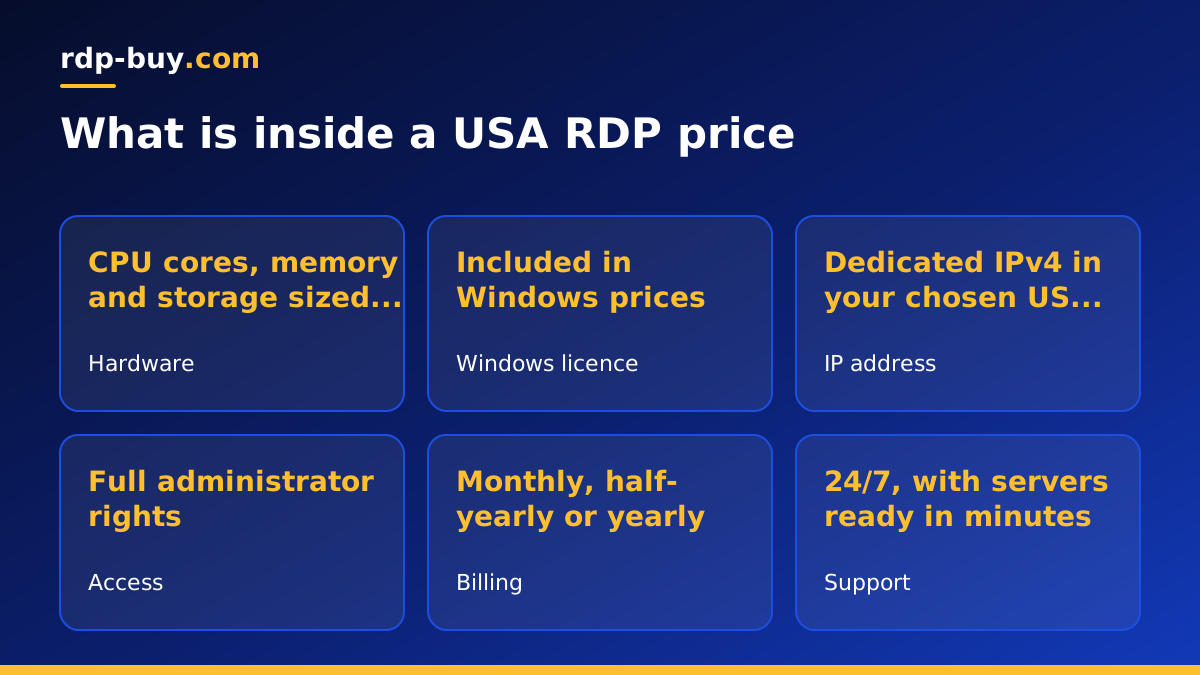
Why USA RDP price varies so much
Search for US RDP and you will see a wide spread of offers. Some look almost free, others look expensive for what seems like the same thing. The difference usually comes down to what is actually inside the plan and what is quietly left out. A Windows remote desktop is not a single product: it is a bundle of hardware resources, software licensing, network access and support, and each part has a real cost to the provider.
Understanding the parts lets you answer the only question that matters: is this plan the right size for my workload at a fair cost? The sections below break the price down so you can compare any two plans line by line.
The specs that drive the price
Hardware is the biggest factor in the USA RDP price. These are the parts to look at first:
- CPU cores: more cores let more programs run side by side without slowing each other down. Trading terminals, browsers with many tabs and automation tools all compete for CPU time.
- Memory (RAM): Windows needs a share of memory before your software even starts. Running short of memory is the most common reason a remote desktop feels slow, so it is usually worth paying for a little more than you think you need.
- Storage: solid state storage keeps Windows responsive. Count the space your apps, downloads and logs will take, and leave room for Windows updates.
- Dedicated or shared resources: some offers share CPU heavily between customers. If consistent performance matters, look for plans that state what you get.
The Windows licence: included or extra?
Windows Server is licensed software, and someone has to pay for that licence. Some low headline prices leave it out and ask you to bring your own or pay an add on later. Others run on a trial that expires. When you compare plans, check whether the licence is part of the advertised price.
At rdp-buy.com the Windows licence is included in Windows prices, so the plan you choose is the plan you pay for. That also means you get a properly activated system that receives updates normally.
Location and the US IP address
A US RDP plan places your server in an American city and gives it a US IP address. Many buyers need that address for logging in to US accounts, managing US storefronts, reaching US brokers or testing how sites look to American visitors. rdp-buy.com includes a dedicated IPv4 address with each server, so the address is yours alone rather than shared with other customers.
You can choose from several US cities, including New York, Los Angeles, Dallas, Chicago, Miami, Atlanta, Seattle, Silicon Valley and Honolulu. The full list of 33 locations is on the server locations page. Pick the city nearest to the people or services you connect to most.
Billing term: monthly, half-yearly or yearly
The billing term changes what you pay up front and often what you pay over time. Monthly billing gives you the most flexibility: you can resize, move or cancel without a long commitment, which is ideal while you are still testing what you need. Half-yearly and yearly billing suit a server you already know you will keep running, such as a trading desk or a long running automation, and they save you the work of renewing every month.
A practical approach is to start monthly, confirm the plan size is right, then switch to a longer term once your workload has settled.
Hidden costs to check before you buy
A low headline price is only a good deal if nothing important is missing. Before you order any USA RDP plan, check these points:
- Admin access: can you install any software you like, or are you limited to a locked down user account? rdp-buy.com gives full administrator access.
- Setup time: some offers take days to deliver. Ours are ready in minutes.
- Support hours: if your server becomes unreachable at night, can anyone help? Look for 24/7 support.
- Licence status: is Windows activated and updating, or running on a trial?
- Payment options: can you pay the way you prefer, whether that is card, PayPal or crypto?
How to match price to your workload
The cheapest plan that runs your workload smoothly is the best value. Spending less than that leads to a slow desktop and lost time, while spending much more pays for resources that sit idle. Use these rough tiers as a starting point:
- One person, light use: a browser, email and one main application. Entry plans fit, and the cheap RDP plans are built for this.
- Trading and multi app work: a trading terminal, charting and a browser open together. Choose a mid range plan with extra memory.
- Teams or heavy automation: several users, many browser sessions or AI agents running in parallel. Choose more cores and memory. Our guide on which RDP plan you need goes deeper.
RDP price versus running your own PC at home
Some people compare the USA RDP price with leaving a spare computer switched on at home. On paper the home PC looks free, but it carries costs that are easy to miss. It uses electricity around the clock, it stops when the power or home internet drops, it restarts for updates while you are asleep, and it gives you a home IP address that may be in the wrong country for the accounts you manage.
A rented server removes those problems. It runs in a data centre built to stay online, it keeps a fixed US IP address, and you can reach it from any device wherever you are. You also avoid buying hardware up front and replacing it when it ages. For anything that has to stay online, such as a trading platform, a store dashboard or an AI agent, the rented server is usually the more reliable and more predictable choice.
It also scales in a way a home PC cannot. If your workload grows, you move to a bigger plan rather than buying a new machine, and if it shrinks you can step down at the next renewal.
Paying for a US RDP plan
You can pay by card, PayPal or crypto. Each method has its own guide if you want the details: buy RDP with a card, buy RDP with PayPal and buy RDP with crypto. Whichever you choose, the server is built as soon as the payment clears and you receive your login details in minutes.
Comparing plans and choosing yours
To compare any two US RDP offers fairly, line them up on cores, memory, storage, licence, IP address, access level, support and billing term. The one that covers your workload with a little room to spare, with nothing important left out, is the right price for you.
When you have your shortlist, see the current USA RDP plans and prices, choose your city and billing term, and you can be connected to your new Windows desktop shortly after checkout.
