 Sign in
Best RDP Provider in Pakistan: A Buyer's Checklist
The best RDP provider in Pakistan is not a brand name, it is whichever provider passes a short checklist for your work: the right location for your clients, a payment method you can actually use, full control of the machine and terms you can live with. Work through the seven points below and you will know exactly which Windows RDP plan to order.
Point one: the best RDP provider in Pakistan solves the outage problem
Ask ten people in Pakistan who the best RDP provider is and you get ten answers, because each person is solving a different problem. A freelancer on a marketplace needs a desktop that behaves like it is in the client's country. A trader needs a platform that never logs out. A student needs a machine that runs software a cheap laptop cannot. So instead of a ranking, this guide gives you a checklist, and the first point is the one every Pakistani buyer shares.
The reason so many Pakistani freelancers, agencies, traders and students rent an RDP is simple: a desktop in a data centre keeps running when the lights go out at home. Load shedding, a UPS that lasts an hour, a fibre line that drops in the rain and mobile data that crawls at peak time are everyday facts in most cities. None of them affect a server in a data centre with its own power backup and connectivity.
An RDP server is a Windows machine you reach through Remote Desktop. Your laptop or phone only shows the screen. If your connection drops, the server carries on with whatever it was doing, and when you reconnect everything is exactly where you left it. A long upload to a client, a rendering job, a trading platform with open positions, a scraper or an agent that runs overnight: all of these survive an outage at your end.
This is the test for point one. If your work is interrupted every time your power or internet is, an RDP fixes that, and a provider is only worth considering if the server really does stay on without you. The other six points narrow down which server.
- Work continues through load shedding and ISP drops.
- Reconnect from any device and pick up where you left off.
- Tools that must stay on 24/7 run on the server, not your laptop.
Point two: the location matches your clients, not your city
Pakistani buyers rarely need a server in Pakistan. The work is almost always for someone overseas, so the server should sit near that someone. Choose the location by asking where your clients, your marketplace and your tools are.
For US clients, US marketplaces and American SaaS tools, a USA RDP is the usual answer. Freelancers managing US client accounts, agencies running US advertising and traders on North American brokers all get a desktop that behaves as if it were in the client's country. For European clients, a UK RDP or a Germany server keeps you in the same region as the people you work for and the services they use. For clients and exchanges across Asia, Singapore is close to Pakistan in network terms and well placed for the whole region.
If your clients are spread across several regions, pick the location of the client who pays you most or the tool you have open all day. There are 33 locations to choose from on the RDP server locations page, so you are not forced into a compromise. One more practical point: some marketplaces and client systems treat logins from unfamiliar countries with suspicion. A server in the client's region, with a fixed address you always log in from, avoids that friction.
Point three: you can pay for it from Pakistan
A provider that takes only one payment method is a risk for buyers in Pakistan, because international card payments are the method most likely to be declined. Many local cards need international transactions enabled by the bank first, and some are blocked for online payments abroad altogether. Check the payment options before you fall in love with a plan.
Three methods cover almost everyone. A card with international use switched on is the fastest, and if the first attempt fails, a call to the bank usually fixes it. PayPal works for buyers who already hold a verified account, often through a relative or partner abroad. Crypto is the route many Pakistani freelancers prefer, since a growing share of them are already paid in stablecoins and can settle the invoice from their own wallet without touching a bank at all. The guide to buying RDP with crypto explains which network to send on and how to avoid a wrong-chain mistake.
Whichever route you use, pay from the account you will renew from, keep the invoice email, and set a reminder a few days before the renewal date so a declined card does not switch the server off mid-project.
Point four: the plan has the five must-haves
Plans sold as RDP vary a lot. Some are a limited user account on a shared machine with a browser and nothing else. Others are a full Windows Server you administer yourself. For freelance, trading or student work you want the second kind, and these five features tell you which one you are looking at.
Full admin access, so you can install any software, add user accounts, change settings and run background services. A dedicated IPv4 address that no other customer uses, which keeps your client logins clean and your automation reliable. Windows licence included in the price, so you are running a legal copy with no extra line on the invoice. 24/7 support, because your working day in Pakistan overlaps only partly with the client's and problems do not keep office hours. Ready in minutes, meaning the server is provisioned automatically after payment rather than built by hand a day later.
- Full admin access on a Windows Server desktop.
- A dedicated IPv4 address used only by your server.
- Windows licence included in the plan price.
- Support available 24/7.
- Automatic provisioning so the server is ready in minutes.
Point five: you can live with the fair use terms
Every serious provider has terms of service, and reading them before you buy is part of the checklist. The terms exist to protect the customers who use the servers properly, and they are usually short. The common rules are no spam of any kind, no abuse of other networks, no attacks or scanning, no content that is illegal where the server lives, and no sharing a single-user plan among a crowd of unrelated people.
For almost all freelance, trading, study and automation work these rules never come up. Where buyers in Pakistan sometimes get caught is bulk email sending from a desktop, running unlicensed software or using one server for a dozen unrelated marketplace accounts in a way the marketplace itself forbids. A provider that enforces its terms is a good sign, not a bad one, because it means the address ranges stay clean and your own dedicated IPv4 address keeps its reputation.
Read the acceptable use section, confirm your work fits, and if you are unsure, ask support before ordering. A provider that answers that question clearly and quickly has already passed part of point four.
Point six: the plan size matches the job
Once the location, payment and terms are settled, size the plan by the heaviest thing you will run, not by the cheapest option on the page. The which RDP plan do you need guide covers this in depth, and here is the short version for the most common Pakistani use cases.
A freelancer working in a browser, email, project tools and a chat client fits a small plan comfortably. A designer, video editor or a student running statistical, engineering or rendering software needs a mid-sized plan with more memory and a larger disk. A trader with several charting platforms open at once also wants the mid tier, because platforms lag when memory runs short. An agency sharing one desktop between two or three staff, or anyone running always-on automation and AI agents such as Claude Code (by Anthropic), should look at the larger plans, and the Windows RDP for AI agents page explains that setup. You can start small and move up at renewal, so when in doubt begin one size below your guess and watch the task manager for a week.
- Browser, email and client tools: small plan.
- Design, editing, heavy student software, multi-chart trading: mid-sized plan.
- Shared agency desktop or 24/7 agents: larger plan.
Point seven: a budget plan still has to pass the first six
Searches for cheap RDP in Pakistan are common, and there is nothing wrong with wanting the lowest workable price. The mistake is to let price skip the checklist. A cheap plan that fails on location, payment or the five must-haves will cost you a client or a trade, which is far more than the saving.
The way to buy cheaply and safely is to keep every point above and reduce only the plan size and the billing term. Start with the smallest plan that fits your software, pay monthly while you confirm the provider is right, and move to a half-yearly or yearly term at renewal once you know the server is permanent. The cheap RDP page lists the entry level plans, and every one of them still comes with full admin access, a dedicated IPv4 address, the Windows licence included and 24/7 support.
Putting the checklist to work
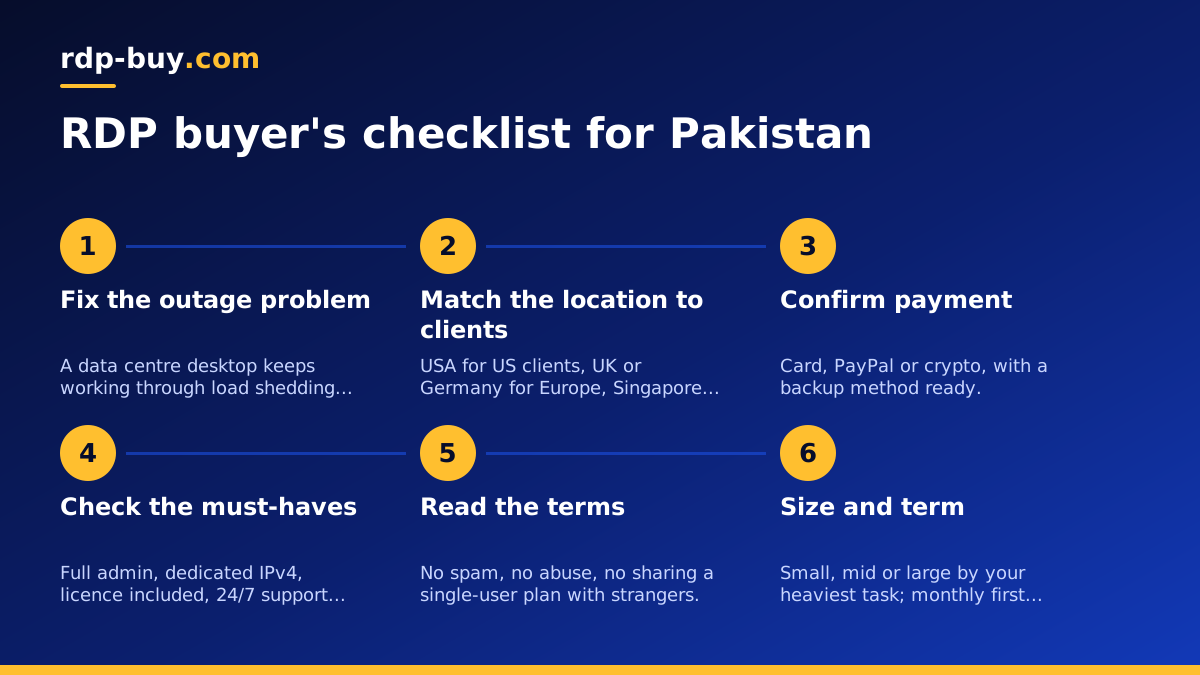
Here is the whole process in order. Decide which region your clients and tools are in and pick that location. Confirm you can pay by card, PayPal or crypto and have a backup method ready. Check the plan page lists full admin, a dedicated IPv4 address, the licence included, 24/7 support and provisioning in minutes. Read the terms and make sure your work fits. Size the plan by your heaviest task. Choose monthly to start and a longer term later.
Then open the RDP server plans, choose the location from point two, the size from point six and the term that matches how long you expect to keep it. The server is ready in minutes after payment, and the guide to connecting to your RDP server gets you from the welcome email to a working desktop. Spend the first few days installing your real tools and leaving a job running overnight; if it is still running in the morning through whatever happened to your power and internet, you have found the best RDP provider in Pakistan for your work.