 Sign in
VPS for AI Agents: How to Run Several Agents on One Server
A VPS for AI agents gives your agents a home that stays online when your laptop is closed. This guide goes one step further than a single install and shows how to run several agents side by side on one server without them stepping on each other, and how to pick the right AI agent hosting plan as you grow.
Why people move AI agents to a VPS
Most agents start life on a laptop. That works for experiments, but agents are meant to keep going: watching inboxes, answering webhooks, running scheduled research, or working through a coding task while you sleep. A laptop that sleeps, changes networks or restarts for updates breaks all of that.
A VPS solves the basic problem. It runs around the clock in a data centre, has a dedicated IPv4 address that webhooks and allow lists can rely on, and can sit in a location close to the APIs your agents call. Once one agent is running happily, the next question is usually whether the same server can hold a second, third or fourth agent. With some structure, it can, and that is what the rest of this guide covers.
Decide how agents will be separated
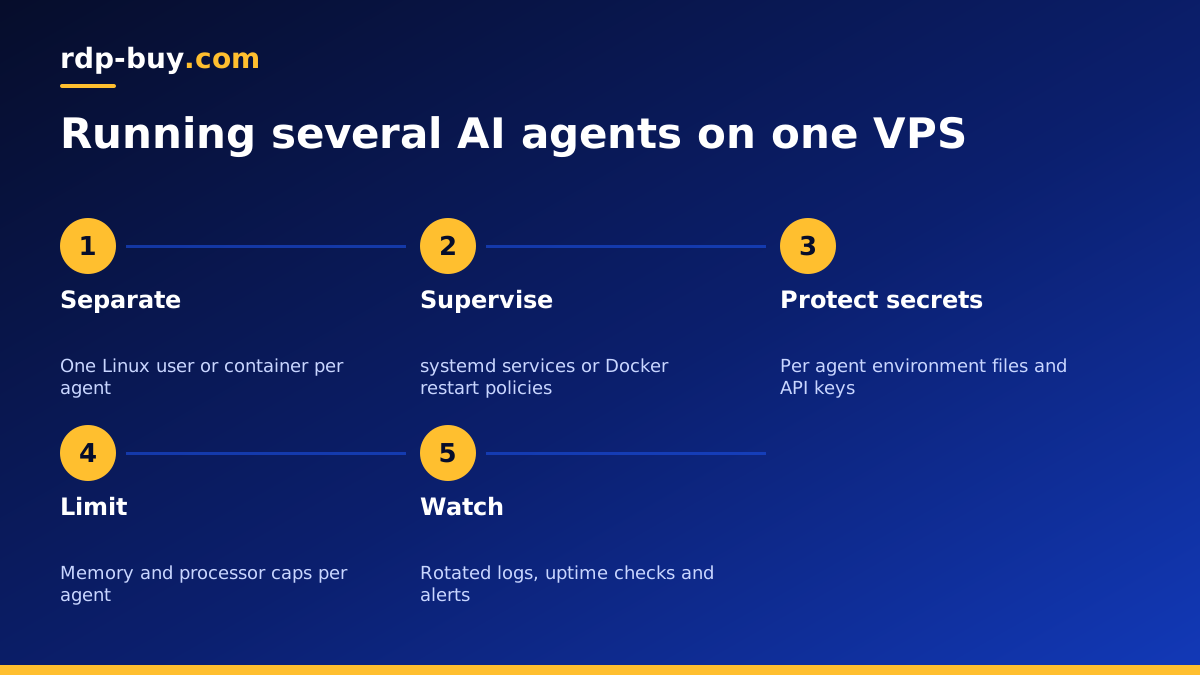
The biggest risk with several agents on one server is that they interfere with each other. One agent fills the disk with logs, another upgrades a shared library, a third reads a secret it should not see. Pick a separation method before you install anything.
There are three common approaches, and you can mix them.
- Separate Linux users: give each agent its own user account and home folder. File permissions stop one agent from reading another's files. This is simple and works well for agents installed with npm or pip, such as Claude Code (by Anthropic) or OpenClaw.
- Docker containers: run each agent in its own container with its own image, volumes and network. This is the cleanest option for tools that ship official images, such as n8n. Our Docker VPS page explains why a full VPS suits this well.
- Separate servers: when an agent handles sensitive data or needs very different resources, give it its own small VPS. Isolation is total and costs are easy to track per project.
Keep every agent running with a process manager
An agent that you start by hand in a terminal stops when the terminal closes or the server reboots. On a server that hosts several agents, each one should be managed by something that starts it at boot and restarts it if it crashes.
For containers, set a restart policy such as unless-stopped in your Docker Compose file. For agents installed directly, create a systemd service for each one, running as that agent's own user. A service file names the command, the working directory, the user and the restart rule, and systemctl status shows at a glance which agents are up. For interactive coding agents that you attach to from time to time, a tmux session per agent is a practical middle ground: the agent keeps working after you disconnect, and you can reattach later to review its progress.
Give every service a clear name, such as agent-research or agent-support, so you can tell them apart in logs and in the process list.
Handle API keys and secrets carefully
Most agents call hosted model APIs and third party services, so the server ends up holding several API keys. Treat them as the most sensitive data on the machine.
- Store each agent's keys in its own environment file, readable only by that agent's user, and never commit them to a Git repository.
- Use a separate API key per agent where the provider allows it, so you can revoke one without breaking the rest and see which agent is using what.
- Set spending limits or usage alerts in each provider's dashboard so a looping agent cannot run up an unexpected bill.
- Do not paste keys into prompts or chat logs that the agent might store or repeat.
- Rotate keys if a server is rebuilt or if anyone who had access leaves the project.
Set resource limits so one agent cannot starve the others
Agents that only call remote models use little processor time, but they can still surprise you. A browser automation step can open many tabs, a coding agent can start a heavy build, and a memory leak can grow slowly over days. Without limits, one misbehaving agent slows down every other agent on the server.
Docker lets you set memory and processor limits per container in the Compose file. systemd services accept MemoryMax and CPUQuota settings that do the same for directly installed agents. Start with generous limits, watch real use for a week, then tighten them. Also add swap space as a safety net so a short spike does not crash the whole server, and keep an eye on disk space, because logs, browser caches and model downloads grow quietly.
If you find yourself constantly raising limits, the server is telling you it is time for a larger plan or to move one agent elsewhere.
Logs, monitoring and alerts
With one agent, you notice problems because you are watching it. With several, you need the server to tell you. A small amount of monitoring goes a long way.
Send each agent's output to the system journal or to Docker's log driver, and set log rotation so files do not fill the disk. Use journalctl with the service name, or docker compose logs with the container name, to check one agent at a time. Add a simple external uptime check against any agent that exposes a web endpoint, such as an n8n instance, and alert yourself by email or chat when it fails. Many agents can also post a short daily summary of what they did, which is a cheap way to spot one that has quietly stopped working.
Secure the server itself
Agents often have broad permissions: they read files, run shell commands and call external services. That makes the server worth protecting.
Log in with SSH keys and disable password logins. Keep a firewall that only opens the ports you actually use, and put any web dashboards behind a reverse proxy with HTTPS and authentication. Do not run agents as root; give each its own user and only the access it needs. Keep the operating system updated, and take regular backups of agent data, workflows and configuration. Our guide to the first steps on a new Linux server covers the hardening basics in order.
Choosing a VPS plan for several agents
Size the server from what your agents actually do. Agents that mostly wait on hosted APIs need modest processor power but enough memory for each runtime, plus room for a browser if any of them automate websites. Agents that run local tools, builds or databases need more cores. Add the needs of each agent together, then leave headroom for spikes.
rdp-buy.com offers pages tuned to specific tools, including a VPS for Claude Code, a VPS for n8n, a VPS for OpenClaw and a VPS for Hermes Agent. If you are running a mix, start from the AI agent hosting hub and pick a plan with headroom. Every plan includes full root access, a dedicated IPv4 address, a choice of 33 locations, 24/7 support and monthly, half-yearly or yearly billing, and servers are ready in minutes. If an agent needs a Windows desktop instead, look at Windows RDP for AI agents.
