 Sign in
Best Docker VPS: What to Look For Before You Choose a Plan
The best Docker VPS is not a brand, it is a match: enough memory for every container at once, fast storage for images and volumes, full root access, a supported Linux distro and a location near your users. This guide explains each factor so you can buy VPS hosting that runs your containers smoothly.
Why Docker on a VPS works so well
Docker packages an application with everything it needs into a container that runs the same way everywhere. A VPS gives those containers a home that is always on, reachable from the internet and fully under your control. Together they make it easy to run a website, an API, a database, an automation tool such as n8n, or an AI agent stack, and to move it to a new server later by copying a Compose file and your data.
Unlike managed container platforms, a VPS does not limit which images you run, how you network them or how long they stay up. You get root access, so you install Docker Engine yourself, choose your own reverse proxy and keep everything in plain files you understand. If you want a deeper look at the difference between the two ideas, read our guide on RDP vs VPS and our Docker VPS page.
Memory: the resource containers run out of first
Every running container uses memory, and they all use it at the same time. A web app, a database, a cache, a reverse proxy and a background worker add up quickly. When the server runs out, Linux kills processes, and containers restart or stop without warning.
To size memory, list every container you plan to run together and check its documented requirements. Databases and anything built on Java, Node.js or Python tend to need the most. Add the operating system's own needs and leave headroom for traffic spikes and image builds. Running docker stats on an existing setup shows live memory use per container, which is the most reliable guide for choosing your next plan.
CPU: shared vs dedicated cores
Most containerised apps are light on CPU most of the time and busy in short bursts, such as when a page is requested or a workflow runs. A standard VPS handles this well. Sustained workloads are different: video processing, heavy builds, large data jobs or game servers keep cores busy for long periods.
For those, a server with dedicated CPU cores gives steadier performance, because the cores are not shared with other customers. Our dedicated CPU servers are built for that kind of load. For a typical stack of web apps and automation, a regular VPS is usually the right starting point.
Storage: speed and space for images and volumes
Docker uses disk in three ways: images you pull or build, container layers that change while containers run, and volumes that hold your real data, such as databases and uploads. Images can be larger than you expect, and old ones pile up after every update.
Choose SSD or NVMe storage so databases and image pulls stay fast, and pick enough space for your images, your data and a margin for growth. Get into the habit of running docker system df to see what is using space and docker image prune to clear unused images. Keep important data in named volumes or bind mounts that you back up, never only inside a container.
Operating system: pick a Docker-friendly distro
Docker publishes official installation repositories for the main Linux distributions. Ubuntu LTS and Debian are the most common Docker hosts, with the widest community support and the most tutorials. AlmaLinux and Rocky Linux work well too if your team prefers the Red Hat family.
Install Docker Engine from Docker's own repository rather than an older distro package, so you get current releases and the Compose plugin. Follow the official instructions on docker.com for your distro. Our guide to the best Linux distro for a server compares the options in more detail.
Root access and a dedicated IP
Docker needs root-level access to install the engine, manage networks and configure the firewall. A VPS with full root access lets you do all of this without waiting on anyone. It also lets you tune kernel settings some containers need and install tools such as monitoring agents.
A dedicated IPv4 address is just as important. It gives your containers a stable public address for DNS records, TLS certificates, webhooks and API allowlists. When the address never changes, your reverse proxy and certificates keep working across reboots and updates.
Location: put containers near users and APIs
Latency adds up when an app makes many requests. Place a public website or API close to most of its visitors. Place automation tools and AI agents close to the APIs they call most often. If you serve a regional audience, a server in that region usually feels faster than one on another continent.
rdp-buy.com offers 33 server locations, which makes it easier to put each project where it performs best. See the full list on our server locations page.
Features that make Docker hosting easier
Beyond the core resources, a few practical points make day to day container work smoother:
- Quick provisioning: servers that are ready in minutes let you test a new stack straight away.
- Flexible billing: monthly billing for experiments, half-yearly or yearly for stable production stacks.
- Snapshots or reinstall options: handy before major upgrades.
- 24/7 support: useful when a network or boot issue is outside your control.
- Console access: lets you fix a firewall mistake that locks you out of SSH.
Common Docker hosting mistakes
A few mistakes cause most Docker problems on a VPS:
- Publishing database ports publicly: keep them on an internal Docker network or bind them to 127.0.0.1.
- Assuming ufw blocks container ports: Docker writes its own firewall rules, so check what is really exposed.
- No restart policy: set restart: unless-stopped so containers return after a reboot.
- Storing data inside containers: use volumes, or data disappears when the container is replaced.
- Never cleaning up: unused images and build cache can fill the disk.
- Using the latest tag in production: pin versions so updates happen when you choose.
A simple Docker VPS starter setup
For most projects, this layout works well and is easy to maintain. Install Docker Engine and the Compose plugin. Create one folder per project with a docker-compose.yml file and an .env file for secrets. Run a reverse proxy such as Caddy, Traefik or Nginx in front of your apps to handle HTTPS. Put databases on an internal network only. Back up volumes on a schedule and test a restore. Update images on a regular routine and read release notes before major versions.
This pattern scales from a single app to dozens of containers on one server, and the Compose files make it easy to move everything to a larger plan when you outgrow the first one.
Choosing your Docker VPS plan
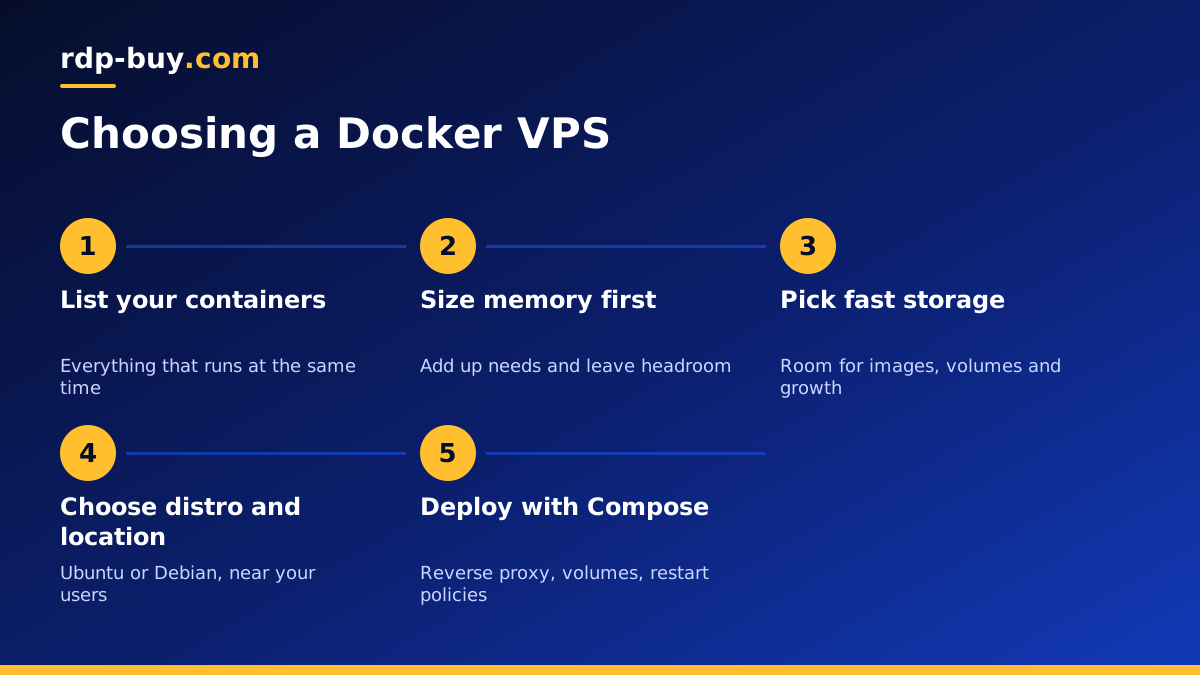
Start by listing the containers you will run together, add up their memory needs with headroom, then pick storage for images and data, and a location near your users. If your workloads are sustained and CPU heavy, look at dedicated cores. If they are typical web and automation services, a standard VPS is the sensible choice.
Every rdp-buy.com Linux server includes full root access, a dedicated IPv4 address, 24/7 support, a choice of 33 locations and monthly, half-yearly or yearly billing, ready in minutes. Compare our VPS hosting plans to find the right size, or see AI agent hosting if your containers run n8n, OpenClaw or other agent tools. rdp-buy.com is not affiliated with Docker.
