 Sign in
Claude Code for VPS: Common Problems and How to Fix Them
Most problems people hit when running Claude Code (by Anthropic) on a remote server come from a handful of causes: signing in without a browser, sessions that end when SSH drops, install permissions, memory and Git access. This guide covers each one with a clear fix, so your AI agent hosting setup runs smoothly.
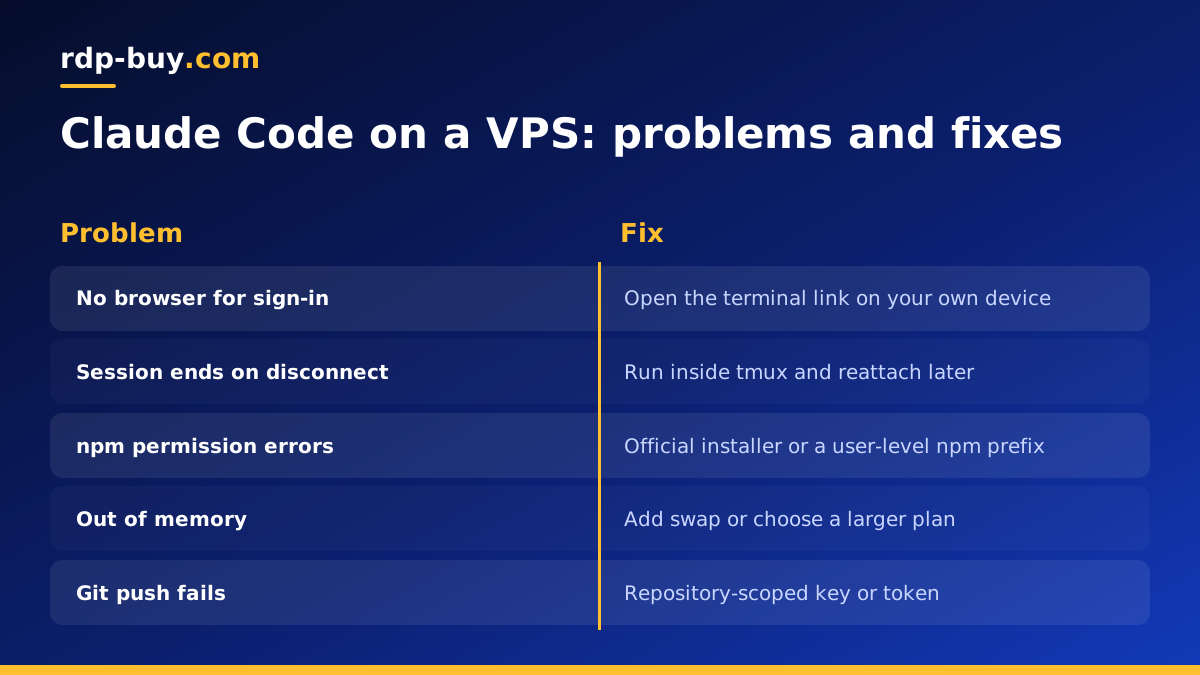
Why running Claude Code on a VPS is different
On a laptop, Claude Code has a browser for sign-in, a desktop that keeps the terminal open, and your personal Git credentials already set up. A VPS has none of those by default. It is a headless Linux machine that you reach over SSH, often as a fresh user with no tools installed. That is exactly why a server is a good home for an agent: it is clean, isolated and always on. But it also means a few setup steps that the laptop handled for you now need to be done by hand.
The fixes below assume an Ubuntu or Debian server, which are the most common choices, but the ideas apply to any Linux distro. Always check the current official documentation on anthropic.com for install and sign-in details, since tools change over time.
Problem 1: signing in on a server with no browser
When you start Claude Code for the first time, it asks you to authenticate. On a desktop this opens a browser. On a headless server there is no browser to open, which confuses many first-time users.
The fix is simple: the sign-in flow shows a link in the terminal. Copy that link, open it in the browser on your own computer or phone, complete the sign-in there, and paste back any code the terminal asks for. The server never needs a browser of its own. If you use an Anthropic API key instead of an account sign-in, set it as an environment variable in your shell profile or in an environment file with tight permissions, and never commit it to a repository.
Problem 2: the session stops when SSH disconnects
This is the most common complaint. You start a long task, close the laptop, and find that the agent stopped the moment the SSH connection dropped. That happens because the process belongs to your SSH session, and when the session ends, so does the process.
The fix is a terminal multiplexer. Install tmux with your package manager, run tmux new -s claude, start Claude Code inside it, and detach with the tmux prefix key followed by d. The session keeps running on the server. Reconnect later with SSH and run tmux attach -t claude to pick up exactly where it left off. GNU screen works the same way if you prefer it.
Problem 3: install fails with permission errors
If you install with npm and see EACCES or permission denied errors, npm is trying to write to a system directory your user cannot write to. Running the install with sudo may appear to work but creates root-owned files that cause trouble later.
Better options are to use the official native installer if one is offered for your platform, or to configure npm to install global packages into a directory in your home folder and add that directory to your PATH. A Node version manager such as nvm also solves this, because it installs Node and global packages under your user account. Check that your Node.js version meets the current minimum listed in the official docs, since older distro packages are often behind.
Problem 4: running everything as root
Many VPS guides start as root, and it is tempting to run the agent there too. That gives an autonomous tool unlimited power over the whole machine, including system files and every other service. A mistaken command can do real damage.
Create a normal user, add your SSH key to it, and run Claude Code as that user. Grant sudo only if your workflow truly needs it. Keep project files in that user's home directory. This one change limits the impact of any error, and it is the same practice recommended for every other service on a server. Our security and setup checklist covers more hardening steps.
Problem 5: builds and tests run out of memory
Claude Code itself is light, because the model runs on Anthropic's side. What uses memory is everything the agent runs: package installs, compilers, test suites, databases and containers. On a small server, these can trigger the out of memory killer, and processes vanish without a clear message.
Check with free -h and look at dmesg for kill messages. Short-term fixes include adding a swap file, closing unused services and running fewer tasks at once. The lasting fix is a Linux VPS plan with more memory for the projects you run. Memory is almost always the first resource an agent server runs short of.
Problem 6: Git push and pull fail
The agent can edit files, but pushing changes needs credentials on the server. Copying your personal SSH key to the server works but gives the server access to every repository you can reach.
A safer pattern is a deploy key or a fine-grained token that covers only the repositories the agent works on. Add it to the server user's SSH config or Git credential store, test with git fetch, and let the agent commit to a branch. You then review and merge from your normal workflow. This keeps a human in the loop for anything that reaches production.
Problem 7: lag when typing and slow responses
If typing in the terminal feels sluggish, the cause is usually distance between you and the server, not the agent. Every keystroke travels to the data centre and back. Choose a server location near you, or near the systems the code talks to if that matters more. Model responses themselves depend on Anthropic's service, not on your server size.
Also check for packet loss on your own network. A wired connection or a different Wi-Fi network often makes a noticeable difference. Using tmux helps here too, because a brief drop no longer ends the session.
Problem 8: scheduled and unattended runs do nothing
Some users want Claude Code to run on a schedule, for example a nightly maintenance task. Jobs started by cron or systemd timers run with a minimal environment, so PATH entries, API keys and Node paths from your shell profile may be missing.
Use full paths to the executable, load environment variables explicitly in the job or a wrapper script, run the job as the right user, and write output to a log file you can read later. Check the official docs for the non-interactive mode and its options, and test the command manually with the same environment before scheduling it.
A quick checklist before you start
Run through this list on a new server and you avoid almost every problem above:
- Create a normal user with SSH key login and disable password login.
- Install tmux, Git and a supported Node.js version.
- Install Claude Code using the official method, without sudo.
- Sign in by opening the terminal link on your own device.
- Give Git a repository-scoped key or token.
- Check free memory and add swap if the plan is small.
- Pick a server location close to you or your systems.
Choosing a server for Claude Code
A good agent server is simple: enough memory for your projects, a nearby location and full control over the system. rdp-buy.com offers Linux servers in 33 locations with full root access, a dedicated IPv4 address, 24/7 support and monthly, half-yearly or yearly billing, ready in minutes.
See our VPS for Claude Code page for a setup tailored to it, or compare all hosting for AI agents options if you also run n8n, OpenClaw or other tools. If you are still deciding where to run the agent, our guide on Claude Code on a VPS vs a laptop compares both. rdp-buy.com is an independent host and is not affiliated with Anthropic.
