 Sign in
VPS for AI Coding: Build a Remote Dev Box for Coding Agents
A VPS for AI coding gives your coding agents a dedicated, always on machine where they can build, test and run code without touching your laptop. This guide explains the benefits, how to size and set up the server, and where AI agent hosting fits in.
What a VPS for AI coding actually is
AI coding tools have moved from autocomplete inside an editor to agents that read a codebase, run commands, install packages, execute tests and open pull requests. Tools such as Claude Code (by Anthropic) and a growing number of open source coding agents work in a terminal and act on the machine they run on.
A VPS for AI coding is simply a remote Linux or Windows server set aside for that work. You connect to it over SSH, through your editor's remote development feature or by Remote Desktop, and your coding agents run there instead of on your own computer. A plan built for hosting AI agents gives you the essentials: full control of the machine, a dedicated IP address and the freedom to leave long tasks running.
Why run coding agents on a server instead of your laptop
There are four practical reasons people move AI coding work to a server.
- It keeps running. Long refactors, test suites and multi step agent tasks continue when you close your laptop, lose Wi-Fi or travel. You reconnect later and pick up where the agent left off.
- It is a sandbox. Coding agents run shell commands. On a separate server, a bad command or a misbehaving dependency affects a disposable machine, not the computer that holds your personal files, browser sessions and keys.
- It is consistent. The server has one known setup, which you can share with teammates or rebuild from a script. No more differences between machines.
- It frees your own computer. Builds, containers and test runs use the server's CPU and memory, so your laptop stays responsive for everything else.
Who benefits most from a remote AI coding box
A server for AI coding is most useful when one or more of these describe you:
- You give agents long tasks, such as migrating a codebase or fixing a test suite, that take longer than you want to keep a laptop open.
- You want agents to work on several branches or projects in parallel, each in its own directory or container.
- You work from more than one device, including a tablet or a light laptop, and want the same environment everywhere.
- Your project needs Linux tooling or Docker, while your own computer runs Windows or macOS.
- You run scheduled agents that review pull requests, update dependencies or produce reports, and must stay online around the clock.
- You want to keep company code and API keys off personal machines.
How to size a VPS for AI coding
The AI model itself runs at the provider's end, so the server does not need a graphics card or huge resources for the agent. What uses resources is the work the agent does on your code.
- Memory: the most important figure. Language servers, Node.js tooling, test runners and Docker containers all use memory, and running several agents at once multiplies it.
- CPU: compiling, bundling and running tests are CPU work. Projects in compiled languages, or large monorepos, benefit from more cores. If builds keep the CPU busy for long periods, consider a dedicated CPU server.
- Disk: repositories, dependency folders, build caches and container images add up quickly, especially with several projects checked out.
- Location: choose a region close to you for a responsive terminal, and close to the services your code talks to during tests.
Linux or Windows for AI coding
For most developers, a Linux VPS is the right base. Coding agents, language toolchains and Docker are at home on Linux, and you work over SSH or your editor's remote mode with very little overhead. If you are unsure, start with Linux: you can always add a Windows server later for the few tasks that need it.
A Windows server makes sense when you build Windows desktop software, use tools that only exist on Windows, or prefer a full graphical desktop you reach through Remote Desktop. In that case, look at Windows RDP for AI agents, where the Windows licence is included in the price. Our guide Windows or Linux server covers the choice in more depth.
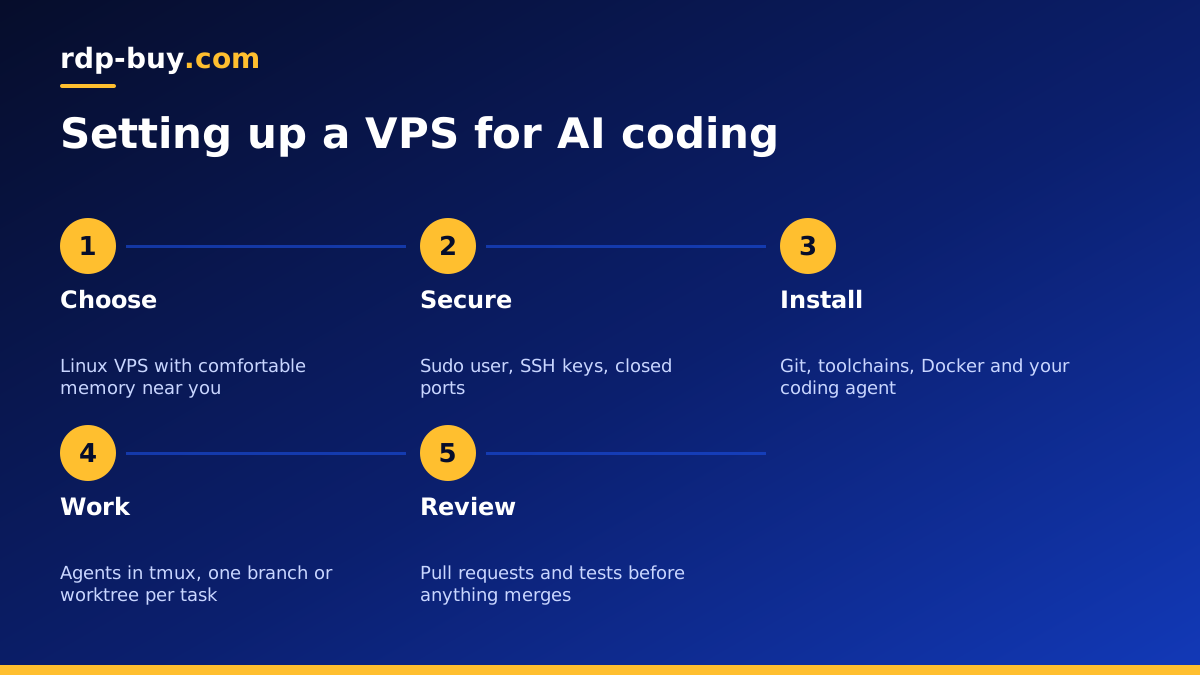
Setting up a Linux VPS for AI coding, step by step
Here is a setup that works well for most people. Follow each tool's official documentation for exact install commands.
- Log in over SSH as root, update the system, create a normal user with sudo rights, set up SSH key login and turn off password login.
- Turn on a firewall that allows only SSH at first. Open other ports only when you need them, or reach development servers through SSH port forwarding instead.
- Install Git, your language toolchains and Docker from docker.com, so agents can build and test in containers.
- Install your coding agent as your normal user, not as root. For Claude Code, follow the instructions on anthropic.com; for open source agents, follow their pages on GitHub.
- Install tmux or a similar terminal multiplexer, and start each agent session inside it, so tasks keep running when you disconnect.
- Connect your editor using its remote SSH feature, so you can review the agent's changes in a familiar interface.
- Clone your repositories into a projects folder, and give each concurrent task its own branch or Git worktree so agents do not edit the same files.
Keeping the AI coding server safe
A coding agent acts with the permissions of the user it runs as, so set those permissions deliberately. Run agents under a normal user, not root, and keep the agent's working area limited to the projects it needs.
Treat secrets carefully. Store API keys in environment files readable only by your user, use repository tokens with the narrowest scope that works, and never place production credentials on a development server. Set spending limits with your AI provider so a runaway task cannot run up a large bill.
Review what agents change before it reaches your main branch. Pull requests, protected branches and tests in continuous integration give you a checkpoint between the agent's work and production. Finally, keep the server updated and back up anything that is not already in Git.
Running coding agents around the clock
Some of the most useful coding agents are not interactive at all. A scheduled job can ask an agent to review new pull requests each morning, update dependencies weekly, or summarise failing tests overnight. On a VPS these run with cron or systemd timers and report back through your Git host or chat tool.
Give scheduled agents their own user and directory, log their output, and alert yourself when a run fails. Keep each job's task narrow and its permissions minimal. The VPS for Claude Code page has more on running Claude Code (by Anthropic) on a server around the clock.
Common mistakes with AI coding servers
A few mistakes come up again and again:
- Running the agent as root because it was quicker to set up.
- Opening development ports to the whole internet instead of using SSH forwarding.
- Copying personal or production credentials onto the server.
- Letting several agents edit the same checkout at the same time.
- Choosing a plan with too little memory, so builds and containers start swapping.
- Skipping backups for work that has not been pushed to Git yet.
Choosing your VPS for AI coding
For most developers, a Linux VPS with comfortable memory, a few cores and plenty of disk is the right starting point. Browse the AI agent hosting plans or go straight to the Linux VPS plans, choose a location near you from the 33 server locations, and resize later as your projects grow.
Every server includes full root or administrator access and a dedicated IPv4 address, with monthly, half yearly or yearly billing and payment by card, PayPal or crypto. Servers are ready in minutes and 24/7 support is available. rdp-buy.com is not affiliated with Anthropic or any coding tool vendor; we provide the server, and you run the tools you choose on it.
