 Sign in
Where to Buy VPS: How to Pick a Provider and Order Safely
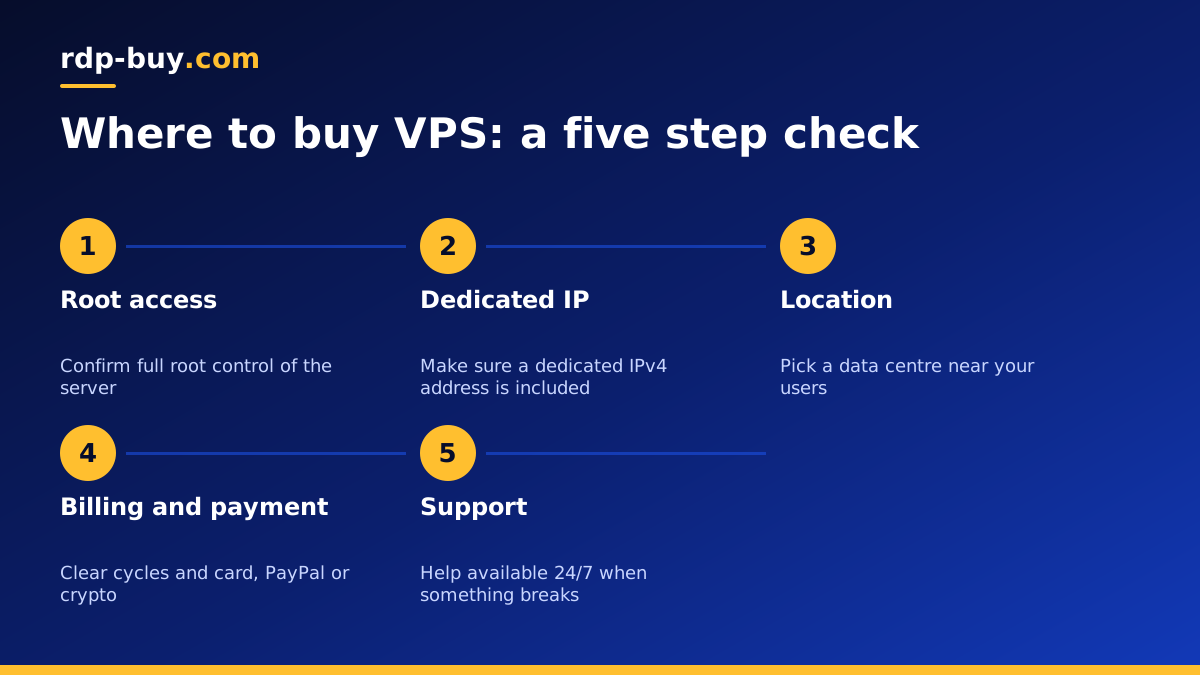
If you are asking where to buy VPS hosting, the honest answer is: from a provider that gives you root access, a dedicated IP, a location near your users and support that answers at any hour. This guide shows you how to judge that before you buy VPS plans anywhere.
Where to buy VPS: the short answer
A virtual private server is sold by hosting companies that run large physical machines and split them into isolated virtual servers. You can buy one directly from a hosting provider's website, pay online, and receive login details shortly after. There is no shop to visit and no hardware to collect: the server lives in a data centre and you reach it over the internet.
The real question is not where you click the order button, but which kind of seller you trust with your workload. Some sellers are huge cloud platforms with hundreds of products and a steep learning curve. Others are focused hosting stores that sell a small set of ready to use plans with simple monthly billing. For most people who want a Linux VPS to run a website, a bot, a VPN or an AI agent, a focused store is easier to understand and quicker to set up.
Whichever route you take, the checks below apply. Go through them in order and you will know whether a provider is worth your money before you enter any payment details.
What to check before you buy a VPS anywhere
Every VPS listing looks similar at first glance: some CPU cores, some memory, some storage. The differences that matter are in the details around those numbers. Use this list as your filter.
- Full root access. You should be able to install any software, change any setting and run your own firewall rules. Without root, a VPS is closer to shared hosting.
- A dedicated IPv4 address. A dedicated IP matters for SSH access, allow lists, mail reputation and any API that ties keys to an address.
- Server location choice. The closer the server is to your users or the services it talks to, the snappier it feels. A wide list of locations gives you room to choose.
- Clear billing terms. Look for plain monthly, half-yearly or yearly cycles, with the renewal terms stated before checkout.
- Support hours. Servers break at night and on weekends. Support that runs 24/7 is worth more than any feature list.
- Fast delivery. A good provider has your server ready in minutes, not after a manual review that takes days.
- Payment options you can use. Card, PayPal and crypto cover nearly every buyer. If your preferred method is missing, look elsewhere.
Big cloud platforms vs focused VPS hosting stores
Large cloud platforms are built for engineering teams. They offer many regions and services, but you pay for that flexibility with complexity: usage based billing, separate charges for things like IP addresses or bandwidth, and a dashboard with dozens of menus. If you only need one server that stays on, that complexity rarely helps you.
A focused VPS hosting store sells fixed plans. You pick a size, a location and an operating system, and the price you see is the price you pay for the billing period you choose. That predictability makes it far easier to budget, especially if you run a side project, a trading tool or a small business site.
Neither option is wrong. Ask yourself one question: do you need a whole cloud ecosystem, or do you need one reliable server with root access? If it is the second, a focused store is usually the better place to buy.
How the ordering process usually works
Buying a VPS online follows the same pattern almost everywhere. Knowing the steps helps you spot a provider that makes it harder than it should be.
- Choose a plan based on the CPU, memory and storage your software needs.
- Pick a server location near your audience or the APIs you call.
- Select an operating system, for example Ubuntu, Debian or another Linux distribution.
- Choose a billing cycle: monthly to test, half-yearly or yearly once you are settled.
- Pay by card, PayPal or crypto.
- Receive your IP address and root login, then connect over SSH.
Paying for your VPS: card, PayPal or crypto
Payment method is a bigger factor than many buyers expect. Card payments are the most familiar and usually settle instantly. PayPal adds a layer between you and the seller, which some buyers prefer. Crypto suits people who do not want to use a card online or who already hold coins.
At rdp-buy.com you can pay by card, PayPal or crypto. If crypto is your preference, the guide to buying a VPS with crypto walks through what to check before you send a payment. If you need a Windows server rather than Linux, you can buy RDP with PayPal or buy RDP with a card in the same way.
Linux or Windows: decide before you order
Most VPS buyers want Linux. It is light, free to run and has a huge ecosystem of server software: web servers, databases, Docker, VPN tools and automation platforms like n8n. You manage it over SSH from a terminal.
If your software only runs on Windows, or you want a full desktop you can log into with Remote Desktop, a Windows server is the better fit. On rdp-buy.com the Windows licence is included in Windows prices, so there is no separate licence to buy. The guide on whether to rent a Windows or Linux server covers this choice in more depth, and Windows VPS hosting is there if you land on Windows.
Red flags when buying a VPS
A few warning signs suggest you should keep looking. None of them prove a provider is bad, but each one adds risk.
- No clear statement about root or admin access.
- No information about server locations, or only a vague region name.
- Renewal terms that are hidden until after you pay.
- Support that only works through a slow ticket queue during office hours.
- Plans that require you to contact sales just to get a server running.
- Marketing full of big claims but very little detail about what you actually receive.
Choosing your VPS plan and placing the order
Once you know what you need, buying is quick. Start with the smallest plan that comfortably runs your software, because you can move up later. Pick the location closest to the people or services your server will talk to: rdp-buy.com offers 33 server locations, so there is usually one near your target. Choose monthly billing if you want to test first, then switch to a longer cycle once you are happy.
Every plan includes full root access, a dedicated IPv4 address and 24/7 support, and servers are ready in minutes after payment. When you are ready, compare the VPS hosting plans side by side, or look at cheap VPS options if you are starting small.
