 Sign in
Cheap RDP USA: How to Pick a Low Cost US Server That Still Works
A cheap RDP in the USA should save you money without costing you reliability. This guide explains what actually drives the price of a US Windows server, which corners are safe to cut, which are not, and how to buy RDP that fits a small budget and a real workload.
Why people want an RDP server in the USA
A US based Windows RDP gives you a remote desktop with an American IP address that stays on around the clock. People use it for many ordinary reasons: to reach US hosted services with low delay, to run trading platforms near brokers whose servers sit in America, to manage US focused online stores and ad accounts, to test how a website looks to American visitors, or simply to keep a Windows desktop running while their own computer is off.
The location matters because distance adds delay. If the websites, APIs or brokers your software talks to are hosted in the US, a server in the US talks to them faster than one on another continent. If you are the one sitting at the remote desktop, a server closer to you feels more responsive. Sometimes those two goals point at different places, and that choice is worth making on purpose.
If US access is your main need, our USA RDP page lists the American locations available.
What makes an RDP cheap or expensive
Before hunting for the lowest price, it helps to know what you are paying for. Four things drive the cost of almost every Windows RDP plan.
- Processor cores: more cores let you run more programs at the same time without slowdowns.
- Memory: Windows itself needs a reasonable amount, and every browser tab, trading terminal or bot adds more.
- Storage: SSD space for Windows, your applications, updates and data.
- The Windows licence: a legitimate Windows Server licence is a real cost. Some cheap offers hide it, skip it or add it later at checkout.
Corners that are safe to cut
A low cost plan can work very well if your workload is light. These savings rarely cause trouble.
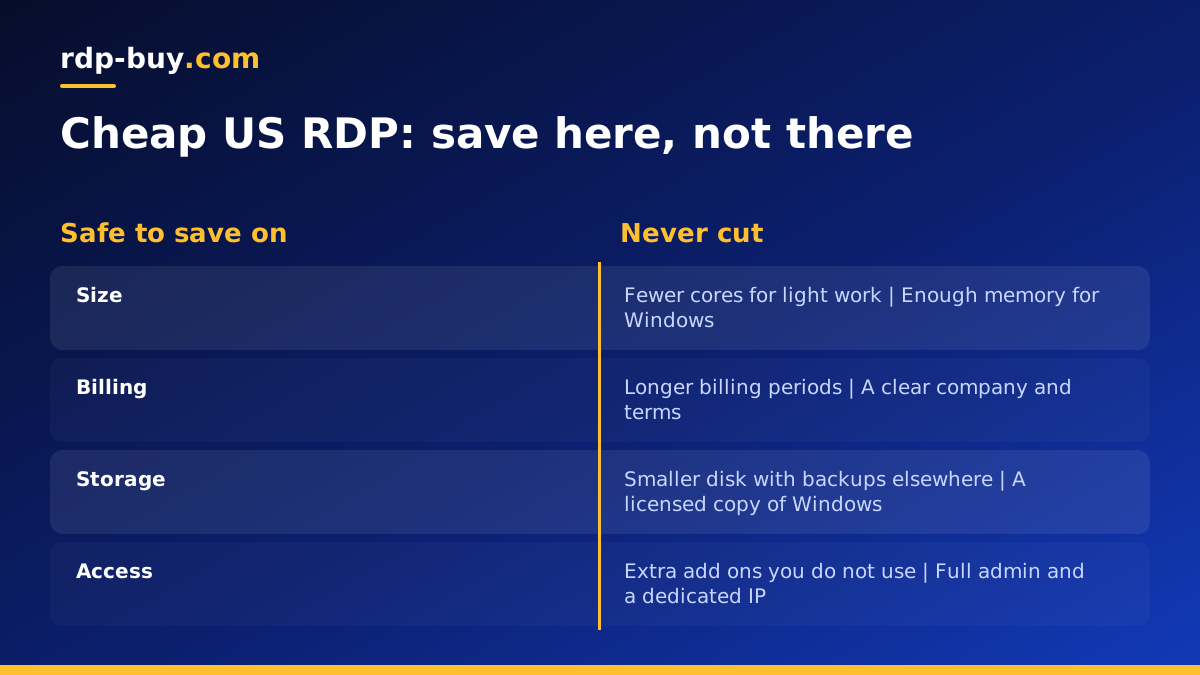
Choose fewer cores if you run one or two programs at a time. A single trading terminal, a scheduled script, a light browser automation or a remote office desktop does not need a large server. Choose a smaller disk if you do not store much data on the server and keep backups elsewhere. Choose longer billing if you know you will use the server for months: half-yearly or yearly billing usually costs less per month than paying month to month.
You can also save by being honest about usage. If you only need the server during US business hours, you still need it to stay on, but you do not need a plan sized for heavy round the clock processing. Our guide on which RDP plan you need matches common tasks to plan sizes.
Corners you should never cut
Some savings come back as problems later. Avoid offers that compromise on these points, whatever the price.
- Licensing: an RDP without a proper Windows licence can show activation warnings, lose features or be shut down. Look for plans where the licence is included in the price.
- Admin access: without full administrator rights you cannot install software, change settings or fix problems yourself.
- A dedicated IP: shared or rotating IPs can be blocked by websites and brokers because of what other users did. A dedicated IPv4 address is yours alone.
- A real provider: avoid sellers on forums or marketplaces who offer RDP access with no company, no terms and no support. These servers may be hacked machines, and using them can put your accounts and data at risk.
- Support: when a server will not boot or you lock yourself out, you need someone to answer. Check that support is available every day of the week.
Choosing the right US region
The United States is large, so where in the country your server sits still matters. As a simple rule, pick the US region closest to whatever matters most for your workload.
If you trade, find out where your broker's trading servers are hosted and choose the nearest location. If you serve or test for American visitors, choose a region near the majority of them. If you are the one using the desktop all day from outside the US, the coast nearest to you will usually feel snappier. You can browse all 33 server locations to see which US options are available and compare them with nearby regions in Canada or Europe.
Once the server is running, test it from your own computer. Connect, open the applications you use, and see how it feels. If it is not right, a server elsewhere can be ready in minutes.
How to set up a cheap US RDP so it stays fast
A small server performs far better when it is set up with care. These steps keep a budget RDP responsive.
- Install Windows updates first, then reboot, so updates do not run later in the middle of your work.
- Remove or disable programs you do not need at startup, and close browser tabs you are not using.
- In the Remote Desktop client, set the experience to detect connection quality automatically, and turn off wallpaper and animations on slow links.
- Disconnect instead of signing out when you want programs to keep running in the background.
- Change the default password, enable Network Level Authentication and follow our RDP security checklist.
- Watch Task Manager for a week. If memory is always near full, step up one plan size instead of fighting the limit.
Do you need Windows RDP, or would a Linux VPS be cheaper?
Before you settle on a Windows plan, check whether your task really needs Windows. Windows RDP is the right choice when you rely on Windows programs such as MetaTrader, desktop browsers you want to see and click, Excel macros or Windows only tools. It gives you a familiar desktop with no learning curve, and the Windows licence is part of what you are paying for.
If your workload is a script, a bot, a web app, a database or an automation tool that runs without a desktop, a Linux VPS may do the same job on a smaller plan, because Linux needs fewer resources to run and has no licence cost. Many AI agents, n8n workflows and Python scripts fall into this group. Our guide on the difference between RDP and VPS walks through the choice, and the cheap VPS plans are worth a look if Linux fits.
Choosing the right operating system first is often the biggest saving of all, bigger than any discount on the plan itself.
Paying for a cheap RDP in the USA
How you pay can also matter, especially if you are outside the US. rdp-buy.com accepts several methods, so you can buy RDP with PayPal, pay by card or pay with crypto. Pick whichever is simplest for you, and remember that longer billing periods usually give the best value for a server you will keep.
Choosing your US RDP plan
The best cheap RDP is the smallest plan that runs your work smoothly, in the right place, from a provider that will still be there next month. Start with your workload, choose the US region closest to what it talks to, then pick the plan size.
When you are ready, browse cheap RDP plans or go straight to the Windows RDP server plans. Every plan from rdp-buy.com includes the Windows licence in the price, full administrator access, a dedicated IPv4 address, 24/7 support and monthly, half-yearly or yearly billing, and your server is ready in minutes.
