 Sign in
Best USA RDP Provider: Questions to Ask Before You Order
The best USA RDP provider is the one whose servers match where your users are, give you real control and stay easy to manage after you pay. This guide gives you the questions to ask any provider, explains what good answers sound like, and shows how to buy RDP in the USA with confidence.
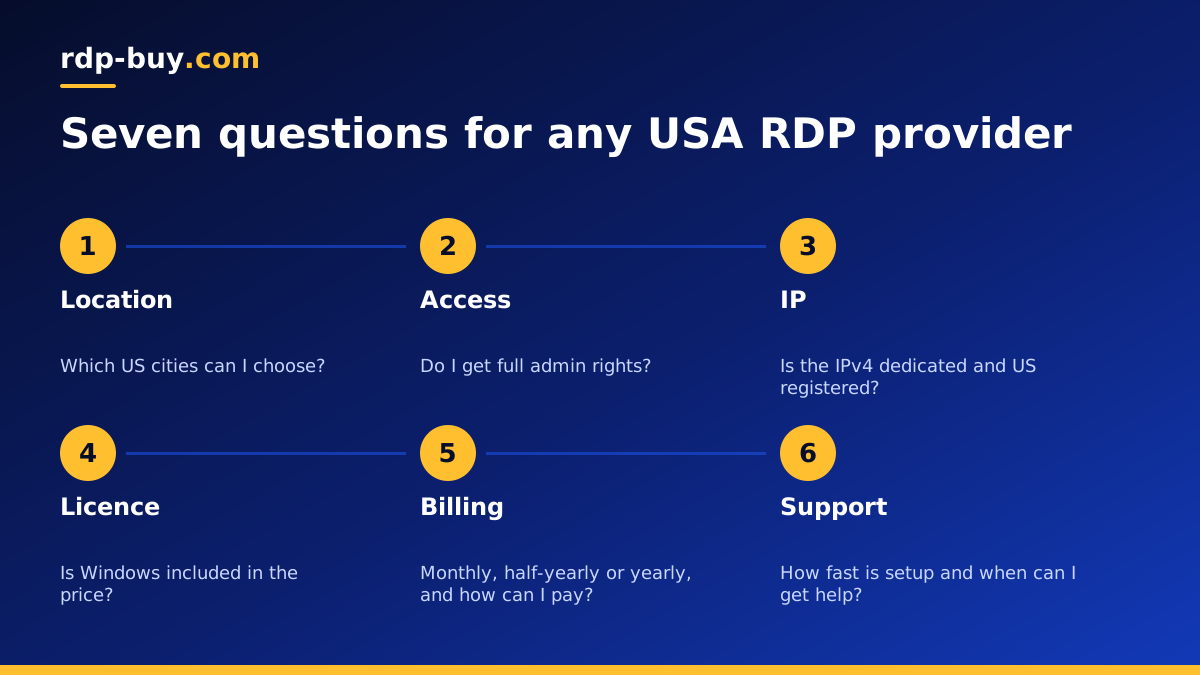
What makes a USA RDP provider the best choice
A USA RDP is a Windows server in a US data centre that you control through Remote Desktop. You log in from your own computer and get a full Windows desktop that stays on when you disconnect, with a US IP address. People use one for trading platforms, US only business software, browser automation, remote work, and tools that must run around the clock.
Because many providers sell something that looks similar on the surface, the word best has to mean best for your job. A provider can be a great fit for a single trader and a poor fit for a team of ten, or the other way around. Instead of looking for a ranking, it is more useful to ask a set of questions that reveal how the service will behave once you rely on it.
The questions below are the ones that matter most. Use them on any provider, including us, and you will quickly see which offers suit your work. If you already know what you need, our USA RDP plans page lists the options.
Question one: which US cities can I choose?
Location decides how responsive your remote desktop feels and how close the server is to the services it talks to. A provider that offers only one US location forces every customer into the same city, whether their users are in New York or Los Angeles.
Look for a provider with several US cities across the country, so you can match the server to your situation. A trader might want a city near their broker's servers. A business might want one near its customers. A team spread across the country might want somewhere central. We offer US cities including New York, Los Angeles, Dallas, Chicago, Miami, Atlanta, Seattle, Silicon Valley and Honolulu, among 33 locations worldwide, all listed on the server locations page.
Be wary of any provider that promises exact latency or speed numbers without knowing where you are. Distance depends on both ends of the connection, so the honest answer is to pick the city closest to the people and systems you care about.
Question two: do I get full admin access?
Some remote desktop services give you a limited user account on a shared Windows machine. That can be fine for light browsing, but it stops you installing software, changing system settings or running services in the background.
For most real uses you want full administrator access to your own Windows server. That lets you install trading platforms, business applications, browsers and automation tools, set your own firewall rules and manage updates on your schedule. Our admin RDP page explains the difference in more detail. Every plan we sell includes full admin access on Windows and full root access on Linux.
- Install anything: your own software without asking support.
- Control updates: choose when Windows restarts so your work is not interrupted.
- Run services: keep tools running after you disconnect.
- Manage users: add accounts for colleagues where your licence allows.
Question three: is the IP address dedicated and in the USA?
A dedicated IPv4 address belongs to your server alone. That matters for services that allowlist addresses, for keeping a consistent identity when you log in to accounts, and for avoiding problems caused by other people's activity on a shared address.
Ask whether the IP is dedicated, and whether it is registered in the United States. A server that physically sits in the US but uses an address registered elsewhere can confuse services that check location. All of our servers come with a dedicated IPv4 address in the location you pick.
Question four: is the Windows licence included?
Windows Server needs a licence. Some providers include it in the price, while others add it as an extra or leave it to you. If you compare plans without checking, a cheaper looking offer can end up costing more, or leave you with an unlicensed system.
Ask directly whether the Windows licence is included in the price shown. On our Windows plans the licence is included in the price, so what you see is what you need to start. If you are comparing costs in more depth, our guide to USA RDP price explains what goes into the number.
Question five: how flexible is billing and payment?
Your needs may change after a few weeks, so billing terms matter. Look for monthly billing to test, with longer terms available when you are sure the server suits you. We offer monthly, half-yearly and yearly billing.
Payment options matter too, especially if you are outside the United States. Check whether the provider accepts the method you prefer before you build an order. You can pay us by card, PayPal or crypto, with more detail on buying RDP with PayPal, buying RDP with a card and buying RDP with crypto.
Question six: how fast is setup and how good is support?
When you need a server today, waiting a day for manual setup is frustrating. Ask how long it takes from payment to login details. Our servers are ready in minutes.
Support is the part you only notice when something goes wrong. Ask when support is available and how you contact it. A server that runs a trading platform or business tool around the clock deserves support around the clock too, and ours is available 24/7. A simple test before you buy is to send a pre sales question and see how clear and quick the answer is.
Question seven: can I size the plan to my work?
A good provider offers a range of plan sizes so you are not forced to overpay or squeeze a heavy workload into a tiny server. Think about how many programs will run at once, how many people will log in, and whether you will use browsers, which are often the biggest memory users on a remote desktop.
If you are unsure, our guide on which RDP plan you need walks through typical uses. Starting smaller on monthly billing and upgrading once you see real usage is a sensible approach.
Red flags when comparing USA RDP providers
A few warning signs suggest a provider may not suit serious use. None of them prove a service is bad, but each one deserves a question before you pay.
- Vague location: no clear answer about which US city your server is in.
- Shared accounts sold as private: limited user access on a shared machine.
- Licence silence: no clear statement that Windows is properly licensed.
- Unrealistic promises: guaranteed speeds or results that nobody can promise.
- No support hours: no clear way to get help when something breaks.
Choosing your USA RDP plan
Once you have answers to these questions, the choice usually becomes clear. Pick the US city closest to your users or the services you depend on, choose a plan sized for the software you will run, and start on monthly billing if you want to test first.
Every plan we sell includes full admin access, a dedicated IPv4 address, a Windows licence included in the price, 24/7 support and setup in minutes. When you are ready, compare plans and cities on our US RDP server page, or read how to connect to your RDP server so you know what to expect after ordering.
