 Sign in
US RDP: Who Needs a United States Windows Server and Why
A US RDP is a Windows desktop running on a server in the United States that you reach over Remote Desktop from anywhere. This guide explains who actually benefits from one, what to check before you buy RDP in the USA, and how to get the most from it once it is running.
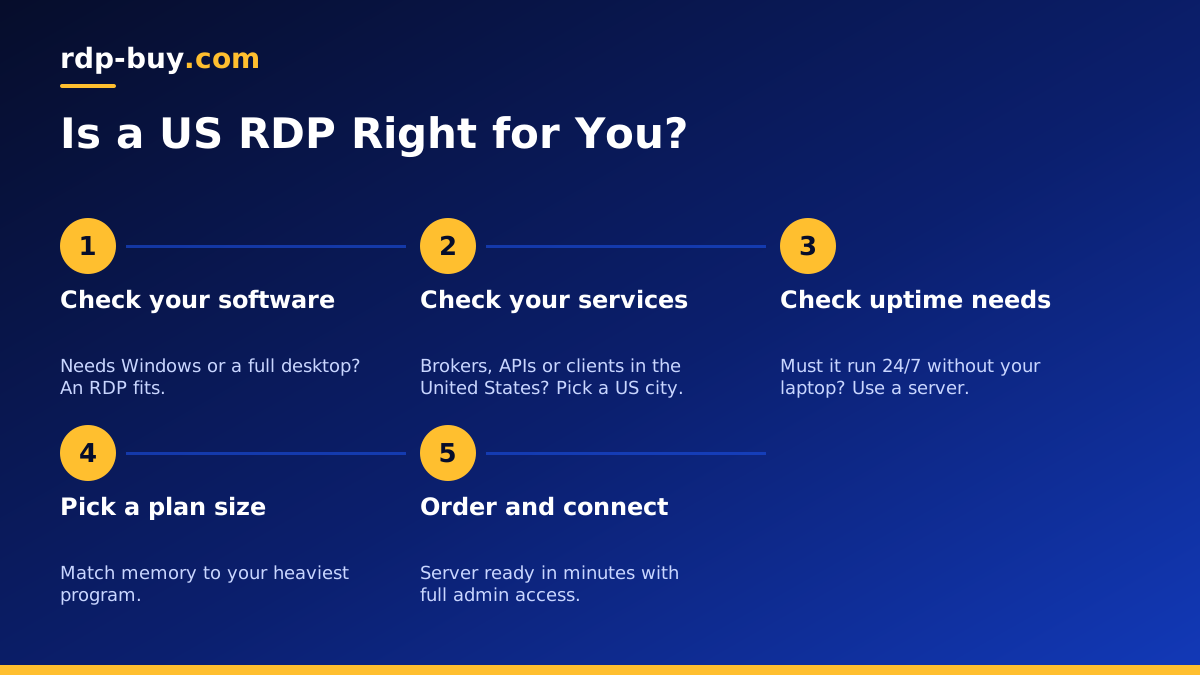
What a US RDP Actually Is
RDP stands for Remote Desktop Protocol, the built-in Windows technology that lets you see and control a remote Windows machine as if you were sitting in front of it. A US RDP is simply that remote machine placed in a data centre inside the United States. You open the Remote Desktop app on your laptop, phone or tablet, type in the server address and your login, and a full Windows desktop appears in a window.
The important part is where the work happens. Programs you open run on the server, not on your own device. Files you download land on the server. Websites you visit see the server's United States IP address, not your home connection. When you close the window, the server keeps running, so anything you left open is still there when you reconnect.
With a US RDP server from rdp-buy.com you get full administrator access, a dedicated IPv4 address that is yours alone, and a Windows licence that is already included in the price. That combination is what makes it useful for real work rather than just a test machine.
Who Needs a US RDP
Not everyone needs a server in the United States. The people who get the most from a US RDP usually fall into a few clear groups, and if you recognise yourself in one of them, a United States location is likely the right choice.
- Traders who run MetaTrader, cTrader or other Windows platforms and want them online 24/7 close to brokers and exchanges based in the United States.
- Remote workers and freelancers whose clients, tools or company systems expect connections from a United States IP address.
- Marketers and ad managers who need to manage US ad accounts, check how search results and pages look from inside the country, or keep a stable login location.
- Automation users who run bots, scrapers, schedulers or AI agents that call United States APIs and should not depend on a laptop staying awake.
- Small teams that want one shared Windows machine with licensed software that several people can reach from different countries.
- Mac and Chromebook users who need Windows only software and would rather rent a remote desktop than buy a second computer.
Why the Location of Your RDP Matters
Distance still matters on the internet. Every action you take on a remote desktop, and every request the server makes to another service, has to travel there and back. When the server sits close to the services it talks to, those round trips are shorter, and work that depends on many small requests feels more responsive.
For a trader, that means the platform on the server is near the broker. For an automation user, it means the bot is near the United States APIs it calls all day. For a marketer, it means the server sees the United States version of websites, prices and search results. In each case the server's location matters more than yours, because the server is the one doing the work.
rdp-buy.com offers 33 server locations, including several cities across the United States, so you can place a Windows desktop on the East Coast, in the centre of the country or on the West Coast. Our server locations page lists every option.
What a US IP Address Does and Does Not Do
A dedicated United States IP address is one of the main reasons people pick a US RDP. Websites and services see that address as the source of your traffic, so you appear to be connecting from the United States while you work on the server.
Because the address is dedicated, it is not shared with other customers. That helps when a service remembers your login location, when you need to allow a specific IP in a firewall or broker account, or when you want a consistent address for a business account.
It is worth being clear about the limits. A US IP does not change the terms of service of the sites you use, and it does not make activity that breaks those terms acceptable. Use the server for legitimate work, follow the rules of each platform, and treat the dedicated address as a stable identity for your business rather than a way around restrictions.
US RDP vs a Home PC Left Running
Some people try to get the same result by leaving a desktop computer switched on at home. That works until it does not. Power cuts, Windows updates that restart the machine, a router that drops its connection or a home IP that changes overnight can all stop your work without warning.
A server in a data centre is built to stay on. It runs on backed up power and professional networking, it keeps the same dedicated IP, and you can reach it from any device. You also avoid the noise, heat and electricity use of a machine running all day in your home.
There is also a security benefit. Your personal files stay on your own computer, while the work that needs to run around the clock lives on a separate machine you can rebuild if something goes wrong.
What to Check Before You Buy a US RDP
Before you order, run through a short checklist. It helps you avoid paying for a plan that is either too small for your software or much larger than you need.
- Admin access: make sure you get full administrator rights so you can install any program, change settings and manage updates yourself.
- Licensing: check that the Windows licence is included. With rdp-buy.com it is part of every Windows price.
- Dedicated IP: confirm the IPv4 address is assigned only to you, not shared.
- Resources: match CPU cores and memory to your heaviest program. Several trading terminals or browser sessions need more memory than a single light tool.
- Storage: leave room for Windows updates, logs and the files your programs create over months.
- Billing terms: choose monthly billing to test, then move to half-yearly or yearly once you know the plan fits.
- Support: look for 24/7 support so a problem at night does not wait until the next business day.
Setting Up Your US RDP in the First Hour
Servers at rdp-buy.com are ready in minutes. Once you receive your login details, a few early steps make the server safer and easier to live with.
First, connect using the Remote Desktop app on Windows, the Windows App on Mac, or a Remote Desktop client on your phone. Our guide on how to connect to your RDP server walks through each device. Second, change the administrator password to a long, unique one and store it in a password manager. Third, run Windows Update and let the server restart before you install your main software.
After that, install the programs you need, set them to start automatically if they should run all the time, and check the Windows power and session settings so nothing goes to sleep. Finally, log off with the close button rather than shutting the server down, so it keeps running while you are away.
Choosing Your US RDP Plan
If you are still unsure whether you need Windows at all, read our comparison of RDP vs VPS. Windows is the right choice when your software only runs on Windows or when you want a familiar desktop. If your work is mostly scripts or web services, a Linux server may suit you better.
For most first time buyers, a sensible path is to start with a mid sized plan on monthly billing, place it in the United States city closest to the services you use, and watch memory use for the first week. If the server is busy most of the time, step up a size. If it is mostly idle, you can move down. Our guide to which RDP plan you need covers sizing in more detail.
When you are ready, you can order a USA RDP and pay by card, PayPal or crypto. If you prefer a specific payment method, see buying RDP with PayPal or buying RDP with crypto.
