 Sign in
Best Way to Self Host n8n: Docker Compose on a VPS
For most teams, the best way to self host n8n is Docker Compose on a small always on server, with a reverse proxy in front for HTTPS. This guide walks through that setup step by step, and explains how AI agent hosting on a VPS keeps your workflows running around the clock.
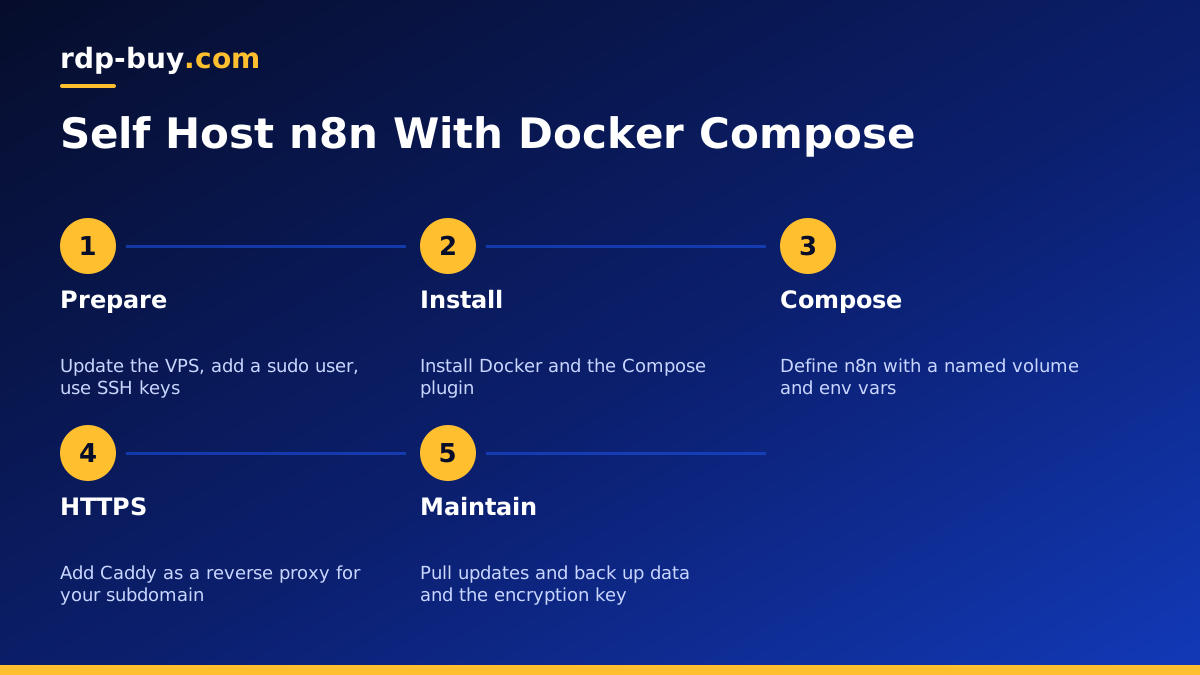
Why Docker Compose Is the Best Way to Self Host n8n
There are several ways to run n8n yourself. You can install it with npm, run a single docker command, use a Kubernetes chart, or use Docker Compose. For a single server, Docker Compose hits the sweet spot. Your whole setup lives in one readable file, updates are a two command job, and the data sits in a named volume that is easy to back up.
A plain npm install works, but you have to manage the Node.js version yourself, and upgrades can break when system packages change. Kubernetes is powerful, but it is far more than a single n8n instance needs. Docker Compose keeps things simple while still giving you a clean, repeatable setup that you can rebuild on a new machine in minutes.
The other half of the answer is where you run it. A laptop goes to sleep, changes networks and restarts for updates, and every one of those events breaks webhooks and scheduled workflows. A VPS with a dedicated IPv4 address stays online, so triggers fire on time and external services can always reach your webhook URLs. That is why most people who self host n8n seriously end up on a VPS for n8n.
What You Need Before You Start
Gather a few things first so the setup goes smoothly.
- A Linux VPS with root access. Ubuntu or Debian are the most common choices and match most n8n guides.
- A domain or subdomain, for example n8n.yourdomain.com, with an A record pointing to the server's IPv4 address.
- Docker and the Docker Compose plugin, installed from the official instructions on docker.com.
- A firewall that allows SSH, HTTP and HTTPS, and nothing else from the public internet.
- An SSH key for logging in, rather than a password.
Step 1: Prepare the Server
Log in over SSH as root, update the system packages, and create a normal user with sudo rights for daily work. Disable password logins for SSH once your key works. Our guide VPS How to Setup covers these first hardening steps in detail.
Next, install Docker using the official repository method described in the Docker documentation, then confirm that both docker and docker compose respond with a version number. Create a working folder, for example /opt/n8n, to hold your compose file and configuration.
Step 2: Write the Docker Compose File
Inside your working folder, create a file named compose.yaml. It needs two services: n8n itself and a reverse proxy such as Caddy, which requests and renews HTTPS certificates for you automatically.
For the n8n service, use the official image published by the n8n team, set restart to unless-stopped, and mount a named volume at /home/node/.n8n so that your workflows, credentials and encryption key survive container updates. Do not publish the n8n port to the public internet directly; let the reverse proxy reach it on the internal Docker network instead.
Set these environment variables on the n8n service, adjusting the values to match your domain and region:
- N8N_HOST: your subdomain, for example n8n.yourdomain.com.
- N8N_PROTOCOL: https.
- WEBHOOK_URL: the full public address, so webhook nodes show the correct URL.
- GENERIC_TIMEZONE: your time zone, so schedule triggers fire when you expect.
- N8N_ENCRYPTION_KEY: a long random string that you store safely, because n8n uses it to encrypt saved credentials.
Step 3: Add HTTPS With a Reverse Proxy
For the Caddy service, publish ports 80 and 443 and mount a small Caddyfile. The Caddyfile only needs your subdomain followed by a reverse_proxy line pointing to the n8n service name and its internal port. Caddy then fetches a certificate on first start and renews it on its own.
Bring everything up with docker compose up -d, wait a moment, and open your subdomain in a browser. n8n will ask you to create the owner account. Use a strong, unique password, and turn on two factor authentication in your user settings straight away, because this login protects every credential you add later.
Step 4: Choose SQLite or PostgreSQL
By default n8n stores data in SQLite inside its volume. That is fine for one person or a small team running modest workflows. If you expect many executions, several users, or you want queue mode later, add a PostgreSQL service to the same compose file and point n8n at it with the DB_TYPE and related database variables described in the n8n docs.
Whichever you pick, set execution data pruning so the database does not grow forever. n8n has settings that remove old execution logs automatically, and turning them on early saves you from a full disk months later.
Step 5: Updates and Backups
Updating is simple: run docker compose pull, then docker compose up -d. Read the n8n release notes on docs.n8n.io before major version jumps, since some releases change node behaviour or require migration steps.
For backups, protect three things: the n8n volume or PostgreSQL database, your compose file and Caddyfile, and your encryption key. Without the encryption key, a restored database cannot decrypt your saved credentials. A nightly job that dumps the database and copies it to storage outside the server is a good baseline. You can also export workflows as JSON with the n8n CLI and keep them in a private git repository.
- Back up the database or volume on a schedule, and store copies off the server.
- Keep the encryption key in a password manager, not only on the server.
- Test a restore on a fresh server at least once, so you know the process works.
Common Mistakes to Avoid
A few problems come up again and again with self hosted n8n. Most of them are easy to prevent if you know about them in advance.
- Wrong WEBHOOK_URL: webhook nodes show an internal address and outside services cannot reach them.
- Wrong time zone: schedule triggers run at unexpected hours.
- Exposing port 5678 publicly: skip this and send all traffic through the HTTPS proxy.
- No encryption key backup: restores fail to decrypt credentials.
- Running on a home machine: sleep, reboots and changing IP addresses break triggers.
Choosing a Server for n8n
n8n itself is light, but workflows that call AI models, process files or run code nodes can use more memory and CPU than you expect. Start with a modest Linux VPS, watch resource use for a few weeks, and size up when your busiest workflows need it. Pick a location close to the APIs your workflows call most, or close to your team if people use the editor all day. If you also want n8n to drive AI agents, read our guide on running several agents on one server.
When you are ready, browse our hosting for AI agents and automation. Every plan includes full root access, a dedicated IPv4 address, 33 server locations to choose from and 24/7 support. Servers are ready in minutes, and you can pay monthly, half-yearly or yearly. rdp-buy.com is not affiliated with n8n; we simply provide the server you run it on.
