 Sign in
Buy RDP Online USA From Abroad: A Guide for Overseas Buyers
You do not need to live in America to buy RDP online for the USA. If you are based overseas, this guide covers what changes for you, from picking a US city to paying and working across time zones, so you can order USA RDP with confidence.
Why overseas buyers want a US Windows desktop
Freelancers, agencies and small businesses around the world increasingly work for American clients or sell to American customers. Sooner or later, many of them need a computer that is actually in the United States. A US remote desktop solves that without any hardware, travel or local office.
When you buy RDP online for the USA, you get a Windows machine there that you control from wherever you are. Your browser, your software and your files run on that US machine, and your own device simply displays the screen. The work happens in America even though you are not there.
Before ordering, be clear about your reason, because it shapes everything else. Common reasons include logging in to a US client's systems from a consistent address, working on American marketplaces, testing how a website looks to visitors in the United States, and keeping software online while you sleep. Make sure your use follows the terms of the services you log in to, since a US server does not change any agreement you have with them.
What is different when you buy from outside the USA
The order itself is the same wherever you live, but three things deserve more thought when you are abroad: distance, payment and hours.
Distance affects how the desktop feels. Every click travels to the server and back, so a machine far from you responds a little slower than a local one. Remote desktop handles this reasonably well for office work, and most people adapt quickly. Still, if you type and click all day, the city you pick matters more for you than for a buyer who lives in America.
Payment needs a method that works from your country without trouble. Hours matter because your working day may start when America is asleep. A server solves part of that, since it never closes, and 24/7 support means you are not limited to American office hours when you need a hand.
Choosing a US city from where you live
Your best city balances two pulls: closeness to you, and closeness to the US services you use. Open the server locations page and think about which side of the country faces you. Buyers in Europe, Africa and the Middle East often look at the east coast first. Buyers in Asia and Australia often look at the west coast first. Buyers in South America may find the south a natural fit.
The second pull can override the first. If the services you depend on are clustered in one part of the country, being close to them may matter more than saving a little distance on your own connection. Our guide on how to pick the right US city goes through this decision in depth.
If you cannot decide, try one city on monthly billing for a normal working week. Your own experience of the desktop is better evidence than any general advice.
- Mostly reading, email and dashboards: choose for your US services, because a small delay will not bother you.
- Typing and clicking all day: lean toward the side of the country closest to you.
- Software that runs by itself: choose for the services it talks to, because you are not watching it.
Paying from another country
You can pay by card, PayPal or crypto, which covers most situations overseas. A card is the simplest option if yours is enabled for international online purchases. If your bank declines foreign payments by default, enable them first, or use a different method instead of retrying the same card several times.
PayPal suits buyers who already hold a balance from clients. Crypto works when cards are hard to use in your country or you prefer to pay that way. The guides on how to buy RDP with PayPal and buy RDP with crypto walk through each checkout.
Keep your receipts if you are buying for a business. Whichever currency your bank or wallet uses, check the final amount it shows before you confirm, since exchange handling can differ between payment methods.
Staying productive across time zones
A US desktop keeps its own clock, so you need to decide how to handle time. Many overseas buyers set the server to their client's time zone, which makes file timestamps and scheduled tasks match the client's day. Others keep it on local time because their own schedule matters more. Either is fine, but pick one and write it down, particularly if colleagues share the machine.
The server's real advantage overseas is that work can continue while you are offline. Start a long export, an upload or a report before bed, disconnect, and collect the result in the morning. Just remember to close the Remote Desktop window rather than signing out of Windows, because signing out closes your programs.
If you work with an American team, agree on a short overlap each day. The technology removes the location problem, but not the need for humans to talk.
Keeping a remote login safe
Your desktop is reachable from the internet, so protect it from your first session. This matters even more when the server holds client work. Full admin access gives you the tools to do this yourself.
Follow these steps as soon as you can log in:
- Replace the starting password with a long, unique one kept in a password manager.
- Run Windows Update and restart before installing anything else.
- Never save your RDP password on a shared or public computer.
- Create separate users for assistants instead of sharing the admin account.
- Back up important files away from the server, so that one mistake cannot cost you everything.
A checklist before you buy RDP online for the USA
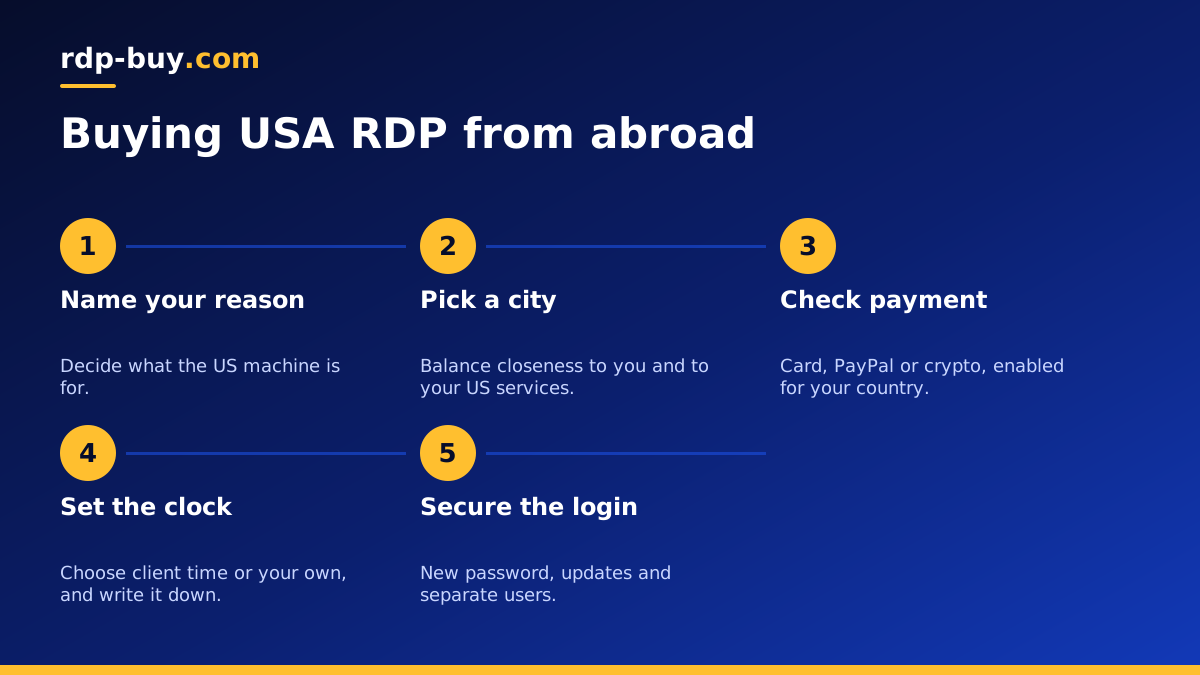
Run through this list and you will avoid the mistakes overseas buyers make most often. Name your main reason for wanting a US machine. Choose a city using both your own location and your US services. Size the plan for what runs at the same time, with memory first. Confirm that your payment method works internationally. Decide how you will handle the time zone.
Sizing is the same for buyers anywhere, and which RDP plan you need depends on your software rather than your country. If you are unsure, start small and move up after a week of real use.
One more point applies to anyone buying on behalf of a client. Agree in writing who owns the server, who holds the admin password and what happens to the data when the project ends. A short note now prevents awkward conversations later, and it makes handing the machine over far simpler.
Ordering your US desktop
Once your list is done, the rest is quick. Servers are ready in minutes, so you can be logged in during the same session. The Windows licence is included, you get a dedicated IPv4 address and full admin access, and you can bill monthly, half-yearly or yearly.
Compare the plans and buy RDP in the USA, selecting your chosen city at checkout. Then follow the steps in how to connect to your RDP server, which work the same from any country. If anything is unclear, our support team is available around the clock, whichever time zone you are in.
