 Sign in
VPS Monthly vs Yearly Billing: Which Should You Choose?
When you buy VPS hosting, the billing period is a decision in its own right. Monthly, half-yearly and yearly terms each suit a different stage of a project. This guide explains how to choose, so you can buy a VPS on terms that match how sure you are about the server and how long you will need it.
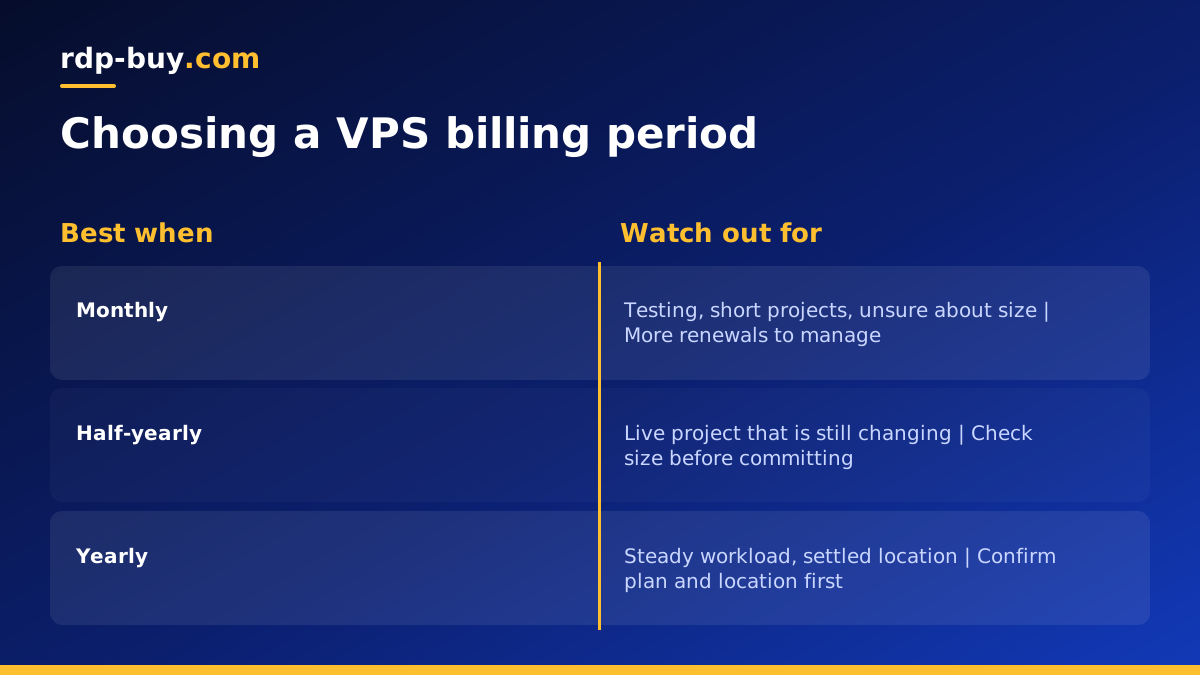
The three billing periods explained
Our VPS plans can be billed monthly, half-yearly or yearly. The server itself is the same whichever term you choose: the same resources, full root access, a dedicated IPv4 address and 24/7 support. What changes is how often you pay and how far ahead you commit.
Monthly billing means you pay for one month at a time. It gives you the most flexibility to change plans, move location or stop.
Half-yearly billing covers six months in one payment. It suits projects that are past the testing stage but still developing.
Yearly billing covers a full year in one payment. It suits servers you already know you will keep, and it means one renewal date to remember instead of twelve.
Longer terms are often priced more favourably than paying month by month, but always compare the totals shown at checkout for your chosen plan rather than assuming. You can see every option on the VPS hosting plans page.
When monthly billing is the right choice
Monthly billing is about keeping options open. Choose it when any of these apply:
- You are testing an idea, such as a new app, a bot or a self hosted tool, and do not yet know if it will last.
- You are unsure about size. Running for a month shows you real memory and CPU use, so you can move to the right plan with confidence.
- You are unsure about location. A month in one city lets you check how the server performs for your users before committing.
- The project has an end date, such as a short campaign, an event or a temporary migration.
- You prefer smaller regular payments for budgeting reasons.
When half-yearly billing makes sense
Half-yearly billing is the middle ground. It fits well when the project is real but still changing. For example, you have launched a website and it is getting visitors, or your n8n workflows are now part of daily operations, but you expect to adjust the setup over the coming months.
It also suits teams that review tools twice a year, or freelancers who host a client project for a fixed contract period. You get fewer renewals to manage than with monthly billing without locking in for a full year.
When yearly billing is the smarter move
Yearly billing is for servers that have become part of your routine. Good signs that you are ready for it:
- The server has run for a while and you know the plan size is right.
- The workload is steady, such as a business website, an always on AI agent, a VPN, or a trading tool.
- The location is settled because you know where your users or services are.
- You want fewer renewals, so there is less chance of a lapsed payment taking the server offline.
- You budget annually, as many businesses do.
A simple way to decide
Ask yourself three questions. First, how sure am I that I will still need this server later this year? Second, how sure am I about the plan size and location? Third, how much does flexibility matter compared with having fewer payments?
If you are unsure on the first two, start monthly. If you are fairly sure, half-yearly is a comfortable step. If you are certain, yearly is usually the tidiest choice. Many people follow exactly that path: they start monthly, confirm the server does the job, then switch to a longer term at renewal.
Our VPS hosting checklist helps with the plan and location questions, and the guide to what drives VPS price explains the other factors that affect cost.
Matching the billing period to common workloads
It can help to see how the choice plays out for typical projects. These are patterns, not rules, so adjust them to your own situation.
- A new website: start monthly while you settle the theme, plugins and traffic, then move to a longer term once visitors are steady.
- A self hosted automation tool such as n8n: test monthly while you build workflows. Once the business relies on them, a yearly term reduces the risk of a missed renewal stopping your automations. The VPS for n8n page covers sizing.
- A personal VPN or proxy: these are light and stable, so after a short test many people are happy to commit for longer.
- A development or staging server: monthly often fits best, since these servers come and go with projects.
- An always on AI agent: test monthly to learn its real memory needs, then commit once it runs reliably. See AI agent hosting for plan guidance.
- A client project: match the term to the contract, so you are not paying for time beyond the work.
Things to check before you commit to a longer term
A longer term is a good choice when you have done your homework. Before choosing half-yearly or yearly, check the following:
- The operating system. Linux VPS plans give you a choice of distributions, and our guide on which Linux distribution to choose can help. If you need Windows, look at Windows VPS hosting, where the Windows licence is included in the price.
- The resources. Make sure memory, CPU and storage leave headroom for growth.
- The location. We have 33 server locations, so pick the one nearest your users or the services the server talks to.
- Your backup plan. Whatever the term, keep backups outside the server.
- The payment method you will use at renewal, so the server keeps running without interruption.
Paying for your VPS
You can pay by card, PayPal or crypto for any billing period. Card and PayPal are convenient for automatic business bookkeeping. If you prefer crypto, the guide to buying a VPS with crypto explains the steps and how to avoid common mistakes such as sending funds on the wrong network. Whichever you choose, the server is ready in minutes after payment.
Common questions about switching terms
Many buyers worry about being stuck with a choice. In practice the billing period is chosen per order and can be reviewed when the term comes up for renewal. If you are unsure how changing the term or upgrading the plan works for your particular server, ask support before you decide, since they are available 24/7.
It also helps to set a calendar reminder a little before the renewal date, whatever term you choose. That gives you time to review whether the plan size, location and billing period still fit, rather than making the decision in a hurry.
Pick your plan and billing period
Start with the workload: what will the server run, and how much memory and CPU does that need? Choose a location close to your users. Then pick the billing period that matches how certain you are: monthly to test, half-yearly to grow, yearly to settle in. If budget is tight, the cheap VPS range is a good place to start.
When you are ready, go to the Linux VPS plans, choose your size, location and billing period, and your server will be ready in minutes.
