 Sign in
VPS Price Comparison: How to Compare Plans Like for Like
A useful VPS price comparison looks at the total cost of the same specification over the same period, not the headline figure on a pricing page. This guide gives you a simple method for lining up plans, so you can buy VPS hosting knowing what you are really paying for.
Why headline prices mislead
Two plans with similar monthly figures can cost very different amounts by the end of a year. Providers choose how to present a price, and the most attractive number is not always the one you will keep paying. Introductory rates can apply only to a first term. The displayed figure may assume a long prepayment. Some items that one seller includes may be paid extras elsewhere.
None of this is necessarily dishonest, but it does mean that scanning a list of numbers tells you little. Even a VPS price tracker or a comparison table is only a starting point, because those tools usually capture the advertised figure and a few basic specs. They rarely capture renewal terms, backups, licences or the fine print on traffic. The real comparison is one you do yourself, for your own project, and it takes less time than you might expect.
Step one: fix your requirements first
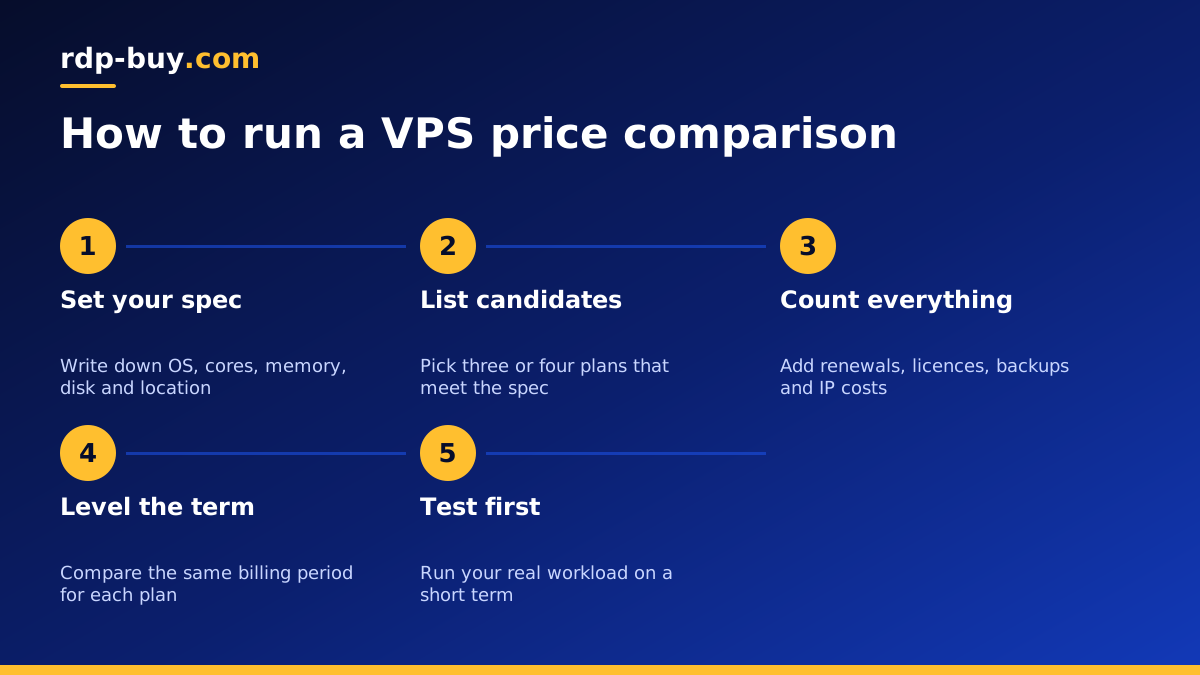
Comparison goes wrong when you start with prices and then decide what you need. Do it the other way round. Write down a short specification before you look at a single pricing page:
Now you have a fixed target. Any plan that misses it gets removed, however cheap it looks. Any plan that goes far beyond it only counts if you will use the extra capacity. If you are unsure what your project needs, our explanation of what drives VPS price helps you work out which specs affect your bill.
- Operating system: Linux, or Windows if your software needs it
- Processor cores and memory: the minimum your software runs comfortably on
- Disk: enough for your data, logs and local backups, with the disk type noted
- Location: the region nearest your users or the services you connect to
- Must haves: a dedicated IP address, root access, snapshots, or a payment method you can use
Step two: build a simple comparison sheet
Open a spreadsheet and give each candidate one row. Use these columns:
Then add one more column: the total for twelve months, including renewal and every extra you need. That single figure is your real comparison. You will often find the ordering of plans changes once it is filled in. Doing this for three or four sellers is enough; a list of twenty only adds noise.
- Monthly rate on the term you would really choose
- Renewal rate after the first term
- Length of the term you must prepay
- Setup fee, if there is one
- Cost of the operating system licence, if separate
- Cost of backups or snapshots, if separate
- Cost of a dedicated IPv4 address, if separate
- Traffic allowance and the rule for going over it
- Refund or cancellation terms
Step three: compare the things that affect value
Once the numbers are level, look at what you get for them. A fair price for one server may be a poor deal for another if the resources are not equal.
Processor. A core is not a fixed unit of work. Generation and clock speed vary, and shared cores behave differently from dedicated ones. If a seller says little about the processor, treat the core count with some caution.
Memory. Check that the amount listed is guaranteed to your server rather than burstable.
Disk. Size alone says little. Disk type affects how quickly a database or website responds, so a smaller, faster disk can beat a larger, slower one.
Network terms. Read how traffic is counted, and what happens if you pass an allowance. A low plan with expensive overage can end up costing more than a plan with a clear policy.
Access. Full root access lets you install anything. Limited access can leave you paying for features you could have set up yourself.
Support. A server problem at an awkward time costs you money too. Check support hours and how you reach people.
Windows plans need their own comparison
If you need Windows, compare only Windows plans, and check how the licence is handled. Some sellers quote a Linux figure and add the licence as a line later, which makes their plan look cheaper at first glance. At rdp-buy.com the Windows licence is included in Windows prices, so there is no second line to add. See Windows VPS hosting if that applies to you, and do not compare a Windows plan against a Linux plan on price alone, since they serve different needs. Our guide on Windows or Linux servers will help if you have not decided.
Billing terms change the arithmetic
Longer billing periods generally reduce what you pay per month, but they also raise your commitment. Before you take a long term, ask three questions. Will you still need this server in a year? Have you tested it enough to trust it? What happens if the project changes direction?
A sensible pattern is to start monthly, run your real workload for a few weeks, and move to a longer term once you know the server suits you. rdp-buy.com offers monthly, half-yearly and yearly billing for this reason. Our comparison of monthly vs yearly VPS billing covers the decision further, if you want to go deeper. In your spreadsheet, always compare the same term across sellers, or the figures will not mean much.
Warning signs in a price list
A low price is not a problem on its own. Some cheap plans are excellent for small jobs. Be careful, though, if you notice any of these:
Any one of these may have an innocent explanation, so ask. How a seller answers a pre sale question also tells you something about how it will answer when your server has a problem.
- The specification is vague and the processor is not described
- Renewal pricing is missing or hard to find
- The terms of service limit what you can run in ways that affect your project
- There is no clear way to contact support before you pay
- Payment is only possible through a long, non refundable prepayment
- The price seems out of line with other sellers offering the same thing, with no explanation
Test before you commit
Numbers on a sheet only go so far. Once you have a favourite, take the shortest term available and run your actual workload on it. Measure page load from your target region, watch processor and memory use at busy times, and check that the server behaves as you expected across a few days. Only then move to a longer term. Our buyer's checklist for comparing VPS providers is useful alongside this article if you want to check non price factors as well.
Making your final choice
By now you should have a short list where every plan meets your specification, every cost is counted, and every term is level. Choose the plan with the best twelve month total that also passes your checks on support, access and location. Do not chase the very lowest figure if it leaves you with no room to grow, because moving a live site costs time as well.
If you want a straightforward starting point, compare our Linux VPS plans with your sheet. Every plan includes full root access, a dedicated IPv4 address, 24/7 support and a choice of 33 locations, and servers are ready in minutes. For budget projects, also look at the cheap VPS range.
